# Pull Request Template
## Description
This PR removes the old Captain label suggestion card above the reply
box. Label suggestions now come from the Captain suggestions in the
conversation sidebar.
This also removes the Label Suggestion toggle in Captain settings and
the "Show label suggestions" option on the OpenAI integration. A
migration clears old saved values so existing accounts keep saving.
## Type of change
- [x] Breaking change (fix or feature that would cause existing
functionality not to work as expected)
## Checklist:
- [x] My code follows the style guidelines of this project
- [x] I have performed a self-review of my code
- [x] I have commented on my code, particularly in hard-to-understand
areas
- [ ] I have made corresponding changes to the documentation
- [x] My changes generate no new warnings
- [x] I have added tests that prove my fix is effective or that my
feature works
- [x] New and existing unit tests pass locally with my changes
- [ ] Any dependent changes have been merged and published in downstream
modules
Co-authored-by: Sony Mathew <2040199+sony-mathew@users.noreply.github.com>
# Pull Request Template
## Description
Agents using an input method editor (Vietnamese Telex, Chinese,
Japanese, Korean) press Enter once to confirm the word being composed
and again to send. The reply box treated the first Enter as send, so the
full message was sent, the editor cleared, and the browser inserted the
half-finished word back into the empty box. The second Enter then sent
that fragment as a separate message.
The reply box now ignores Enter and Cmd/Ctrl+Enter while an IME
composition is in progress, so only the second Enter sends the message.
Fixes
https://linear.app/chatwoot/issue/CW-8345/reply-box-sends-the-message-when-enter-confirms-an-ime-word-then-the
## Type of change
- [x] Bug fix (non-breaking change which fixes an issue)
## How Has This Been Tested?
### How to reproduce
1. Switch to an IME input source, for example Vietnamese Telex on macOS,
and set the send key to Enter.
2. Type a sentence and stop while the last word is still underlined.
3. Press Enter once. Before this change, the whole message is sent and
the word reappears alone in the editor. After this change, nothing is
sent and the word is confirmed.
4. Press Enter again. The complete message is sent once.
## Checklist:
- [x] My code follows the style guidelines of this project
- [x] I have performed a self-review of my code
- [x] I have commented on my code, particularly in hard-to-understand
areas
- [ ] I have made corresponding changes to the documentation
- [x] My changes generate no new warnings
- [x] I have added tests that prove my fix is effective or that my
feature works
- [x] New and existing unit tests pass locally with my changes
- [ ] Any dependent changes have been merged and published in downstream
modules
## Description
`AutoAssignment::RateLimiter` counted an agent's recent assignments with
`Redis::Alfred.keys_count`, which runs `SCAN` over the whole keyspace
once per candidate agent per conversation on every assignment run. On a
large keyspace that is thousands of round trips per check, and the cost
scales with keyspace size rather than with assignments.
This stores assignments in one sorted set per inbox and agent (member:
conversation id, score: assignment time), trims entries older than the
window on write, expires the key with the window, and counts with
`ZCOUNT`. Limits, windows and defaults are unchanged.
Existing per-assignment keys are not migrated: windows in progress at
deploy time reset, and the old keys expire on their own.
Fixes https://linear.app/chatwoot/issue/INF-116
## Type of change
- [x] Bug fix (non-breaking change which fixes an issue)
## How Has This Been Tested?
`bundle exec rspec spec/services/auto_assignment
spec/jobs/auto_assignment` (62 examples, 0 failures). The rate limiter
spec now asserts Redis state directly, including trimming and the
sliding window via `travel_to`.
## Checklist:
- [x] My code follows the style guidelines of this project
- [x] I have performed a self-review of my code
- [ ] I have commented on my code, particularly in hard-to-understand
areas
- [ ] I have made corresponding changes to the documentation
- [x] My changes generate no new warnings
- [x] I have added tests that prove my fix is effective or that my
feature works
- [x] New and existing unit tests pass locally with my changes
- [ ] Any dependent changes have been merged and published in downstream
modules
## Description
Migrations with hand-written, rounded versions (e.g. `20260925000000`)
keep colliding across branches. Git merges two such files cleanly
because the filenames differ, and spec CI stays green because it loads
the schema instead of running migrations. The failure only shows up on a
real `db:migrate`: a `DuplicateMigrationVersionError`, or a database
that already recorded one branch's migration silently skipping the
other.
This adds:
- A `Migration Version Check` workflow on PRs that touch `db/migrate`.
It fails when a migration added or renamed in the PR has a version
ending in `0000`, and when two files in `db/migrate` share a version.
Existing migrations are not flagged.
- An `AGENTS.md` rule to create migrations with `rails g migration`
instead of writing the version by hand.
Linear: https://linear.app/chatwoot/issue/INF-118
## Type of change
CI and contributor guidelines only, no app code changes.
## How Has This Been Tested?
Ran both steps locally against simulated PR merge commits on top of
develop: a generated timestamp passes, `...000000` and `...090000`
versions fail, renaming a migration to a rounded version fails, and a
duplicate of an existing version fails. Develop as-is passes both
checks.
## Checklist:
- [x] My code follows the style guidelines of this project
- [x] I have performed a self-review of my code
- [ ] I have commented on my code, particularly in hard-to-understand
areas
- [x] I have made corresponding changes to the documentation
- [x] My changes generate no new warnings
- [ ] I have added tests that prove my fix is effective or that my
feature works
- [ ] New and existing unit tests pass locally with my changes
- [ ] Any dependent changes have been merged and published in downstream
modules
Presence pings from the dashboard, mobile app, and widget now run one
less Postgres query each. Agents and visitors see no change in behavior.
## What changed
- `OnlineStatusTracker.get_available_user_ids` loaded the `Account` row
only to reach `account_users`. It now queries `AccountUser` by
`account_id` and plucks the user ids.
- `OnlineStatusTracker.get_availability_from_db` gets the same change.
Its account lookup was served by the query cache until now, and would
have become a real query once the first lookup was gone.
## Why
`RoomChannel#update_presence` calls `get_available_user_ids` on every
ping. On Chatwoot Cloud that was one `Account` query per ping, about
367M a week, averaging 2.9 ms each as measured from the app. The method
was written for auto-assignment, where one extra query per assignment
costs little.
Auto-assignment and inbox agent availability call the same method and
return the same results as before.
<details>
<summary>Benchmark</summary>
Based on local benchmarking of 40,000 pings over 5 threads, the change
cuts Postgres queries from 2 per ping to 1. Throughput rose from about
1,050 pings a second to between 1,460 and 1,600. Median ping time fell
from 4.1 ms to 2.8 ms.
The run used the production traffic mix of 7% agent pings and 93% widget
pings. It ran against a local database and Redis in development mode, so
absolute times in production will differ.
### Script
Save it as `presence_concurrent.rb` and run it with `bundle exec rails
runner presence_concurrent.rb`. `TOTAL` and `THREADS` set the number of
pings and threads. It reads Postgres only, and it writes presence
heartbeats to the local Redis. The `Before` module is a copy of the
method on `develop`, so both versions run in one process.
```ruby
# Runs presence pings from several threads at once, before and after the change.
# Reads Postgres only. Writes presence heartbeats to the local Redis, as a real ping does.
TOTAL = (ENV['TOTAL'] || 40_000).to_i
THREADS = (ENV['THREADS'] || 5).to_i
AGENT_SHARE = 7 # percent of pings that come from agents, as measured in production
# The method as it is on develop
module Before
def self.get_available_users(account_id)
user_ids = get_available_user_ids(account_id)
return {} if user_ids.blank?
user_availabilities = ::Redis::Alfred.hmget(OnlineStatusTracker.status_key(account_id), user_ids)
user_ids.map.with_index { |id, index| [id, (user_availabilities[index] || OnlineStatusTracker.get_availability_from_db(account_id, id))] }.to_h
end
def self.get_available_user_ids(account_id)
account = Account.find(account_id)
range_start = (Time.zone.now - OnlineStatusTracker::PRESENCE_DURATION).to_i
user_ids = ::Redis::Alfred.zrangebyscore(OnlineStatusTracker.presence_key(account_id, 'User'), range_start, '+inf')
user_ids += account.account_users.where(auto_offline: false)&.map(&:user_id)&.map(&:to_s)
user_ids.uniq
end
end
PG_QUERIES = Concurrent::AtomicFixnum.new
ActiveSupport::Notifications.subscribe('sql.active_record') do |*, payload|
PG_QUERIES.increment if !payload[:cached] && payload[:name] != 'SCHEMA' && payload[:name].present?
end
accounts = Account.where(id: Conversation.distinct.pluck(:account_id)).to_a
users = accounts.flat_map { |a| a.account_users.pluck(:user_id).map { |id| [a.id, 'User', id] } }
contacts = accounts.flat_map { |a| a.contacts.limit(3000).pluck(:id).map { |id| [a.id, 'Contact', id] } }
random = Random.new(42)
work = Array.new(TOTAL) { random.rand(100) < AGENT_SHARE ? users.sample(random: random) : contacts.sample(random: random) }
puts "accounts=#{accounts.size} users=#{users.size} contacts=#{contacts.size} threads=#{THREADS} db_pool=#{ActiveRecord::Base.connection_pool.size} env=#{Rails.env}"
# One ping, as RoomChannel#update_presence runs it inside the Rails executor
ping = lambda do |tracker, account_id, type, id|
Rails.application.executor.wrap do
OnlineStatusTracker.update_presence(account_id, type, id)
data = { account_id: account_id, users: tracker.get_available_users(account_id) }
data[:contacts] = OnlineStatusTracker.get_available_contacts(account_id) if type == 'User'
data
end
end
run = lambda do |tracker|
queue = Queue.new
work.each { |item| queue << item }
latencies = Array.new(THREADS) { [] }
PG_QUERIES.value = 0
started = Process.clock_gettime(Process::CLOCK_MONOTONIC)
THREADS.times.map do |index|
Thread.new do
loop do
item = begin
queue.pop(true)
rescue ThreadError
break
end
t0 = Process.clock_gettime(Process::CLOCK_MONOTONIC)
ping.call(tracker, *item)
latencies[index] << (Process.clock_gettime(Process::CLOCK_MONOTONIC) - t0) * 1000
end
end
end.each(&:join)
elapsed = Process.clock_gettime(Process::CLOCK_MONOTONIC) - started
all = latencies.flatten.sort
{ elapsed: elapsed, rate: TOTAL / elapsed, avg: all.sum / all.size, p50: all[all.size / 2], p95: all[(all.size * 0.95).to_i],
p99: all[(all.size * 0.99).to_i], pg: PG_QUERIES.value }
end
work.first(500).each { |item| ping.call(Before, *item) && ping.call(OnlineStatusTracker, *item) }
[['before', Before], ['after', OnlineStatusTracker], ['before', Before], ['after', OnlineStatusTracker]].each do |label, tracker|
r = run.call(tracker)
puts format('%-7s %6.1f s %6.0f pings/s avg %.2f ms p50 %.2f p95 %.2f p99 %.2f postgres queries %d (%.2f per ping)',
label, r[:elapsed], r[:rate], r[:avg], r[:p50], r[:p95], r[:p99], r[:pg], r[:pg] / TOTAL.to_f)
end
```
</details>
# Pull Request Template
## Description
Fixes https://linear.app/chatwoot/issue/CW-8369/super-admin-redesign
## Type of change
- [x] New feature (non-breaking change which adds functionality)
## Checklist:
- [x] My code follows the style guidelines of this project
- [x] I have performed a self-review of my code
- [x] I have commented on my code, particularly in hard-to-understand
areas
- [x] I have made corresponding changes to the documentation
- [x] My changes generate no new warnings
- [x] I have added tests that prove my fix is effective or that my
feature works
- [x] New and existing unit tests pass locally with my changes
- [ ] Any dependent changes have been merged and published in downstream
modules
Enriching a company now also sets its logo. Previously enrichment filled
in the profile (industry, size, location, socials) but left the avatar
untouched, so companies kept a low-resolution favicon or no logo at all,
even after "Company profile refreshed." In the company notes feed, notes
without an author now show as **System** with a gear icon instead of
"Someone".
## How to reproduce
1. Open a company that has a domain but no logo (or only a blurry
favicon), on an account with company enrichment enabled.
2. Click **Enrich**. The profile fields refresh, but the logo does not
change.
3. Open the **Notes** tab for a company that has a note created without
an agent (for example via automation or the API). The author shows as
"Someone" with initials.
## What changed
- `Companies::EnrichmentService` attaches the Context.dev logo as the
company avatar, preferring the square `icon` variant and falling back to
the first logo.
- Automatic enrichment on company creation only fills a missing avatar.
The manual **Enrich** action replaces the existing avatar, matching how
it already overwrites other fields.
- Logos in formats avatars do not accept (such as SVG) are skipped and
the existing avatar is kept.
- Authorless notes in the company notes feed render with the name
"System" and a gear icon.
## Notes
- Companies created before favicon fetching existed still have no avatar
until they are enriched or `rake companies:fetch_missing_avatars` is
run.
- For newly created companies, the favicon job can attach before
automatic enrichment finishes, in which case the favicon stays until
someone clicks **Enrich**.
Stripe customer lookups currently return `stripe_unavailable` without
enough information to identify the underlying provider failure. This
adds minimal server-side diagnostics for Stripe API and network errors
while keeping the customer-facing response unchanged.
### What changed
Log the error class and, for Stripe API errors, the error code, HTTP
status, and Stripe request ID. Raw response bodies, exception messages,
credentials, and customer data are excluded.
### Things to know
Authentication and OAuth error handling remain unchanged. No migrations,
configuration changes, or feature-flag changes are required.
### How to reproduce
With Stripe connected, a customer lookup that encounters a Stripe API or
network error returns `stripe_unavailable`, but previously did not log
the provider details.
### How to test
In a test environment, trigger a customer lookup with a simulated Stripe
API failure. Confirm the response remains `422` with
`stripe_unavailable` and the server log contains only the safe error
details. Confirm successful customer lookups still display billing
information normally.
---------
Co-authored-by: Muhsin <12408980+muhsin-k@users.noreply.github.com>
Adds a read-only Stripe integration so support agents can view customer
details, subscriptions, and recent invoices directly in the conversation
sidebar without asking a teammate to look them up in Stripe.
Account administrators connect through OAuth and manage the connection
from Settings → Integrations. Super Admin controls the Stripe app
configuration. Sandbox and live connections are supported; Chatwoot's
own subscription billing is unchanged.
### Things to know
- This is an initial read-only integration. Refunds, payment actions,
and webhook-driven updates are not included.
- Customer lookup uses the conversation contact's email. When multiple
Stripe customers match, the agent selects one. Billing data is scoped to
conversations the agent can access.
- Customer matching uses Stripe Search with an exact case-insensitive
email check. Newly created or edited customers may not appear
immediately because of indexing delays. Stripe Search is unavailable to
businesses in India; this integration currently shares that limitation.
See [Stripe Search
limitations](https://docs.stripe.com/search#limitations).
- Connections reuse integration hooks, with encrypted OAuth credentials
and token refresh. No new database table is required. Active Record
encryption must be configured.
- Configure the matching OAuth installation link and developer secret in
Super Admin → Settings → Stripe. The Stripe app must allow the
installation's `/stripe/callback` URL. Each installation uses one
credential pair; changing environments requires reconnecting accounts.
- Disconnecting removes the local credentials. Uninstall the app in
Stripe to revoke provider-side access.
- The sandbox flow has been exercised locally. Live-mode behavior has
automated coverage, but live credentials, an internal live pilot,
deployment, and Marketplace publishing are deferred.
### How to test
1. Configure a sandbox OAuth link and matching developer key in Super
Admin → Settings → Stripe, with Active Record encryption enabled.
2. As an account administrator, open Settings → Integrations → Stripe
and connect a sandbox. Confirm the connected account, environment, date,
and dashboard link.
3. Create a Stripe customer whose email matches a Chatwoot contact, with
a subscription and invoices. Open that contact's conversation and expand
Stripe to see the customer, subscription status, and recent invoice
amounts, dates, and statuses.
4. Check a contact with no email, no matching customer, and multiple
matching customers. The sidebar should show the appropriate empty state
or customer selector.
Use a mixed-case email in Stripe to verify case-insensitive matching,
and edit the contact email with the sidebar open to verify it reloads
and clears the old customer selection. Allow time for Stripe's search
index to update.
5. Confirm agents cannot manage the connection or retrieve Stripe data
through an inaccessible conversation.
6. Disconnect and confirm the sidebar is no longer available.
Live-account verification is a separate rollout step and has not been
performed.
---------
Co-authored-by: Muhsin <12408980+muhsin-k@users.noreply.github.com>
Co-authored-by: Sivin Varghese <64252451+iamsivin@users.noreply.github.com>
Co-authored-by: iamsivin <iamsivin@gmail.com>
Admins can now browse the Captain tools catalog and install toolsets
from it. A new "Tools Catalog" button on the tools page opens a page
listing the toolsets published in
[chatwoot/tools](https://github.com/chatwoot/tools), filterable by
category. Clicking a toolset opens a side panel with its tools, the
configuration it needs, and its README, with an Install button that
opens the install preview from #15997. Toolsets the assistant already
has are marked "Installed", or "Update available" when the catalog has a
newer version. Each toolset shows its author, and toolsets authored by
Chatwoot are listed first.
Toolsets can also be installed from a shareable link,
`/captain/toolsets/install?source=chatwoot/tools/<folder>`. It opens the
dashboard in the user's current account, asks which assistant to install
to when there is more than one, and opens the install preview over that
assistant's tools page.
This is part 4 of a series of PRs that bring toolset manifest import to
Captain, stacked on #15997.
## How to test
1. In Super Admin, enable "Captain Tools Manifest". The Captain Tools
Catalog URL defaults to `https://www.chatwoot.com/captain/tools`;
locally, point it at a deployment that serves the catalog, for example
`https://deploy-preview-322--chatwoot.netlify.app/captain/tools`.
2. On an account with the custom tools plan, open Captain > Tools and
click "Tools Catalog".
3. Switch between category pills and check the cards filter.
4. Click a card, review the tools, configuration and README in the side
panel, then click Install and complete the install.
5. Check you land back on the tools page with the new tools listed, and
that the catalog now marks that toolset as installed.
6. Open `/captain/toolsets/install?source=chatwoot/tools/better-stack`
as an admin. With more than one assistant, pick one, then complete or
cancel the install and check you end up on that assistant's tools page.
7. Turn "Captain Tools Manifest" off and check the Tools Catalog button
is hidden on the tools page.
## Changes
- `CAPTAIN_TOOLS_CATALOG_URL` installation config, exposed to the
dashboard through the global config.
- Tools Catalog page at `/captain/:assistantId/tools/explore` with
category pills and a three column card grid.
- Toolset details side panel with tools, configuration fields, README,
and an Install button for admins.
- Installed and update available badges, backed by a new `GET
captain/tools_manifest/installed` endpoint.
- Shareable install link at `/captain/toolsets/install?source=...`, with
an assistant picker when the account has more than one.
- The "Captain Tools Manifest" setting only hides the Tools Catalog
button; the preview and install APIs still enforce it. The catalog, its
install actions and the install link stay behind the custom tools
paywall.
- Custom tool templates no longer render with `strict_variables`, so `{%
if response.error %}` and `| default:` work on optional fields. Liquid
syntax errors still fail the call.
- Custom tool endpoint URLs may contain Liquid tags (`{% %}`); the
save-time URL check ignores them, and SafeFetch still checks the real
host on every call.
- The catalog is fetched from the browser without credentials, so the
catalog host must allow cross-origin requests.
## Known limitations
- An install link opened while logged out, or in an account with no
assistants yet, does not resume after login or assistant creation.
Opening the link again works.
Messages Chatwoot posts into a Slack thread now show who sent them more
clearly:
- Captain's replies are labelled **(Captain)** and use the Captain logo
instead of the generic bot one.
- Contact, agent, bot and system messages get new, sharper avatars in
one consistent style.
- Agents who are also super admins are now labelled **(Agent)**; they
were shown as **(Bot)**.
This is split out of #16129. The borders for private notes and activity
messages are in #16142; the two can merge in either order.
## How to test
1. Connect the Slack integration and start a conversation so a thread is
created in the channel.
2. Let Captain reply in the conversation: in Slack the message shows as
`<assistant name> (Captain)` with the Captain logo. A reply from another
agent bot shows as `(Bot)` with the bot avatar.
3. From the dashboard, reply as an agent without a profile picture, and
send a message as a contact: each shows its new default avatar in the
thread. An agent with a profile picture still shows their own.
4. Reply from the dashboard as an agent who is also a super admin: the
message is labelled `(Agent)`.
5. Resolve or reassign the conversation: the activity message appears in
the thread under **System** with the new system avatar.
Slack caches avatars per message, so only messages posted after this
change show the new ones.
## What changed
- `SendOnSlackService` maps each sender label to an avatar file
explicitly. The avatars live under new file names in
`public/integrations/slack/` so Slack fetches them fresh; `user.png`
stays (redrawn) because the Dyte integration uses it as its default
avatar.
- Agents without a profile picture now get the agent avatar. They were
pointed at `agent.png`, which does not exist.
Moves Slack request signature verification out of the events webhook
controller into `Integrations::Slack::SignatureVerifier`, so other Slack
endpoints can reuse it. There is no change in behaviour for the events
webhook.
This is split out of #16129, which adds a second Slack endpoint
(interactive button clicks) that needs the same check.
## What changed
- New `Integrations::Slack::SignatureVerifier` with the signing secret
lookup and the signature check, moved as they were from
`Api::V1::Integrations::WebhooksController`.
- The events webhook controller calls the verifier. It still skips
verification with a warning when no signing secret is configured, and
still returns `401` for a missing, stale or invalid signature.
- `SignatureVerifier.valid?` returns `false` when no signing secret is
configured. The events webhook never reaches that case because it checks
for the secret first; it is there so a caller that requires a secret can
use `valid?` alone.
Conversation monitors now allow **10,000,000 calls per UTC month** and
**500,000 calls per UTC day**, per account. Allowances count attempted
provider requests, including preview calls, and no longer depend on
estimated token lengths. Pending evaluations retain their quota holds
when new messages arrive and resume after the applicable reset without
retrying ahead of a provider cooldown.
## What changed
- Enforce both call limits using persisted daily usage under the account
lock, so concurrent workers cannot exceed the remaining allowance. Each
attempted provider batch consumes one call, even when it evaluates
multiple monitors or returns a provider error.
- Remove the daily token reservation and reconciliation, which mixed
JSON request bytes with provider input tokens. Keep request-size limits
and provider token/cost telemetry.
- Preserve daily and monthly quota holds across new conversation input.
Spread retries over up to four hours after the later of the quota reset
and the longest provider cooldown recorded across failed batches.
- Report when the current monthly allowance was reached, ignoring
timestamps from the previous 100,000-call allowance.
- Document the RubyLLM bundle-audit exceptions for the pinned Ruby 3.4.4
runtime, with reassessment required when the runtime or supported
dependency versions change.
## Quota logging
When a committed call reaches the daily or monthly account cap, emit one
structured `conversation_monitor_limit_reached` log event for that
period. It includes `account_id`, `period` (`daily` or `monthly`),
`used`, `limit`, and the UTC reset timestamp `resets_at`. Rolled-back
calls and subsequent blocked retries do not emit events. Reaching both
caps in the same call emits one event for each period.
The event uses the existing Rails log forwarding path. In New Relic,
group events by account and period with:
```sql
FROM Log
WITH aparse(message, '%"account_id":*,%') AS account_id,
aparse(message, '%"period":"*"%') AS period
SELECT count(*)
WHERE message LIKE '%conversation_monitor_limit_reached%'
FACET account_id, period
SINCE 7 days ago
LIMIT MAX
```
## Closes
Fixes https://linear.app/chatwoot/issue/INF-117
## How to reproduce
1. Exhaust an account's daily allowance, then receive additional
conversation messages before the next UTC midnight. Previously, each
message could pull the held work into an early retry and accumulate
another job at the reset. The work now retains its saved retry time
while recording the new input.
2. Have an earlier provider batch return a long `Retry-After`, then
exhaust the daily or monthly allowance before the next batch. The saved
retry now honors both the allowance reset and the longer provider
cooldown before adding jitter.
## Rollout
Existing quota holds retain their saved retry times; the increased
allowances apply when work next reserves a call. Already-scheduled jobs
from before deployment will still run once.
---------
Co-authored-by: Sony Mathew <2040199+sony-mathew@users.noreply.github.com>
Merchants installing Chatwoot from Shopify can create an account or sign
in to an eligible existing workspace, then continue to Shopify billing
setup. The installation destination follows them through email
confirmation, invitation acceptance, password reset, Google sign-in,
SAML, and MFA.
This is the final Shopify onboarding PR. Dashboard connections and the
installation foundation have already merged in #16084 and #16085; this
PR targets `develop` and completes the App Store signup and
authentication flows.
### Closes
- Fixes
https://linear.app/chatwoot/issue/CW-6500/support-shopify-app-store-install-flow-for-merchant-initiated
- Fixes
https://linear.app/chatwoot/issue/PLA-170/resolve-shopify-app-store-billing-rejection
### Things to know
- Shopify remains behind its feature flag. Shared signup, login,
confirmation, password-reset, and account-routing code changes in this
PR still require regression coverage with Shopify disabled.
- App Store onboarding uses Shopify billing. Existing Stripe customers
continue connecting through the dashboard flow.
- Google signup rejection preserves the target workspace. Invalid or
claimed installation tokens return a recoverable error, and invitation
password-setup links preserve the installation continuation.
- Account membership creates notification settings within its
transaction and reuses existing settings when an agent is re-added.
Unrelated agent-cleanup, IMAP entitlement, and shared-plan lookup
changes are excluded.
- No Shopify lookup-index migration is included; those indexes are
deferred.
- Shop-scoped locking and database uniqueness enforcement are deferred.
Concurrent signups using separate pending tokens for the same shop can
create duplicate connections and block later App Store launches.
Database transactions and model validation do not prevent this race. The
installation/uninstall race is also deferred. Both are accepted risks,
not fixed issues:
https://github.com/chatwoot/chatwoot/pull/13550#discussion_r4154926009
and
https://github.com/chatwoot/chatwoot/pull/13550#discussion_r4152556108.
- Configure the Shopify app URLs for the target environment. Webhook
testing requires a reachable callback host.
### How to test
1. With Shopify enabled, install from a development store, create an
account, confirm the email, and complete billing setup with a test plan.
Verify the store is connected to the new workspace.
2. Repeat while signed out of an eligible existing workspace. Verify
workspace selection and the installation destination survive
email/password login, Google, SAML, and MFA.
3. Start with an unconfirmed invited administrator, resend confirmation,
accept the invitation, and set a password. Verify onboarding resumes in
the intended workspace.
4. Exercise password reset and confirmation resends from a Shopify
continuation. Verify the installation token or billing destination and
workspace are preserved.
5. Reject a personal Google signup and retry with the correct identity.
Verify the target workspace is retained. Retry with an expired or
claimed installation token and verify a recoverable error appears
instead of a server error.
6. With Shopify disabled, verify ordinary signup, confirmation,
invitation acceptance, login/logout, password reset/change, Google,
SAML, and MFA. Check existing Stripe billing and account access.
---------
Co-authored-by: Sony Mathew <2040199+sony-mathew@users.noreply.github.com>
Co-authored-by: Muhsin <12408980+muhsin-k@users.noreply.github.com>
Co-authored-by: Sony Mathew <sony@chatwoot.com>
## Description
Conversation create now validates `assignee_id` and `team_id` before
creating the conversation, and returns `422` for values that don't
resolve, in line with how bulk actions handle them. Requests without
these fields behave as before.
Fixes https://linear.app/chatwoot/issue/CW-8347
## Type of change
- [x] Bug fix (non-breaking change which fixes an issue)
## How Has This Been Tested?
Added request specs for invalid assignee and team values (422, no
conversation created). Existing conversations controller specs pass.
## Checklist:
- [x] My code follows the style guidelines of this project
- [x] I have performed a self-review of my code
- [ ] I have commented on my code, particularly in hard-to-understand
areas
- [ ] I have made corresponding changes to the documentation
- [x] My changes generate no new warnings
- [x] I have added tests that prove my fix is effective or that my
feature works
- [x] New and existing unit tests pass locally with my changes
Bulk conversation assignments now accept only users and teams belonging
to the current account. Invalid assignment targets return `422` before
the bulk job is queued, so the request does not partially change
conversation status, labels, or assignments.
Existing assignment removal remains supported: `assignee_id: null`,
`team_id: null`, and the dashboard's `team_id: 0` value. Valid
assignments and other bulk actions keep their current behavior.
### How to test
1. As an agent with access to an inbox, select multiple conversations
and assign an agent and team from the current account. Confirm the
assignments update.
2. Remove the agent and team assignments. Confirm both are cleared.
3. Submit a bulk request with an assignment target outside the current
account or a nonexistent target. Expect `422` and no conversation
changes, including when the request also changes status.
4. Bulk-update conversation status without assignment fields. Confirm it
still works.
The pushed commit was checked against a running local Rails server and
Sidekiq worker with synthetic accounts. All 12 HTTP checks passed,
including rejected requests leaving conversations unchanged.
---------
Co-authored-by: Muhsin <12408980+muhsin-k@users.noreply.github.com>
Co-authored-by: Sony Mathew <2040199+sony-mathew@users.noreply.github.com>
This draft improves Shopify connections started by administrators from
dashboard settings. It adds expiring OAuth state, feature-gate checks,
store-domain validation, and protection against reconnecting an
installation during uninstall cleanup.
Existing signup, login, password reset, and billing behavior remain
unchanged.
Related: https://github.com/chatwoot/chatwoot/pull/13550
### Things to know
- First PR in the Shopify split; merge this before the installation
foundation and signup/authentication changes.
- Shopify remains behind its feature flag.
- Includes dashboard integration and cleanup specs. No database
migrations.
- Browser verification and frontend tests remain outstanding; this draft
is not a merge-readiness confirmation.
### How to test
1. Enable Shopify for a test account and connect a development store
from Settings → Integrations → Shopify.
2. Verify customer orders appear in conversations.
3. Disconnect and reconnect the store.
4. Disable Shopify and verify connection attempts are blocked.
5. Confirm an existing Stripe account retains its billing configuration.
---------
Co-authored-by: Muhsin <12408980+muhsin-k@users.noreply.github.com>
## Description
Administrators can use an active conversation monitor as an automation
event. They can create a rule from the automation screen or from the
monitor list and report, then see linked rules on the monitor report. A
rule fires when a live public message first makes the conversation
match, whether that message is incoming or outgoing. Replies generated
by another automation remain visible in monitor reporting but cannot
trigger a linked rule; historical scans do not run actions. Pausing or
deleting a monitor disables its linked rules, and resuming the monitor
leaves them disabled until an administrator re-enables them.
## Type of change
- [x] New feature (non-breaking change which adds functionality)
## Closes
-
[CW-8304](https://linear.app/chatwoot/issue/CW-8304/trigger-automations-from-conversation-monitor-matches)
## How to test
1. Use an account with Reports, Conversation Monitors, and Automations
enabled and a configured monitor provider.
2. Create a monitor, then create an automation with **Monitor matched**
as its event and select that monitor. Confirm only active monitors are
offered.
3. From the monitor list or report, create another automation and
confirm the selected monitor is prefilled. After saving, confirm the
monitor report shows the linked rule.
4. Send a new public incoming or outgoing message that first makes the
monitor match. Confirm the rule's action runs. Send an
automation-generated reply that alone matches the monitor, including
immediately after a customer message, and confirm it records the match
without running the linked rule. Confirm historical scans do not run
actions and the same recorded match is not replayed.
5. Pause the monitor and confirm its linked rules become disabled.
Resume it and confirm the rules stay disabled until explicitly
re-enabled. Deleting a monitor should also disable its linked rules.
## What changed
- Added monitor event validation, account scoping, live activity
attribution, durable delivery records, and action dispatch in
Enterprise.
- Kept automation-generated replies in monitor reporting while excluding
them from the action-eligible message context.
- Preserved live eligibility when a new message is updated before
commit, and isolated delivery inserts so deleting a linked rule cannot
discard the monitor match.
- Added the monitor event picker, rule status and search, monitor
shortcuts, and linked rule list in the dashboard.
- Added coverage for API validation, delivery behavior, lifecycle
changes, and frontend selection and navigation.
## Checklist
- [x] My code follows the style guidelines of this project
- [x] I have performed a self-review of my code
- [x] I have added tests that prove the feature works
- [x] New and existing focused unit tests pass locally with my changes
## CI follow-up
- Extended the automation composable spec to cover the monitor event.
---------
Co-authored-by: Aakash Bakhle <48802744+aakashb95@users.noreply.github.com>
Co-authored-by: iamsivin <iamsivin@gmail.com>
Co-authored-by: Sivin Varghese <64252451+iamsivin@users.noreply.github.com>
Webhook payloads and dashboard live updates for a contact now carry its
type: `visitor`, `lead` or `customer`. Since #16077 a visitor's first
conversation sends a `contact_updated` event whose `changed_attributes`
names `contact_type`, but the payload itself did not carry the field.
Now it does, so a consumer can read the new type from the event instead
of fetching the contact again.
## Closes
Part of
[CW-8316](https://linear.app/chatwoot/issue/CW-8316/contacts-contact-type-stale-contact-cleanup-and-opensearch-migration).
Follows up on the review of #16077.
## How to test
- Add an account webhook subscribed to `contact_created` and
`contact_updated`.
- Open the widget on a site as a new visitor and send a message. The
`contact_updated` delivery carries `"contact_type": "lead"`, and its
`changed_attributes` shows the change from `visitor`.
- Create a contact from the dashboard. The `contact_created` delivery
carries `"contact_type": "lead"`.
- Keep the contacts page open in the dashboard while a contact changes.
The live update for that contact carries `contact_type` too.
## What changed
- `Contact#webhook_data` and `Contact#push_event_data` gain
`contact_type`. Both are additive: no existing field changes.
- The REST contact payload is unchanged.
Contacts now get the right type as they are created and updated. A
contact becomes a lead when it has an email, a phone number or an
identifier, when it has a conversation (clicking a campaign message
counts, since that opens one), or when it was created on purpose through
the contacts API, the dashboard or an import. Everyone else stays a
visitor, and a lead never goes back to being a visitor.
This is the first phase of making `contact_type` the source of truth for
contacts. Nothing reads the type differently yet, so the contact list,
search, filters and exports behave as before on accounts without
`crm_v2`. Existing contacts are not touched; the backfill is the next
PR.
## Closes
Part of
[CW-8316](https://linear.app/chatwoot/issue/CW-8316/contacts-contact-type-stale-contact-cleanup-and-opensearch-migration).
This is phase 1 of 5, so the issue stays open.
## How to test
There is no UI for the type yet. Read it from the console with
`Contact.find(id).contact_type`.
- Open a site with the widget and do nothing: the contact is a visitor.
- Send a first message from the widget: the contact becomes a lead.
- Click a campaign message in the widget without typing anything: the
contact becomes a lead.
- Call `setUser` with only an identifier: lead.
- Create a contact with only a name, from the dashboard or with `POST
/api/v1/accounts/:id/contacts`: lead.
- Import a CSV whose rows have only a name: every row is a lead.
- Create a contact on an API inbox with only a name: visitor, until its
first conversation.
- Start a conversation from the dashboard with a contact that has no
email, phone or identifier: lead.
- Merge a lead into a visitor: the surviving contact is a lead.
- Remove the email, phone and identifier from a lead: it stays a lead.
## What changed
- `Contacts::SyncAttributes` also promotes a visitor when it has an
`identifier`.
- `Conversation` gets an `after_create` that marks a visitor contact as
a lead. It runs inside the insert's transaction instead of after commit.
The app runs `load_defaults 7.0`, so commit callbacks run in reverse
declaration order, and one that raises skips the remaining commit
callbacks of every record in the transaction, which would drop
`conversation_created` and the first message's callbacks.
- `Api::V1::Accounts::ContactsController#create` builds the contact as a
lead.
- `DataImport::ContactManager` builds new CSV rows as leads.
`Contact.import` does not run save callbacks, so until now every new CSV
contact was stored as a visitor, even with an email.
- `DataImports::Importer` (Freshdesk, Intercom) always imports contacts
as leads and promotes a matched visitor.
- `ContactMergeAction` keeps the higher of the two types.
- No write reads the `crm_v2` flag, and the `contacts` table is
unchanged.
## Things to know
- A contact's first conversation sends one extra `contact_updated` event
to webhooks, the dashboard and the LeadSquared hook. Its
`changed_attributes` names `contact_type`, which the payload itself does
not carry.
- The contact row is updated inside the conversation's transaction, so
it stays locked until that transaction commits. On Facebook that
includes the attachment download.
- Conversations created by the Freshdesk and Intercom importers are
inserted in bulk and do not run the new callback. The importer marks its
contacts as leads directly.
- Accounts with `crm_v2` on already read `contact_type = lead` for the
contact list, so they will see the newly promoted contacts.
- Captain prompts print the contact type. Anyone in a conversation now
reads as a lead there.
Fixes#16019
`MailPresenter#from` previously chose a present `reply_to` array before
checking its entries, then called `downcase` on every entry. `[nil]` is
present in Rails, so a malformed Reply-To address list raises
`NoMethodError`. The IMAP fetch job counts the exception and skips the
message for six hours after three failures.
This removes nil/blank entries before downcasing. A Reply-To with no
usable addresses falls back to From. If neither list has an address, the
presenter returns `[]`, leaving the existing IMAP sender-validity check
to ignore the mail. No changes to the fetch cache or unrelated sender
parsing.
Regression specs cover mixed and empty address lists in the presenter,
plus a synthetic raw-email fixture whose `Reply-To: <"">` parses as
`[nil]`. The IMAP mailbox regression uses that fixture without stubbing
`reply_to` and creates a conversation and message from the valid From
address.
### Related issues
- Linear:
[CW-8301](https://linear.app/chatwoot/issue/CW-8301/imap-mailpresenterfrom-calls-downcase-on-nil-and-the-message-is)
- Sentry:
[CHATWOOT-FAZ](https://chatwoot-p3.sentry.io/issues/7696163347/)
- Sentry:
[CHATWOOT-FEY](https://chatwoot-p3.sentry.io/issues/7708063382/)
---------
Co-authored-by: Sojan Jose <sojan@pepalo.com>
## Description
Adds logs for super admin impersonation.
Fixes https://linear.app/chatwoot/issue/CW-8337
## Type of change
- [x] New feature (non-breaking change which adds functionality)
## How Has This Been Tested?
Existing impersonation and session specs pass with the change.
## Checklist:
- [x] My code follows the style guidelines of this project
- [x] I have performed a self-review of my code
- [ ] I have commented on my code, particularly in hard-to-understand
areas
- [ ] I have made corresponding changes to the documentation
- [x] My changes generate no new warnings
- [ ] I have added tests that prove my fix is effective or that my
feature works
- [x] New and existing unit tests pass locally with my changes
- [ ] Any dependent changes have been merged and published in downstream
modules
## Description
Conversation monitors are now included with Business and Enterprise
Cloud plans. Captain Classifier remains available on every paid plan,
including Startups. Shopify-billed accounts receive Captain Classifier
on entitled plans; monitor access follows each plan's configured
`conversation_monitors` feature. Existing monitor definitions remain in
place after a downgrade, while the monitor API and workers respect the
updated account flag.
Closes
[CW-8331](https://linear.app/chatwoot/issue/CW-8331/limit-conversation-monitors-to-business-plans-and-above).
Follow-up to
[CW-8305](https://linear.app/chatwoot/issue/CW-8305/enable-conversation-monitors-and-captain-classifier-for-all-paid-plans).
Rollout dependency: update `CHATWOOT_SHOPIFY_PLANS` so only
Business-equivalent Shopify tiers and above include
`conversation_monitors`. After deployment, run the reviewed
Rails-console backfill manually to refresh existing billed accounts. The
script previews changes and preserves explicit
`manually_managed_features` grants. Audit any older direct Super Admin
grants before running it; those grants are not distinguishable from
former plan grants in the feature bit alone.
## Type of change
- [ ] Bug fix (non-breaking change which fixes an issue)
- [ ] New feature (non-breaking change which adds functionality)
- [x] Breaking change (fix or feature that would cause existing
functionality not to work as expected)
- [ ] This change requires a documentation update
## How Has This Been Tested?
- Verified the Stripe plan matrix, Shopify catalog-based grants,
downgrades, and manual overrides with focused RSpec coverage (84
examples passed).
- Verified that a Startups account loses monitor API access after
reconciliation.
- RuboCop passed for all changed Ruby files; `git diff --check` passed.
## Checklist:
- [x] My code follows the style guidelines of this project
- [x] I have performed a self-review of my code
- [ ] I have commented on my code, particularly in hard-to-understand
areas
- [ ] I have made corresponding changes to the documentation
- [ ] My changes generate no new warnings
- [x] I have added tests that prove my fix is effective or that my
feature works
- [x] New and existing unit tests pass locally with my changes
- [ ] Any dependent changes have been merged and published in downstream
modules
Fixes a bug with outbound Twilio calls. If an agent hung up before the
callee answered, the callee's phone kept ringing. If they then picked
up, they heard hold music with nobody on the line. Now hanging up in the
dashboard also hangs up the callee's Twilio call leg. A leg that still
gets answered after the call has ended is sent `<Hangup/>` instead of an
empty conference.
In production, 38 of 289 agent-ended outbound Twilio calls (13.1%) kept
the callee's leg alive after teardown. 22 of them were answered into
hold music, 12 rang on to `no-answer`, and 4 ended `busy`. That comes to
about 49 minutes a month of billed Twilio audio with nobody on our side.
## Closes
-
## How to reproduce
1. Place an outbound call from a Twilio voice inbox to a phone you have
with you.
2. While it is still ringing, hang up in the dashboard.
3. Before this fix, the phone keeps ringing, and answering it plays hold
music. After this fix, it stops ringing right away.
## What changed
- `ConferenceService#terminate_call` hangs up `provider_call_id`, and
also `parent_call_sid` when it is set and different, with
`Status=completed`. It uses `call.inbox.channel.client`, so api-key mode
works. `ConferenceController#destroy` calls it before `end_conference`,
and both run before the call is finalized, so a failure still leaves the
call repairable. `end_conference` stays as it was, because it handles
the agent's leg and any other participants already in a live conference.
- Why `completed` in every state: Twilio documents that "Specifying
`canceled` will attempt to hang up calls that are queued or ringing;
however, it will not affect calls already in progress. Specifying
`completed` will attempt to hang up a call even if it's already in
progress." Sending `canceled` would silently do nothing if the callee
answers while the request is in flight, and that is exactly this bug.
- For a leg that has already ended (the normal case, 251 of 289 calls),
Twilio returns HTTP 200 and leaves the status unchanged. We tested this
against a real account for both status values, on both `completed` and
`no-answer` legs. So no rescue is needed.
- In `Twilio::VoiceController#call_twiml`, if the resolved call is
already terminal, it now renders `<Hangup/>` instead of the conference
TwiML. This covers the race where the callee answers while the hang-up
request is in flight. The `reject_inbound?` path is unchanged.
- This also fixes the August bug where an inbound caller was stuck in
hold music. When the conference was still in `init`, `end_conference`'s
`status: 'in-progress'` query found nothing. `terminate_call` acts on
the Call resource instead, so the conference state no longer matters.
## Out of scope (follow-ups)
- `useCallSession.js#endCall` has no in-flight lock (unlike `joinCall`'s
`globalIsJoining`), so 18% of call_sids get duplicate `destroy` calls.
Those are harmless now, because a hang-up on an ended leg returns 200.
- Outbound calls are marked `in_progress` when the agent joins the
conference, not when the callee answers. So calls nobody answered still
get a "completed" bubble.
- `Voice::Provider::Twilio::Adapter#twilio_client` pairs `account_sid`
with `auth_token`, which is broken in api-key mode.
## Description
Impersonation tokens were minted every time a super admin opened a user
page, since the link was rendered into the page. They are now minted
only when a super admin clicks.
- Impersonate user opens the customer dashboard in a new tab, as before.
- Copy link copies a single-use link (valid for 5 minutes) to the
clipboard, for opening in another browser or an incognito window.
Both are authenticated, CSRF-protected POSTs, and the token is bound to
the super admin who clicked.
<img width="1138" height="857" alt="image"
src="https://github.com/user-attachments/assets/86f54dd5-9efa-4c05-a005-257c8ef32a5a"
/>
Depends on #15976.
Fixes https://linear.app/chatwoot/issue/CW-8276
## Type of change
- [x] Bug fix (non-breaking change which fixes an issue)
## How Has This Been Tested?
Request specs cover: no token minted on page render, a token bound to
the signed-in super admin on both actions, authentication required, and
CSRF rejection.
## Checklist:
- [x] My code follows the style guidelines of this project
- [x] I have performed a self-review of my code
- [ ] I have commented on my code, particularly in hard-to-understand
areas
- [ ] I have made corresponding changes to the documentation
- [x] My changes generate no new warnings
- [x] I have added tests that prove my fix is effective or that my
feature works
- [x] New and existing unit tests pass locally with my changes
- [ ] Any dependent changes have been merged and published in downstream
modules
## Description
Impersonation links now record which super admin generated them, and the
session they create carries that super admin on its token, so a live
impersonation session can be attributed to a staff member. A durable
staff-side record of impersonation will follow in a separate PR.
This also fixes impersonation showing up in the customer's audit log.
Impersonation sign in and ending it (sign out) wrote regular sign_in and
sign_out entries to the account's audit log, so account admins saw
logins they did not make, from an unfamiliar location. Both are now
skipped for impersonation sessions, the same way session tracking
already skipped them.
Fixes https://linear.app/chatwoot/issue/CW-8272
## Type of change
- [x] Bug fix (non-breaking change which fixes an issue)
- [x] New feature (non-breaking change which adds functionality)
## How Has This Been Tested?
Specs cover the super admin binding on the token and session, and the
skipped sign in and sign out audit events.
## Checklist:
- [x] My code follows the style guidelines of this project
- [x] I have performed a self-review of my code
- [ ] I have commented on my code, particularly in hard-to-understand
areas
- [ ] I have made corresponding changes to the documentation
- [x] My changes generate no new warnings
- [x] I have added tests that prove my fix is effective or that my
feature works
- [x] New and existing unit tests pass locally with my changes
- [ ] Any dependent changes have been merged and published in downstream
modules
Agents can request a phone number again from eligible WhatsApp Cloud
conversations identified by a BSUID. The action now checks availability
when an agent opens a conversation whose contact has no phone number,
and refreshes as the contact or request state changes.
Eligibility is fetched separately from conversation rendering, keeping
pending-request history queries out of conversation lists. Existing
checks still prevent duplicate pending requests and require an approved
Request Contact Info template outside the messaging window.
Related:
https://linear.app/chatwoot/project/whatsapp-bsuid-4df5614db3f9/issues
### Background: previous approach
[PR #15826](https://github.com/chatwoot/chatwoot/pull/15826) temporarily
hid the dedicated Request Contact Info action to remove pending-request
message-history lookups from routine conversation rendering, including
inbox lists, filtered lists, contact conversation lists, and individual
conversation responses. These eligibility checks added database work to
ordinary browsing. Checking only the messages loaded in the UI would
also miss pending requests in older history, potentially showing an
action that the backend would then reject.
This PR restores the action through a separate availability request for
the selected WhatsApp Cloud conversation when the contact has no phone
number. The endpoint retains the full pending-request check across
conversations sharing the contact-inbox identity, while keeping history
lookups out of conversation rendering as in #15826. History lookups
still occur for the selected conversation's eligibility check; they are
no longer part of routine list rendering.
### Things to know
- No database migrations or feature flags are required. The unused
static `contact_info_request` field is removed from conversation
responses; the dashboard reads availability from the dedicated endpoint.
External clients consuming that field must use the endpoint instead.
- Availability requests are cancelled when switching conversations, and
a pending request remains disabled even when its message is outside the
loaded message history.
- The interactive request and customer phone-sharing response were
manually verified end to end. The template flow outside the messaging
window has not been tested live.
- Existing targeted validation passed: 29 Ruby service examples, 155
frontend tests, Ruby and JavaScript linting, and focused endpoint,
authorization, and concurrent-request checks.
### How to reproduce
Open a WhatsApp Cloud conversation with a BSUID contact, no phone
number, and an active messaging window. Before this fix, the Request
Contact Info action is hidden because the conversation payload reports
the capability as unavailable.
### How to test
1. Open an eligible WhatsApp Cloud conversation whose contact has no
phone number. Confirm Request Contact Info appears in the composer.
2. Send the request. Confirm the action is disabled while a request is
pending, including after reopening the conversation.
3. Share the phone number from WhatsApp. Confirm the contact is updated
and the action disappears.
4. Switch between conversations while availability is loading. Confirm
the action reflects the selected conversation.
5. Open a conversation outside the messaging window. With an approved
Request Contact Info template, confirm the action opens the template
picker; without one, confirm the action is hidden.
---------
Co-authored-by: Muhsin <12408980+muhsin-k@users.noreply.github.com>
Adds the API and install dialog for installing Captain toolsets from the
[chatwoot/tools](https://github.com/chatwoot/tools) repository. The
dialog takes `chatwoot/tools/<folder>`, previews the toolset and its
tools, asks for the inputs and secrets it declares, and installs the
latest commit from the default branch. If an older version is installed,
it offers to update it. Installed tools show where they came from and
are read-only, apart from enabling or disabling them. The dialog has no
entry point on its own; the Tools Catalog in the next PR opens it.
Installs require the `custom_tools` plan and a new Super Admin switch,
"Captain Tools Manifest", which is off by default.
This is part 3 of a series of PRs that bring toolset manifest import to
Captain, following #15996 (merged).
## Changes
- Preview and install API for toolsets in chatwoot/tools, for
administrators.
- Short, translated error messages for bad sources and configuration
issues.
- Install dialog, opened by the Tools Catalog in the next PR.
- Installed tools show their source, open read-only, and can only be
enabled or disabled.
- Tool titles open the side panel: editable for admins' own tools,
read-only otherwise.
Adds the backend for installing Captain toolsets from the
[chatwoot/tools](https://github.com/chatwoot/tools) repository. A
toolset is addressed as `chatwoot/tools/<folder>` and pinned to a
commit, either one passed in or the latest on the default branch.
Installing the same commit again is a no-op, and a new commit updates
the existing tools in place while keeping their slugs and the admin's
enabled or disabled choice. Nothing calls these services yet; the API
and UI come in the next PRs.
This is part 2 of a series of PRs that bring toolset manifest import to
Captain, following #15995 (merged).
## Changes
- Custom tools record their source (repository, folder, tool id, commit,
version).
- Install service that fetches a toolset from chatwoot/tools and
installs it onto an assistant.
- Toolsets are validated before they are merged into chatwoot/tools, so
Chatwoot only parses the manifest and fills in defaults. Every installed
tool still goes through the custom tool model's validations (headers,
endpoint safety, auth config), and the admin's install values are
checked for type and required fields.
- Optional internal GitHub token for commit lookups, with fallback when
it's rejected.
Captain custom tools can now send static HTTP headers with every
request, for APIs that expect something like `cal-api-version` or a
tenant ID. Header rules match the tools catalog manifest schema, so
manifests the catalog accepts will import cleanly. Tools can also use
PUT, PATCH and DELETE, which the manifest allows. The tool form moves to
a side panel, with collapsible sections for headers, parameters and
templates.
This is part 1 of a series of PRs that bring toolset manifest import to
Captain.
## Changes
- Static headers on custom tools, following the catalog manifest rules.
- PUT, PATCH and DELETE support for custom tools.
- Test button now applies the same validation as saving a tool.
- Redesigned tool form in a side panel.
## Description
`20260922090000_add_contact_inbox_to_campaign_recipients` added the
`contact_inbox_id` column together with a database foreign key to
`contact_inboxes`, in a single transaction. The column add takes an
`ACCESS EXCLUSIVE` lock on `campaign_recipients`, and the foreign key
then needs a lock on `contact_inboxes`. Any in-flight transaction that
has written to `contact_inboxes` and then reads `campaign_recipients`
ends up waiting on the migration while the migration waits on it, so
Postgres aborts the migration with `PG::TRDeadlockDetected`. On a busy
install this happens on every attempt.
We manage associations in Rails rather than with database foreign keys
(see
https://github.com/chatwoot/chatwoot/pull/8602#discussion_r1461694017),
so this drops the foreign key:
- `20260922090000` now only adds the column and index. It touches a
single table, so it cannot deadlock.
- `CampaignRecipient` already declares `belongs_to :contact_inbox,
optional: true`, so no model change is needed.
- `AGENTS.md` documents the foreign key convention.
Follow-up to https://github.com/chatwoot/chatwoot/pull/15854
## Type of change
- [x] Bug fix (non-breaking change which fixes an issue)
## How Has This Been Tested?
- Fresh database: rolled the migration back and ran it again. The column
and index exist and there is no foreign key to `contact_inboxes`.
- Reproduced the original deadlock in plain SQL with a concurrent
transaction that writes `contact_inboxes` and then reads
`campaign_recipients`; the column-only migration does not lock
`contact_inboxes` at all.
## Checklist:
- [x] My code follows the style guidelines of this project
- [x] I have performed a self-review of my code
- [ ] I have commented on my code, particularly in hard-to-understand
areas
- [ ] I have made corresponding changes to the documentation
- [x] My changes generate no new warnings
- [ ] I have added tests that prove my fix is effective or that my
feature works
- [ ] New and existing unit tests pass locally with my changes
- [ ] Any dependent changes have been merged and published in downstream
modules
---------
Co-authored-by: Muhsin Keloth <muhsinkeramam@gmail.com>
Captain label and priority suggestions and conversation monitors call
Jev outside RubyLLM. Those requests were missing from Langfuse.
<img width="1732" height="1526" alt="CleanShot 2026-09-28 at 12 07
01@2x"
src="https://github.com/user-attachments/assets/ce8735af-c360-4373-91d4-4e01822e65c0"
/>
## What changed
- Route both features through one System One HTTP client.
- Record a Langfuse generation with the complete request and response,
served model, reported token usage, cost, account, and conversation
session.
- Keep monitor credit accounting, response validation, scoring, and
error mapping in its decision service.
- Mark Jev's remote call as an OpenTelemetry client span and record its
operation, returned model, conversation ID, and low-cardinality failure
type.
## Langfuse v4 and OpenTelemetry review
The existing exporter already uses OTLP/HTTP at
`/api/public/otel/v1/traces`, Basic Auth, and
`x-langfuse-ingestion-version: 4`. Each Jev call exports one completed
generation span with its full request and response on the observation.
The v4 migration does not require a new Langfuse API or SDK here. The
new Jev fields follow the current OpenTelemetry GenAI client-span
guidance while keeping the stable feature-specific span name.
Jev's reported token counts are copied from its response. The full HTTP
request body is captured, but Jev does not expose any internal
representation it may build from that body. Higher token counts do not
establish a specific hidden prompt or overhead.
## Verification
- 103 focused RSpec examples passed for the shared Jev implementation;
the four Jev client examples pass after the OpenTelemetry follow-up.
RuboCop passes on the changed Ruby files.
- Synthetic classifier and monitor calls succeeded locally. Langfuse
returned one `GENERATION` observation for each call, with the request,
response, model, usage, and cost.
References: [Langfuse v4 custom
ingestion](https://langfuse.com/integrations/native/opentelemetry/migration-to-v4),
[Langfuse OTEL
mapping](https://langfuse.com/integrations/native/opentelemetry),
[OpenTelemetry GenAI client
spans](https://github.com/open-telemetry/semantic-conventions-genai/blob/main/docs/gen-ai/gen-ai-spans.md).
Updates `rack-proxy` to a patched release so the `bundle-audit` step in
CI passes again. The refreshed advisory database flags the version in
our lockfile, which currently fails the `security-scan` job on every
open PR. `rack-proxy` is only used by the Vite dev server proxy, which
is mounted in development and local test runs, so the app's request
handling in production is not affected.
Fixes: GHSA-42qh-8mx8-7wqm
## How to reproduce
On `develop`, run:
```
bundle exec bundle-audit update
bundle exec bundle-audit check
```
It reports `rack-proxy 0.7.7` with the solution `upgrade to '>= 1.0.3'`
and exits with a non-zero status.
## What changed
- Updates `rack-proxy` from 0.7.7 to 1.0.3, the patched version named in
the advisory.
- Updates `vite_ruby` from 3.10.2 to 3.10.6. `rack-proxy` is a
transitive dependency of `vite_ruby`, and 3.10.2 pins it to `~> 0.6`.
Support for `rack-proxy` 1.0 landed in 3.10.5.
- Keeps `vite_ruby` on the 3.10 line on purpose. 3.11.0 detects the dev
server by reading a `tmp/vite-ruby.json` file written by a newer
`vite-plugin-ruby` than the 5.2.1 we use, so it needs to be taken
together with a JS dependency update.
- Only `Gemfile.lock` changes. No other gems are updated.
Show sent WhatsApp campaigns in the conversation timeline so agents can
see what the contact received. Send large campaigns in smaller batches,
and make campaign analytics available on Business and Enterprise Cloud
plans.
### What changed
- Display campaign content, title, timestamp, and delivery status in
neutral message bubbles.
- Scope history to the contact, WhatsApp inbox, and conversation time
window so saved campaign sends appear in the conversation active when
they were sent, even when contact-inbox identities differ.
- Process campaign audiences in batches of 100.
- Keep live chat, SMS, and WhatsApp campaigns available on all paid
Cloud plans through the shared campaigns feature flag.
- Show an analytics upgrade prompt on Startups; Hacker accounts do not
have campaign access.
- Warn that deleting a campaign also removes its saved history and
delivery details.
### Things to know
- History starts at the selected conversation’s creation time and ends
before the next conversation for the same contact and inbox. Campaigns
sent before the conversation started are excluded.
- The change does not backfill historical sends that have no saved
campaign-recipient record.
- Replies are not explicitly attributed to campaigns.
- Analytics reflect progress so far while a campaign is sending.
- Durable resume and duplicate-send prevention remain follow-up work.
Retried batches can resend messages on Community Edition; concurrent
jobs or interruption between provider acceptance and saving delivery
status can also cause duplicates.
### How to test
1. Open a WhatsApp conversation, then send a campaign to that contact.
Reopen the conversation and confirm the campaign appears with its
content, title, timestamp, and delivery status.
2. Repeat with a contact that has multiple WhatsApp identities in the
same inbox. Confirm the campaign appears in the contact-and-inbox
conversation active when it was sent.
3. Open two conversations for the same contact and inbox. Confirm each
shows campaigns from its start time until the next conversation begins,
and that earlier campaigns are excluded.
4. Load earlier campaign history and switch conversations; check
ordering and scroll position.
5. Send a campaign to more than 100 contacts and confirm processing
continues through subsequent batches.
6. Confirm Business and Enterprise accounts can access analytics. On
Startups, confirm campaigns remain available and analytics shows an
upgrade prompt. On Hacker, confirm campaign pages are unavailable.
7. Check the campaign deletion warning.
Related:
https://linear.app/chatwoot/issue/CW-7891/batch-and-resume-large-campaign-sends
Related:
https://linear.app/chatwoot/issue/CW-7825/persist-whatsapp-campaign-messages-and-attribute-replies-to-campaigns
---------
Co-authored-by: iamsivin <iamsivin@gmail.com>
Co-authored-by: Sivin Varghese <64252451+iamsivin@users.noreply.github.com>
Co-authored-by: Muhsin <12408980+muhsin-k@users.noreply.github.com>
Co-authored-by: Sony Mathew <2040199+sony-mathew@users.noreply.github.com>
# Pull Request Template
## Description
The GHSA to Linear sync posts a notification per new advisory to a
Discord webhook. This adds an equivalent Slack notification.
https://linear.app/chatwoot/issue/INF-111
## Type of change
- [x] New feature (non-breaking change which adds functionality)
## How Has This Been Tested?
## Checklist:
- [x] My code follows the style guidelines of this project
- [x] I have performed a self-review of my code
- [ ] I have commented on my code, particularly in hard-to-understand
areas
- [ ] I have made corresponding changes to the documentation
- [x] My changes generate no new warnings
- [ ] I have added tests that prove my fix is effective or that my
feature works
- [ ] New and existing unit tests pass locally with my changes
- [ ] Any dependent changes have been merged and published in downstream
modules
Conversation Monitors and Captain Classifier will be available to every
paid Chatwoot Cloud account, including Stripe Startups, Business, and
Enterprise customers and paid Shopify App Pricing customers. Existing
accounts need the manual backfill below; future plan changes use billing
reconciliation.
## Closes
-
[CW-8305](https://linear.app/chatwoot/issue/CW-8305/enable-conversation-monitors-and-captain-classifier-for-all-paid-plans)
— paid-plan entitlement rollout, child of
[CW-8270](https://linear.app/chatwoot/issue/CW-8270/conversation-monitors-to-reports-with-jev)
## Type of change
- [x] New feature (non-breaking change which adds functionality)
## What changed
- Grant `conversation_monitors` and `captain_classifier` from the Stripe
Startups tier upward; Business and Enterprise inherit both. Downgrades
to Hacker revoke plan-managed grants unless the account has a manual
grant.
- Grant both flags to paid Shopify App Pricing accounts during billing
reconciliation, alongside their catalog features. Shopify subscription
loss removes the plan-managed flags; the catalog continues to manage
other Shopify entitlements.
- Keep both flags available for manual grants in Super Admin.
- Restrict the minute-by-minute monitor dispatcher to accounts with
active monitors so broader eligibility does not scan every paid account.
## Manual rollout
Run this one-off script in the **Chatwoot Cloud Rails console before
deploying this PR**. It records existing pilot grants as manual
overrides before the new reconciliation rules can remove them, then
enables both flags for existing paid accounts. It is safe to rerun.
```ruby
raise 'Chatwoot Cloud only' unless ChatwootApp.chatwoot_cloud?
features = %w[conversation_monitors captain_classifier]
plans = %w[Startups Business Enterprise]
features.each do |feature|
Account.public_send("feature_#{feature}").find_each(batch_size: 100) do |account|
next if account.billing_provider == 'shopify' && Array(account.internal_attributes['shopify_managed_features']).include?(feature)
manual = Array(account.internal_attributes['manually_managed_features'])
next if manual.include?(feature)
account.internal_attributes = account.internal_attributes.merge('manually_managed_features' => manual | [feature])
account.save!(validate: false)
end
end
stripe = Account.where("custom_attributes->>'plan_name' IN (?)", plans)
.where("COALESCE(NULLIF(internal_attributes->>'billing_provider', ''), 'stripe') = 'stripe'")
shopify = Account.where("internal_attributes->>'billing_provider' = 'shopify'")
.where("custom_attributes->>'plan_name' <> ''")
[stripe, shopify].each do |scope|
scope.find_each(batch_size: 100) do |account|
next if account.billing_provider == 'shopify' && !Shopify::FeatureGate.enabled?(account: account)
missing = features.reject { |feature| account.feature_enabled?(feature) }
next if missing.empty?
account.enable_features(*missing)
account.save!(validate: false)
end
end
```
After the backfill, deploy this PR. New upgrades and downgrades are
handled by the billing reconciler. No database migration is included in
the PR.
## Rollout notes
- Confirm `CAPTAIN_OPENROUTER_API_KEY` and
`CAPTAIN_OPENROUTER_DECISION_MODEL_ENDPOINT` are configured before
enabling Captain Classifier for customers. The classifier calls
OpenRouter directly and currently has no per-account credit metering or
quota; monitor usage limits do not cover classifier requests. Check
expected traffic and provider costs before rollout.
## How to test
1. On Chatwoot Cloud, confirm Hacker has neither feature without a
manual grant. Upgrade a Stripe account to Startups, Business, and
Enterprise; both features should be available at each paid tier.
2. Downgrade the Stripe account to Hacker; both plan-managed flags
should become unavailable. A previously granted pilot account should
retain its manual grants.
3. After the manual backfill, confirm existing paid accounts have both
flags without waiting for another billing event. Open Reports → Monitors
and check Captain Classifier suggestions in a conversation.
4. Confirm a paid Shopify Basic or Pro account receives both flags even
if the Shopify catalog omits them, and loses them when its subscription
ends. Other Shopify features continue to follow the catalog.
5. Confirm a self-hosted account is unchanged.
# Pull Request Template
## Description
This PR adds icons to conversation monitors, making them easier to
identify in the list. Each new monitor gets a random icon and color in
either outline or filled style.
Admins can change the icon, color, or emoji when creating or editing a
monitor using the same picker used in Teams. The selected icon is shown
in the monitors list and next to the monitor name on its report page.
## Type of change
- [x] New feature (non-breaking change which adds functionality)
## How Has This Been Tested?
### Screenshots
<img width="580" height="647" alt="image"
src="https://github.com/user-attachments/assets/b97761c4-72bc-4573-9cf5-8648ede04be0"
/>
## Checklist:
- [x] My code follows the style guidelines of this project
- [x] I have performed a self-review of my code
- [x] I have commented on my code, particularly in hard-to-understand
areas
- [ ] I have made corresponding changes to the documentation
- [x] My changes generate no new warnings
- [x] I have added tests that prove my fix is effective or that my
feature works
- [x] New and existing unit tests pass locally with my changes
- [ ] Any dependent changes have been merged and published in downstream
modules
---------
Co-authored-by: Sony Mathew <2040199+sony-mathew@users.noreply.github.com>
The empty Monitors page keeps its centered heading, create action, faded
preview, and compact template list. It now offers four familiar customer
conversation topics: missing order updates, feature requests, refund
requests, and cancellation intent. Selecting one prefills its name and
full condition. The preview uses example text without invented counts,
and the WhatsApp BSUID and self-hosted automation examples are removed.
Related to #15966.
## How to test
1. Open Reports → Monitors in an account with no monitors. Confirm the
existing centered empty-state layout and four compact template rows
appear.
2. Select Missing order updates or Feature requests. Confirm the
creation form contains the corresponding name and full condition.
3. Confirm Login problems, Competitor mentions, WhatsApp BSUID, and
self-hosted automation examples are absent, and the faded preview shows
no fabricated counts.
4. Sign in without administrator access. Confirm the templates are
disabled and the administrator help text appears.
When someone is reviewing a monitor's conversation drill-down,
background chart updates now leave the drawer and its displayed chart
snapshot in place. The chart catches up when the drawer closes, so
rolling bucket boundaries and incoming matches no longer dismiss an
active review.
Related to #15966.
## How to reproduce
1. Open a monitor with a nonempty chart bucket and select that bucket.
2. Leave the drill-down open through the next automatic refresh or a
monitor update event. The drawer stays open on the same snapshot.
3. Close the drawer. The chart fetches the latest results.
## Summary
1. Return HTTP 202 after queuing a Playground response job.
2. Run Captain V2 Playground generation in Sidekiq and remove the legacy
Playground branch.
3. Deliver the result or error to the requesting user through Action
Cable.
4. Match responses by request ID and ignore stale results after a reset.
5. Keep Playground runs conversationless so conversation actions cannot
change a conversation.
6. Remove the dashboard's V1 fallback and always initialize the V2 test
setup.
## Validation
1. Focused Rails request, job, configuration, and run-detail specs
passed with 54 examples.
2. Playground and Action Cable frontend specs passed with 26 tests.
3. RuboCop, ESLint, Prettier, and git diff check passed.
4. A live Cook run completed in Sidekiq in 2.922 seconds, broadcast the
WebSocket event, and displayed `WebSocket V2 works` with run details.
5. The Playground and V2 test setup rendered correctly at desktop and
mobile sizes.
Linear:
https://linear.app/chatwoot/issue/AI-213/playground-should-work-via-websocket
---------
Co-authored-by: Sivin Varghese <64252451+iamsivin@users.noreply.github.com>
## Description
Adds an email delivery diagnostic to the super admin user page.
When an address hard-bounces or gets a spam complaint, SES adds it to
the account-level suppression list and silently drops every later email
to it. The app still logs the send, so nobody sees a failure. This adds
an **Email** menu on the super admin user page with:
- **Check email delivery**: looks up the address on the SES suppression
list and shows whether it is blocked, why (bounce or spam complaint) and
since when.
- **Unblock email**: removes a bounce entry after an in-app
confirmation. Disabled for spam complaints, which need engineering.
- **Send test email**: sends a plain-text email through the regular
mailer path to confirm delivery end to end.
- **Resend confirmation email**: the existing action, moved into the
menu for unconfirmed users.
Unblock and test email write a structured log line with the super admin
and target user. Results show as a toast under the header actions on
this page, so the page does not shift.
The feature is inert unless `SES_SUPPRESSION_ROLE_ARN` is set: the
actions return 404 and the page keeps the existing standalone resend
confirmation button. SES calls assume that role from the instance
profile, so the storage keys are never used. `SES_SUPPRESSION_REGION`
overrides the default `us-east-1`. Adds the `aws-sdk-sesv2` gem.
<img width="784" height="390" alt="image"
src="https://github.com/user-attachments/assets/65f87198-1bb7-4523-8d74-94d12e4e3003"
/>
Fixes https://linear.app/chatwoot/issue/CW-7953
## Type of change
- [x] New feature (non-breaking change which adds functionality)
## How Has This Been Tested?
- Service, mailer and super admin controller specs, with SES stubbed
through the SDK.
- Ran locally with SES responses mocked and checked each state (not
blocked, bounce, spam complaint, unblock, test email, unconfirmed user)
in the browser.
## Checklist:
- [x] My code follows the style guidelines of this project
- [x] I have performed a self-review of my code
- [ ] I have commented on my code, particularly in hard-to-understand
areas
- [ ] I have made corresponding changes to the documentation
- [x] My changes generate no new warnings
- [x] I have added tests that prove my fix is effective or that my
feature works
- [x] New and existing unit tests pass locally with my changes
- [ ] Any dependent changes have been merged and published in downstream
modules
## Description
Create the disabled-by-default data foundation for conversation
monitors. One reversible migration creates the five final tables for
monitors, conversation decisions, unified historical/resume scans,
durable work, and daily usage. The optional `user_id` identifies the
user who created the monitor; account ownership remains separate. All
schema changes live in this PR, with no follow-up migrations in the
later stack.
**Review question:** Does the schema preserve account boundaries and
durable lifecycle state?
## Closes
Part of
[CW-8270](https://linear.app/chatwoot/issue/CW-8270/add-conversation-monitors-to-reports-with-jev).
The full stack delivers the feature.
## Stack
**1 of 10**. Base: `develop`. Next:
[15967](https://github.com/chatwoot/chatwoot/pull/15967).
| Order | Draft PR | Review scope |
| --- | --- | --- |
| 1 | [#15966](https://github.com/chatwoot/chatwoot/pull/15966) | define
monitor data contracts |
| 2 | [#15967](https://github.com/chatwoot/chatwoot/pull/15967) |
enforce monitor call credits |
| 3 | [#15968](https://github.com/chatwoot/chatwoot/pull/15968) |
evaluate monitor conditions through OpenRouter |
| 4 | [#15969](https://github.com/chatwoot/chatwoot/pull/15969) |
process durable monitor evaluations |
| 5 | [#15970](https://github.com/chatwoot/chatwoot/pull/15970) | track
monitor source activity |
| 6 | [#15971](https://github.com/chatwoot/chatwoot/pull/15971) |
support monitor lifecycle transitions |
| 7 | [#15972](https://github.com/chatwoot/chatwoot/pull/15972) | expose
conversation monitor APIs |
| 8 | [#15973](https://github.com/chatwoot/chatwoot/pull/15973) |
display live monitor reports |
| 9 | [#15974](https://github.com/chatwoot/chatwoot/pull/15974) | create
and preview conversation monitors |
| 10 | [#15975](https://github.com/chatwoot/chatwoot/pull/15975) |
manage conversation monitors |
[Original reference PR
#15962](https://github.com/chatwoot/chatwoot/pull/15962), frozen at
`562de2bccef4ff9b13179a35e08cb09971971c4c`.
Review and merge in this order. Only the first PR targets develop.
Before merging a child, replay its own changes onto updated develop and
retarget it; do not merge it into the predecessor branch. Account for
squash-merge ancestry and refresh descendants in order. Keep collection
disabled until the complete stack is merged and verified.
## Type of change
- [x] New feature (non-breaking change which adds functionality)
- [x] This change requires a documentation update
## How to test
Apply the single migration on an isolated installation and confirm the
five monitor tables are created. Roll it back and reapply it. Confirm
the monitor flag remains disabled and no new dashboard entry or message
processing is exposed. Existing local prototype databases should be
reconciled separately; this migration describes the unreleased
production schema.
## Checklist:
- [x] My code follows the style guidelines of this project
- [x] I have performed a self-review of my code
- [x] I have commented on my code, particularly in hard-to-understand
areas
- [x] I have made corresponding changes to the documentation
- [ ] My changes generate no new warnings
- [x] I have added tests that prove my fix is effective or that my
feature works
- [x] New and existing unit tests pass locally with my changes
- [ ] Any dependent changes have been merged and published in downstream
modules
Regression tests are carried with the implementation slice they
exercise. This is an extraction of the validated reference feature;
predecessor drafts remain unmerged. Shared OpenRouter configuration must
be reconciled with [classifier PR
#15906](https://github.com/chatwoot/chatwoot/pull/15906) before both
features land.
---------
Co-authored-by: iamsivin <iamsivin@gmail.com>
Co-authored-by: Sivin Varghese <64252451+iamsivin@users.noreply.github.com>
# Pull Request Template
## Description
Adds an account-level setting, "Enforce two-factor authentication", that
requires every member of the account to enrol in TOTP.
- New `enforce_mfa` key in account `settings`, editable by
administrators from Account Settings. Available on all plans, and hidden
when the installation has no Active Record encryption keys configured.
- A member without 2FA signing in with a password receives a `206` setup
challenge and completes enrolment on the login page itself (QR or manual
secret, verification, backup codes), then lands in the app
authenticated. Nobody is ever locked out: the setup path is always
completable.
- Sign-ins through Google or SAML are exempt, since the identity
provider already applies a second factor. SAML members are also exempt
from the token gate below.
- `api_access_token` requests from members who have not enrolled are
rejected with `403` / `error_code: mfa_enrollment_required` for the
enforcing account. Session-minting side doors are covered as well:
account update, v1/v2 account creation, and conversation direct uploads.
Profile MFA endpoints now require an interactive session, so an access
token cannot enrol or manage 2FA by itself.
- Password reset and email confirmation no longer issue a session when
the user still owes a second factor (enrolled or pending); they are
redirected to sign in.
- While enforcement is on, members cannot disable their own 2FA
(server-side `403`, and the profile UI shows a "required by your
account" note). Backup code regeneration remains available.
- The setup challenge token is purpose-tagged and bound to the current
password, the login MFA token now carries a typed claim, and new
Rack::Attack buckets rate limit setup verification. As part of this, the
auth throttles now parse JSON bodies; previously the `mfa_login/*`
buckets never matched the web client's JSON sign-in requests.
Note for mobile clients: a password sign-in into an enforcing account
returns `206` with `mfa_setup_required` and a readable `error` message.
Un-enrolled users are intentionally hard-blocked on mobile until they
enrol via the web app.
Ref: https://linear.app/chatwoot/issue/CW-8206
## Type of change
- [x] New feature (non-breaking change which adds functionality)
## How Has This Been Tested?
- Request/controller/model specs across sign-in, activation, token
gates, reset/confirmation, and profile MFA endpoints, all guarded by the
existing encryption-config skip and added to `run_mfa_spec.yml`.
- Component tests for the login enrolment wizard.
- Manual browser run on a local build: enable toggle as admin, forced
enrolment with wrong and right codes, backup codes, subsequent sign-in
challenge, API token gating, and blocked self-disable.
## Checklist:
- [x] My code follows the style guidelines of this project
- [x] I have performed a self-review of my code
- [x] I have added tests that prove my fix is effective or that my
feature works
- [x] New and existing unit tests pass locally with my changes
## Summary
- Remove the Captain V1 conversation runner, model services, settings,
and playground paths. Route Captain assistants through V2.
- Keep `captain_integration` at its original bit as the active paid
Captain entitlement. Retain `captain_v1_action_classifier` and
`captain_integration_v2` in their original positions as deprecated
markers so persisted bits retain their meaning.
- Preserve legacy assistant instructions only as source data for the
existing reviewed migration task. Add a self-hosted migration runbook.
- Keep editor and Copilot routes and model selection working with the
shared Captain entitlement.
## Release checklist
- [x] **Cloud paid Captain inventory:** The production Rails console
query returned `paid_captain_accounts: 393` and `paid_without_v2_ids:
[]` for accounts with a linked assistant. All 393 paid Captain accounts
in that group have V2 enabled. The operator also confirmed no Captain V1
traces for the past 2 to 3 weeks. Linked assistants on accounts without
the paid Captain feature are outside this rollout check. Repeat the paid
entitlement query immediately before rollout.
- [x] **Stored data compatibility:** `captain_integration` remains the
active paid entitlement at its original bit. The retired
`captain_v1_action_classifier` and `captain_integration_v2` entries
retain their bit positions as deprecated entries. Legacy assistant
instructions remain stored for migration. This PR adds no database
migration.
- [x] **V2 runtime and UI:** In isolated Cook slot 2, a synthetic
customer message received a Captain reply with V2 response parts. A V2
system setting saved through the UI and was verified in the database,
then restored. The playground replied on desktop and mobile.
- [x] **Editor and Copilot:** The editor generated a reply suggestion
that was discarded without sending. Copilot summarized the synthetic
conversation, and the user, tool, and assistant messages persisted. Ruby
examples for these paths passed.
- [x] **Migration task smoke test:** A synthetic legacy assistant passed
`captain:assistant_migration:generate`, dry-run `apply` without writes,
and reviewed `apply` with V2 guidelines and guardrails saved. Original
instructions were preserved.
- [ ] **Self-hosted coverage:** Publish the upgrade notice and runbook.
Admins using V1 instructions must migrate them before installing the V1
removal release. The task is available from v4.16.0, which still has V1.
It handles only assistants with nonempty V1 instructions, a linked
inbox, and no existing scenarios, guardrails, or guidelines. Its
generator requires an endpoint that serves `gpt-5.2`; provide a manual
path for other installations. Admins need a backup and should test
migrated assistants before the final upgrade.
- [ ] **Self-hosted rehearsal:** Upgrade a representative paid
Enterprise installation with V1 instructions, and separately rehearse
the manual path for a provider that cannot serve `gpt-5.2`. Verify V2
settings, inbox replies, and model selection before publishing the
release.
- [x] **Queued work snapshot:** A production Rails console check at
2026-09-23 22:59 UTC returned `{}` for Captain `ResponseBuilderJob`
across queued, scheduled, retry, dead, and running Sidekiq jobs. The
operator reports no V1 jobs during the past month; this snapshot only
verifies current Redis state.
- [ ] **Cutover timing and pending conversations:** Confirm the
end-of-October sunset window and verify pending conversations transition
safely.
- [x] **Final CI:** All PR checks passed on head `fa6881f9e8`, including
Ruby lint, frontend tests, backend tests, builds, and CircleCI coverage.
Local frontend Vitest could not collect tests through the linked
`fake-indexeddb/auto` dependency.
- [ ] **Canary and rollback:** Watch Captain response failures,
handoffs, response credits, editor suggestions, and Copilot after
deployment. Keep the previous release and database backup available for
rollback.
## Self-hosted migration
V2 becomes the Captain runtime after upgrade. Admins who rely on V1
instructions must move them into V2 settings before installing the V1
removal release. They can use the existing `captain:assistant_migration`
task on a release that still has V1, or configure V2 manually. The task
is optional, handles only eligible assistants, and requires an endpoint
that serves `gpt-5.2`; its drafts need human review. The task is present
from v4.16.0. See `docs/captain_v1_sunset.md` for the upgrade order and
limits.
## Verification
- 520 changed-path Ruby examples passed; 78 final focused examples
passed after the last runtime edits.
- 48 Copilot examples and 11 editor reply suggestion examples passed.
- ESLint passed for changed frontend files. The six Ruby files flagged
by CI now pass RuboCop locally.
- Captain V2 settings, a live inbox reply, and playground replies were
checked in the in-app browser at desktop and mobile sizes.
- The migration generator and apply task were exercised with synthetic
data in an isolated Cook environment.
- Frontend Vitest suites could not collect tests in this worktree
because the linked `fake-indexeddb/auto` dependency failed to load.
Basic Companies is now available by default for new Community and
self-hosted accounts, and included in Chatwoot Cloud Startups and
higher. AI enrichment remains in Enterprise. Existing-account enablement
will be handled manually, outside this PR.
## Why
Company records and contact association are core CRM capabilities, but
the previous premium flag and dashboard installation gate kept the core
implementation unavailable to Community users.
## What this change does
- Moves the existing Companies model, APIs, jobs, services, views, and
tests from the Enterprise overlay into core without changing the API
contract.
- Makes `companies` a standard default feature for new self-hosted
accounts.
- Includes Companies in the Cloud Startups entitlement (and higher
plans), while new Hacker accounts remain gated until billing assigns a
plan.
- Removes the dashboard's Cloud/Enterprise installation restriction. The
account feature flag and API authorization still apply.
- Does not backfill existing account flags or persisted installation
feature defaults; those will be updated manually during rollout.
## Validation
- In an isolated Community preview (`DISABLE_ENTERPRISE=true`), opened
the Companies list and detail page, edited a company, and reassigned a
contact through the company selector.
- In an isolated Enterprise-enabled preview, created a company through
the contact selector's Add company modal and saved the contact
association.
- Checked a new Cloud account through Hacker, Startups, and Hacker
entitlement states; Companies was off, on, and off respectively.
- Checked that disabling the account feature hides Companies navigation
and the API rejects the list request.
# Pull Request Template
## Description
This PR adds a reading mode when browsing a customer's older
conversations, so agents don't accidentally reply from an old
conversation.
Clicking **Previous conversation** switches the list to the customer's
history and opens older conversations with the editor folded into
**Reply to this older conversation**. Clicking the bar or using a
writing action opens the editor, while the latest conversation opens
with the normal editor.
### What changed
Previous/Next pills now navigate into the customer's history view. Older
conversations use a reading mode with the editor folded by default,
while the latest conversation keeps the normal editor.
The editor is restored when clicking the bar or when a writing action is
triggered. The back arrow returns to the latest conversation.
Also shortened the pill labels, moved the customer name to the tooltip,
limited previews to the first paragraph, and shared one
`useContactConversationNavigation` instance per conversation view.
Fixes
https://linear.app/chatwoot/issue/CW-8265/replies-sent-while-browsing-an-older-conversation-land-in-that-older
## Type of change
- [x] New feature (non-breaking change which adds functionality)
## How Has This Been Tested?
### Screenshots
<img width="1668" height="972" alt="image"
src="https://github.com/user-attachments/assets/fb579f90-419c-4760-97de-aae66c150521"
/>
## Checklist:
- [x] My code follows the style guidelines of this project
- [x] I have performed a self-review of my code
- [x] I have commented on my code, particularly in hard-to-understand
areas
- [ ] I have made corresponding changes to the documentation
- [x] My changes generate no new warnings
- [x] I have added tests that prove my fix is effective or that my
feature works
- [x] New and existing unit tests pass locally with my changes
- [ ] Any dependent changes have been merged and published in downstream
modules
Call recordings and transcripts now work for Twilio voice inboxes set up
with an API Key. Before this change, calls went through fine but the
recording never showed up on the call and no transcript was created,
because Chatwoot downloaded the recording with the wrong credential
pair. Agent-initiated outbound calls had the same problem and now use
the same credentials as the rest of the voice channel.
## How to reproduce
1. Create a Twilio inbox with voice enabled, using an API Key SID and
API Key Secret.
2. Enable call recording and place a call, then end it.
3. The call works, but no recording is attached and no transcript
appears. Logs show Twilio rejecting the recording download with a 401
(error 20003).
## What changed
- Added `basic_auth_credentials` on `Channel::TwilioSms`. OSS pairs
`api_key_sid` (or `account_sid`) with `auth_token`; the enterprise
override prefers `[api_key_sid, api_key_secret]` when both are set,
mirroring the existing `client` override.
- The recording download and the Twilio media download now use
`basic_auth_credentials`.
- The outbound voice adapter now uses `channel.client` instead of
building its own client from `account_sid` and `auth_token`.
Mention labels (`[@name](mention://…)`) are now HTML-escaped when
markdown is rendered, so they're handled the same way as the rest of the
message text. The Help Center **Pending changes** panel also renders the
title and content diff through the sanitized `v-dompurify-html`
directive used across the dashboard.
## Closes
- Closes CW-8212 — https://linear.app/chatwoot/issue/CW-8212
## How to test
1. In a conversation, add a private note that mentions an agent or a
team — the mention pill renders as before.
2. Open a Help Center article that has unpublished edits (ideally one
with a table and a video link) and click **Pending changes** — the title
and content diffs render as before; tables keep their column widths and
video links still show a player.
3. A mention whose label contains `<`, `>` or `&` now shows those
characters literally.
## What changed
- `shared/helpers/markdownIt/link.js`: the mention renderer escapes the
label with `md.utils.escapeHtml`.
- `ArticleDiffPanel.vue`: `v-html` → `v-dompurify-html` for both the
title and the content blocks.
- `MessageFormatter.spec.js`: covers mention rendering and label
escaping.
Document `Authorization: Bearer <token>` for existing Chatwoot API
tokens, available from v4.19.0. The OpenAPI auth option explains where
to obtain user, agent bot, and platform app tokens while retaining
`api_access_token` as a legacy option.
Follow-up to https://github.com/chatwoot/chatwoot/pull/15941. Related:
https://github.com/chatwoot/chatwoot/issues/1615 and
https://linear.app/chatwoot/issue/CW-2866/chore-standardise-the-access-token-based-authentication-in-chatwoot.
## Why
API consumers and generated clients should be able to discover the
standard Bearer header and reuse their existing tokens without changing
permissions.
## What this change does
- Adds HTTP Bearer as a separate authentication alternative wherever
existing API tokens are accepted.
- Explains that Bearer authentication is available from Chatwoot v4.19.0
and where to get user, agent bot, and platform app tokens.
- Recommends Bearer auth while keeping the `api_access_token` header
supported ahead of a future deprecation.
- Updates the attachment request example and generated OpenAPI JSON.
## Validation
Open the generated API documentation and confirm Bearer and legacy API
key options appear. On a v4.19.0 instance, authorize with an existing
API token and call an allowed endpoint. Confirm the attachment example
uses `Authorization: Bearer`.
## Description
When `ENABLE_MESSENGER_CHANNEL_HUMAN_AGENT` or
`ENABLE_INSTAGRAM_CHANNEL_HUMAN_AGENT` is enabled, every outgoing Meta
message is currently sent with `messaging_type: MESSAGE_TAG` and `tag:
HUMAN_AGENT` — regardless of who wrote it and whether the conversation
is still inside the standard 24-hour window.
Meta only allows the HUMAN_AGENT tag on replies written by a human agent
and sent after the 24-hour window has closed. Tagging automated replies
(agent bots, Captain) violates the Messenger Platform policy, and
tagging ordinary in-window replies is incorrect usage. Apps that enable
the flag today are exposed to enforcement on the whole app.
This PR applies the tag only when both conditions hold:
- the sender is a human agent (`User`), and
- the last incoming message in the conversation is older than 24 hours.
Otherwise the message is sent exactly as it is today when the flag is
off (`RESPONSE` for Facebook; no tag for Instagram).
The check lives in a small shared module,
`Facebook::HumanAgentTagHelpers`, included by
`Facebook::SendOnFacebookService` and `Instagram::BaseSendService`, so
the three send paths — Messenger, Instagram Login and Instagram via a
Facebook Page — share one rule. It reuses
`Conversations::MessageWindowService::MESSAGING_WINDOW_24_HOURS` for the
window length.
Automation rule messages have no sender, so they are never tagged.
Macros run by an agent keep the agent as sender, so they are tagged
outside the window, as a human-initiated reply should be.
Fixes#15887
Related: #14679
## Type of change
- [x] Bug fix (non-breaking change which fixes an issue)
## How Has This Been Tested?
The existing HUMAN_AGENT specs were rewritten, because they encoded the
behaviour being fixed or did not assert the payload at all:
- `send_on_facebook_service_spec` asserted that any message is tagged
when the flag is on.
- `instagram/send_on_instagram_service_spec` enabled
`ENABLE_MESSENGER_CHANNEL_HUMAN_AGENT` while the service reads
`ENABLE_INSTAGRAM_CHANNEL_HUMAN_AGENT`, and only checked that
`HTTParty.post` was called — so it passed whatever tag was sent.
- `instagram/messenger/send_on_instagram_service_spec` had the same
`have_received(:post)` check without arguments.
Each of the three now covers:
- a human agent reply after the 24-hour window → tagged `HUMAN_AGENT`
- a human agent reply inside the window → not tagged
- an agent bot reply after the window → not tagged
Tests use `AgentBot` rather than `Captain::Assistant`, since the CE
suite runs with `enterprise/` removed. Captain senders are covered by
the same `User` check.
Run locally in CE mode, mirroring `run_foss_spec.yml` (`enterprise/` and
`spec/enterprise/` removed, Ruby 3.4.4, `pgvector/pgvector:pg16`,
Redis):
```
bundle exec rspec spec/services/facebook/send_on_facebook_service_spec.rb \
spec/services/instagram/send_on_instagram_service_spec.rb \
spec/services/instagram/messenger/send_on_instagram_service_spec.rb
```
- With this change: **37 examples, 0 failures**.
- Same specs against unmodified `develop` services: **37 examples, 6
failures** — exactly the six negative cases (in-window human reply, and
agent bot reply after the window, for each of the three services). The
new specs fail on the old behaviour and pass on the fix.
- `rubocop` on the eight changed files: no offenses.
## Checklist:
- [x] My code follows the style guidelines of this project
- [x] I have performed a self-review of my code
- [x] I have commented on my code, particularly in hard-to-understand
areas
- [x] My changes generate no new warnings
- [x] I have added tests that prove my fix is effective or that my
feature works
- [x] New and existing unit tests pass locally with my changes
---------
Co-authored-by: Claude Opus 5 <noreply@anthropic.com>
Co-authored-by: Muhsin Keloth <muhsinkeramam@gmail.com>
Date filters once again follow the user's local calendar day, without
the performance regression that led to the rollback in #15815. A
conversation created on September 7 at 9:49 PM in Brasília (September 8
at 00:49 UTC) now matches a `Created at < September 8` filter, the same
way the day's report counts it.
Existing folders and contact segments keep their previous UTC behavior
until they are opened and saved once, which records the browser's
timezone on their date conditions.
### Closes
- Reintroduces #15784 after the rollback in #15815
- Support report:
https://app.chatwoot.com/app/accounts/1/conversations/91709
### How to reproduce
1. Use a browser in `America/Sao_Paulo` and a conversation created at
`2026-09-08 00:49 UTC`, which appears as September 7 at 9:49 PM locally.
2. Apply `Status = All`, `Created at > September 6`, and `Created at <
September 8`, then save the folder.
3. Before this fix, the conversation is missing even though it appears
in the September 7 report. With this fix, it appears in the folder and
stays there after reloading.
4. Open an older folder with a date condition, save it once, and confirm
it now uses local calendar days.
### What changed
- Local dates are converted to UTC boundaries before querying, so the
timestamp column is compared directly and PostgreSQL can use its
indexes. On 500,000 indexed timestamps, a selective filter went from a
150.57 ms sequential scan to a 0.95 ms index-only scan.
- `Days before` uses today's date in the saved timezone.
- Conversation lists compute the boundaries once per filter set instead
of formatting every conversation.
- Invalid timezones return `422 Unprocessable Entity`.
- Automation rules and Captain audience conditions keep their existing
behavior.
### Why not send UTC timestamps instead
Converting the local date to a UTC timestamp in the frontend fixes
`is_less_than` and `is_greater_than`, but `Days before` needs today's
date in the user's timezone at query time, so it would stay on UTC.
Saved folders would also store timestamps that must be converted back to
dates for editing. Saving the timezone fixes all three operators and
keeps the stored value as the date the user picked.
---------
Co-authored-by: Sony Mathew <2040199+sony-mathew@users.noreply.github.com>
Co-authored-by: Sony Mathew <sony@chatwoot.com>
Existing Chatwoot API tokens can now be sent as `Authorization: Bearer
<token>` on Application APIs, conversation direct uploads, and Platform
APIs. The legacy `api_access_token` header remains supported, with the
same token permissions and lifetime.
## Closes
Closes https://github.com/chatwoot/chatwoot/issues/1615
Closes
https://linear.app/chatwoot/issue/CW-2866/chore-standardise-the-access-token-based-authentication-in-chatwoot
## Why
A standard Authorization header works with common API clients and
proxies that drop headers containing underscores. This provides the
token transport needed for future OAuth support without adding OAuth
issuance or changing authorization in this PR.
## What changed
- Accept existing user, agent bot, and platform app tokens through
Bearer authentication.
- Preserve encoded dashboard Bearer authentication and existing account,
bot, and platform resource restrictions.
- Give Bearer tokens precedence when both API headers are present;
invalid Bearer tokens return 401.
## How to test
1. Call `/api/v1/profile` using an existing user token in
`Authorization: Bearer <token>`; verify the same profile is returned
using `api_access_token`.
2. Send different tokens in both headers and verify the Bearer token
determines the authenticated identity. An invalid Bearer token returns
401 even when a valid legacy token is present.
3. Sign in to the dashboard and verify normal dashboard requests still
work.
4. Use an agent bot token on an allowed conversation endpoint and for a
conversation direct upload. Verify disallowed endpoints remain denied.
5. Use a platform app token on a permitted Platform API resource and
verify an unpermitted resource remains denied.
Contact history can omit an older conversation even when it has recent
activity. Ordering the limited history list by creation date puts newer,
less recently active conversations ahead of it, affecting both the
contact history UI and the contact conversations API.
This restores ordering by last activity, with ID as a stable
tie-breaker, so recently active conversations appear in the history
again.
Related: https://github.com/chatwoot/chatwoot/pull/15427
### Things to know
The list remains limited to 25 conversations. Permission filtering and
creation-date-based in-thread navigation are unchanged.
### How to reproduce
1. Use a contact with more than 25 conversations, including an older
WhatsApp conversation outside the 25 newest by creation date.
2. Receive or send a message in that older conversation.
3. Open the contact's history. Before this fix, the conversation is
omitted despite its recent activity.
### How to test
Repeat the steps above and confirm the older conversation appears near
the top of the history. Confirm the contact conversations API returns it
and that previous/next conversation navigation still follows creation
order.
---------
Co-authored-by: Muhsin <12408980+muhsin-k@users.noreply.github.com>
## Description
Channel updates create an audit log entry against the inbox with the
channel's `saved_changes`. This change extends the excluded attribute
list so that `provider_config`, known credential columns, and any Active
Record encrypted attributes of the channel (for example email IMAP/SMTP
passwords, bot tokens, and access tokens) are never written to the
`audits` table. The static list covers installs where Active Record
encryption keys are not configured; the dynamic `encrypted_attributes`
lookup covers future encrypted columns. Legitimate configuration changes
continue to be audited as before.
Fixes https://linear.app/chatwoot/issue/CW-8195
## Type of change
- [x] Bug fix (non-breaking change which fixes an issue)
## How Has This Been Tested?
Added specs in `spec/enterprise/models/inbox_spec.rb` covering email and
telegram channels: updating `provider_config` and credential attributes
does not add those keys to the audit entry, while a regular attribute
change in the same update is still recorded. Ran `bundle exec rspec
spec/enterprise/models/inbox_spec.rb` both with and without
`ACTIVE_RECORD_ENCRYPTION_*` keys configured; all examples pass in both
modes.
## Checklist:
- [x] My code follows the style guidelines of this project
- [x] I have performed a self-review of my code
- [x] My changes generate no new warnings
- [x] I have added tests that prove my fix is effective or that my
feature works
- [x] New and existing unit tests pass locally with my changes
## Description
The authentication rate-limit rules read request parameters with Rack's
`req.params`, which only parses query strings and form bodies. The
dashboard and mobile clients post JSON, so for those requests every key
came back empty. Two consequences:
- The MFA/device-verification code submissions were not recognised as
such (the `mfa_token` was invisible), so they were counted against the
password-login throttles and the dedicated `mfa_login/*` throttles never
fired.
- Code submissions carry no email, so the `login/email` discriminator
resolved to an empty string. Because an empty string is a valid key,
every code submission across the whole deployment shared a single
bucket, effectively one global limit for all users.
This change adds a JSON-aware `auth_param` helper on the throttle
request class that falls back to `ActionDispatch::Request` (which parses
JSON) and returns nil for blank or non-string values, so a throttle
keyed on a missing value skips instead of sharing one bucket. It is
applied to the login, password-reset and resend-confirmation email
throttles and to the MFA-login throttles. Parameter parsing is wrapped
so a malformed body or an oversized/over-nested query can never raise
out of a throttle. The blocked-event log line now records which rule
matched.
Fixes https://linear.app/chatwoot/issue/CW-8264
## Type of change
- [x] Bug fix (non-breaking change which fixes an issue)
## How Has This Been Tested?
Added `spec/initializers/rack_attack_spec.rb` covering the login,
MFA-login, reset-password and resend-confirmation throttles for both
JSON and form-encoded bodies: MFA submissions are exempted from the
password throttles, a missing email skips instead of sharing a blank
key, a non-string email and a malformed/over-nested body fail closed
without raising, and the blocked-event log records the matched rule.
Existing sessions and device-verification specs pass.
## Checklist:
- [x] My code follows the style guidelines of this project
- [x] I have performed a self-review of my code
- [x] I have commented on my code, particularly in hard-to-understand
areas
- [ ] I have made corresponding changes to the documentation
- [x] My changes generate no new warnings
- [x] I have added tests that prove my fix is effective or that my
feature works
- [x] New and existing unit tests pass locally with my changes
- [ ] Any dependent changes have been merged and published in downstream
modules
Document `SIDEKIQ_ALIVE_HOST` and `SIDEKIQ_ALIVE_PORT` in `.env.example`
so operators can configure the Sidekiq health endpoint. Uncommenting
`SIDEKIQ_ALIVE_HOST=127.0.0.1` restricts the listener to localhost;
deployments using remote probes can configure the appropriate bind
address.
The gem reads both variables directly, so no application initializer is
needed. Without an explicit host setting, its existing `0.0.0.0:7433`
default remains unchanged. Existing installations must set the variable
and restart their workers to restrict the listener. This documentation
change does not fix the gem's EOF parsing bug.
Fixes#15818.
Thanks to @md-riaz for reporting and investigating the issue.
---------
Co-authored-by: Sony Mathew <2040199+sony-mathew@users.noreply.github.com>
Co-authored-by: Sony Mathew <sony@chatwoot.com>
## Description
Device verification returns its errors as server-rendered strings, and
both the web login screen and the mobile app display them verbatim
(inline on web, toast plus inline text on mobile). When a wrong code is
submitted, the current message, "Invalid verification code", does not
tell the user where the correct code actually is.
This matters most on mobile builds that predate [feat(auth): verify new
devices with an emailed code on sign-in
(chatwoot-mobile-app#1183)](https://github.com/chatwoot/chatwoot-mobile-app/pull/1183).
Those builds reuse the MFA screen for the device verification challenge,
so the on-screen copy points at an authenticator app. Device
verification only triggers for users without MFA enabled, so those users
have no authenticator code, and the emailed code is the only valid
input. Since the error string comes from the server, updating it here
reaches already-shipped app versions without an app update.
The message now reads: "Incorrect code. Enter the 6-digit code we sent
to your email."
## Type of change
- [x] Bug fix (non-breaking change which fixes an issue)
## How Has This Been Tested?
Validated the locale file parses and the key resolves through I18n. No
specs assert this string literally, the controller specs compare against
`I18n.t` and the service specs use error symbols, so behavior coverage
is unchanged.
## Checklist:
- [x] My code follows the style guidelines of this project
- [x] I have performed a self-review of my code
- [x] My changes generate no new warnings
# Pull Request Template
## Description
This PR adds table support to the email reply editor. Agents can insert
tables from the editor menu, edit them in place, and send them as real
HTML tables with inline styles that render reliably in Gmail and
Outlook, in both light and dark mode.
It also fixes an issue where the reply editor stopped growing beyond
120px after visiting a Help Center article. `FullEditor.vue`'s global
editor height cap was leaking into the reply editor, causing the message
body to remain clipped when expanding or resizing the editor.
### https://github.com/chatwoot/prosemirror-schema/pull/60
### What changed
* `Channel::Email` formatting now enables the `table` node and
`insertTable` menu item. Column resizing is disabled for messages.
* `ChatwootMarkdownRenderer` and `MarkdownRendererService` now enable
CommonMarker's table extension.
* `BaseMarkdownRenderer` renders tables with inline styles and ensures
empty cells retain their height.
* `MessageFormatter` fills empty markdown table cells so they render
correctly in conversation bubbles and the quoted-reply preview.
* `FullEditor.vue` no longer applies a global editor height constraint;
the article editor already defines its own height.
* Requires `@chatwoot/prosemirror-schema` with message table support.
Fixes
https://linear.app/chatwoot/issue/CW-8157/support-tables-in-email-bodies
## Type of change
- [x] New feature (non-breaking change which adds functionality)
## How Has This Been Tested?
### How to test
1. Open an email conversation, select some text in the reply, and click
the table icon in the editor menu.
2. Enter content in the cells, add rows and columns using the hover
controls, and send the message.
3. Verify that both the conversation bubble and received email render a
bordered table. Also verify that an empty cell retains its height.
4. Open a Help Center article, return to the conversation, and expand
the reply box. Verify that the editor grows to fill the available space.
## Checklist:
- [x] My code follows the style guidelines of this project
- [x] I have performed a self-review of my code
- [x] I have commented on my code, particularly in hard-to-understand
areas
- [ ] I have made corresponding changes to the documentation
- [x] My changes generate no new warnings
- [x] I have added tests that prove my fix is effective or that my
feature works
- [x] New and existing unit tests pass locally with my changes
- [ ] Any dependent changes have been merged and published in downstream
modules
## Description
`GlobalConfigService.load` returned early only when the cached value was
`present?`. A stored
boolean `false` (any `type: boolean` config that is switched off) is not
"present", so every
call fell through to the one-time ENV migration path: an
`InstallationConfig.first_or_create`
plus an unconditional `GlobalConfig.clear_cache`. On a hot caller this
means a DB roundtrip and
a full config cache wipe per call, and `clear_cache` itself ran a
blocking Redis `KEYS` command
followed by one `EXPIRE` per key.
Three changes:
- `load` returns cached nonblank values and boolean `false`. Stored
blank strings are still
treated as unconfigured, preserving current behavior for installations
that saved empty
values (for example Firebase settings) from super admin.
- After a cached blank, the cache is cleared when the database lookup
returns a configured
value, including boolean `false`. This also handles a row created by a
concurrent request;
existing blank rows do not trigger a cache clear.
- `clear_cache` uses cursor-based `SCAN` followed by one multi-key `DEL`
instead of `KEYS`,
avoiding a single blocking keyspace scan.
The hot caller that surfaced this is fixed independently in
https://github.com/chatwoot/chatwoot/pull/15899.
## Type of change
- [x] Bug fix (non-breaking change which fixes an issue)
## How Has This Been Tested?
New specs cover: a stored boolean false served from cache without
clearing other cached
configs, an existing row with a blank value not clearing the cache, a
stored empty string
still treated as unconfigured, and the create path clearing a stale
cached nil. Existing
`GlobalConfig` cache specs pass unchanged. A deterministic two-reader
probe also confirms
that concurrent configuration creation clears the stale cached nil and
subsequent reads
are served from cache.
## Checklist:
- [x] My code follows the style guidelines of this project
- [x] I have performed a self-review of my code
- [x] My changes generate no new warnings
- [x] I have added tests that prove my fix is effective or that my
feature works
- [x] New and existing unit tests pass locally with my changes
---------
Co-authored-by: Sony Mathew <2040199+sony-mathew@users.noreply.github.com>
Adds admin-only episode drilldowns to the Captain overview so aggregate
metrics and resolution flows can be traced back to their underlying
conversations.
- Add drilldowns for handled, auto-resolved, handed-off, reopened, and
durable-resolution metrics.
- Add drilldowns for resolution-flow nodes and individual handoff
reasons, excluding the aggregated Other reasons node.
- Keep repeat conversation episodes distinct and show their start times
in the drawer.
- Reuse the report drilldown cards with pagination, loading, empty, and
error states.
Bot handoffs now play the dashboard sound and show a browser-tab badge,
so agents know when a conversation needs human attention without waiting
for another message.
Alerts use the agent's existing audio settings, including assignment
filters and whether to alert while the dashboard is visible. Captain
private notes remain visible in the conversation but no longer trigger
alerts. The handoff itself is what requests attention.
## How it works
- A bot handoff starts a 2.5-second window, giving automatic assignment
time to finish.
- At the end of the window, the dashboard checks the latest available
assignment and status before applying the agent's alert settings.
- A human takeover or a conversation that is no longer open cancels the
alert. Unrelated updates, such as an out-of-office message, do not
cancel it.
- If the conversation is not stored locally, the dashboard uses the
original handoff details.
- A bot handoff now only applies to pending conversations. On a
conversation that is already open or resolved, it does nothing: no
status change, no `waiting_since` update, and no handoff event. This
affects agent-bot and API handoffs, handoff notifications, and handoff
reporting, not just alerts.
```mermaid
sequenceDiagram
participant Captain
participant Conv as Conversation#bot_handoff!
participant Listener as ActionCableListener
participant Assign as Auto-assignment
participant WS as actionCable.js
participant Audio as DashboardAudioNotificationHelper
Captain->>Conv: hand off
Conv->>Conv: return false unless pending?
Conv->>Listener: conversation.bot_handoff
Listener->>WS: broadcast to inbox members
WS->>WS: start 2.5s timer (key = account:id, duplicates ignored)
Assign->>Listener: assignee_changed (performed_by Inbox/AssignmentPolicy)
Listener->>WS: assignee.changed + assignment{automatic, assignee_id, type, updated_at}
WS->>WS: store updates conversation
Note over WS: timer fires
WS->>WS: alertOnSettledHandoff()
WS->>Audio: onConversationBotHandoff(conversation)
Audio->>Audio: triggerAlert → filters → sound + badge + 30s repeat
```
The window is intentionally limited. If automatic assignment takes
longer than 2.5 seconds, agents using assignment-based filters may miss
that handoff alert. A late assignment does not restart it.
## Alert preferences
Agents control these alerts in **Profile Settings → Audio Alerts → Alert
events for conversations**, using the same options as message audio
alerts: my assigned conversations, unassigned conversations, and open
conversations assigned to others.
Unchecking all three disables handoff sounds and their tab badges
(`ui_settings.enable_audio_alerts = 'none'`). There is no separate
bot-handoff toggle, so this also disables message audio alerts. The
existing inactive-window and 30-second reminder settings apply to
handoffs too.
## How to test
1. Enable dashboard audio alerts and switch to another browser tab.
2. Ask Captain to hand a pending conversation to a human. Confirm the
sound and tab badge appear after about 2.5 seconds, without a second
alert from the private note.
3. Try assignment filters, disabled alerts, and viewing the conversation
in the active tab. Confirm the existing settings are respected.
4. With automatic assignment enabled, select "My assigned conversations"
and confirm the selected agent is alerted when assignment finishes
within the window.
5. Take over or resolve the conversation during the window and confirm
the alert is cancelled. An out-of-office message alone should not cancel
it.
---------
Co-authored-by: Sivin Varghese <64252451+iamsivin@users.noreply.github.com>
## Description
`Shopify::FeatureGate.globally_enabled?` resolved the flag through
`GlobalConfigService.load`,
which is a write-capable helper. When the stored value is boolean
`false` (the shipped default
for `ENABLE_SHOPIFY_INTEGRATION`), it never takes the cached early
return, so every call runs
`InstallationConfig.first_or_create` and `GlobalConfig.clear_cache`.
Since the gate is invoked
from the account payload and integration surfaces added in
https://github.com/chatwoot/chatwoot/pull/15756, every dashboard request
paid for a DB
roundtrip, a full config cache wipe, and the blocking Redis `KEYS` scan
inside `clear_cache`.
The gate now checks `ENV` first and falls back to the cached,
side-effect-free
`GlobalConfig.get`. Flag behavior is unchanged: disabled by default,
enabled via super admin.
The ENV override now genuinely works as a kill switch; previously it was
unreachable once a
config row existed, even though the specs asserted it.
Specs that enabled the gate by stubbing `GlobalConfigService.load` now
configure a real
installation config row instead, since the stubbed call no longer
happens.
## Type of change
- [x] Bug fix (non-breaking change which fixes an issue)
## How Has This Been Tested?
Feature gate spec rewritten against real config rows, covering the
disabled/enabled states,
cache survival across calls, no config writes from the read path, and
both ENV overrides.
All OSS and Enterprise specs referencing the flag were run locally and
pass.
## Checklist:
- [x] My code follows the style guidelines of this project
- [x] I have performed a self-review of my code
- [x] My changes generate no new warnings
- [x] I have added tests that prove my fix is effective or that my
feature works
- [x] New and existing unit tests pass locally with my changes
## Description
Follow-up to #15879. Adds `DEVICE_VERIFICATION_ENABLED` to the internal
super admin config allowlist so the device verification toggle can be
flipped from Super Admin → Settings → Internal instead of the Rails
console.
## Type of change
- [x] New feature (non-breaking change which adds functionality)
## How Has This Been Tested?
Added a request spec asserting the toggle saves through the internal
config section. Existing app config specs pass.
## Checklist:
- [x] My code follows the style guidelines of this project
- [x] I have performed a self-review of my code
- [x] My changes generate no new warnings
- [x] I have added tests that prove my fix is effective or that my
feature works
- [x] New and existing unit tests pass locally with my changes
The teams API already accepts `icon` and `icon_color` when you create or
update a team, and returns both on the team resource, but the API
reference never documented them. Anyone reading the docs wouldn't know
they can set or read a team's icon. This adds the two fields so the spec
matches what the endpoint actually does.
The fields were introduced with team icons (#14767); the swagger
definitions were missed at the time.
### What changed
- Added `icon` and `icon_color` (both `string`) to the team
create/update request payload and to the team resource in
`swagger/definitions/`.
- Regenerated `swagger.json` from the definitions.
Co-authored-by: Shaurya <19599684+no-hup@users.noreply.github.com>
Co-authored-by: Sojan Jose <sojan@pepalo.com>
Fix custom-attribute conversation filtering by using numeric inputs for
number attributes and preserving zero and false values when matching
conversations.
## Related issue
Related to #15767. The original inbox-ID mismatch was fixed separately
in #14523; this PR addresses the remaining custom-attribute cases.
## Why
Number filters previously emitted text values, which did not match
numeric conversation values in the dashboard. Zero and false were also
treated as missing custom attributes.
## What changed
- Reuse the existing numeric input conversion for number custom
attributes.
- Preserve zero and false when reading conversation custom attributes.
- Keep strict equality unchanged instead of coercing every attribute to
a string.
## How to reproduce
1. Set a number custom attribute on a conversation, then filter for that
number.
2. Repeat with zero and a checkbox attribute set to false.
3. Check that matching conversations remain visible and that the
not-equal filter excludes them.
Existing saved filters containing string values are not migrated by this
change. Fresh UI verification is still pending.
---------
Co-authored-by: Sojan Jose <sojan@pepalo.com>
# Pull Request Template
## Description
This PR adds a banner in Super Admin when a user session is active.
## Type of change
- [x] New feature (non-breaking change which adds functionality)
## Checklist:
- [x] My code follows the style guidelines of this project
- [x] I have performed a self-review of my code
- [ ] I have commented on my code, particularly in hard-to-understand
areas
- [ ] I have made corresponding changes to the documentation
- [x] My changes generate no new warnings
- [ ] I have added tests that prove my fix is effective or that my
feature works
- [x] New and existing unit tests pass locally with my changes
- [ ] Any dependent changes have been merged and published in downstream
modules
## Description
Adds an optional verification step for password sign-ins on Chatwoot
Cloud. When a sign-in comes from a device that has not been seen before,
the user is emailed a 6-digit code and must enter it to finish signing
in.
The step is off by default and controlled by an installation setting. It
works with existing web and mobile clients without an update. Sign-ins
through SSO, and users who already have two-factor authentication
enabled, are not affected. Once a device has been verified it is
remembered, so the same device is not asked again; that trust is reset
when the account password or email changes.
<img width="659" height="781" alt="image"
src="https://github.com/user-attachments/assets/721fdf03-d0e8-4c3e-a9d2-52b293b03709"
/>
Ref: https://linear.app/chatwoot/issue/CW-8225
## Type of change
- [x] New feature (non-breaking change which adds functionality)
## How Has This Been Tested?
- Request specs covering when the step is required versus skipped,
single-use codes, the attempt limit, the trusted-device path, and that
verification always resolves to a normal sign-in or a clear error.
- Service and mailer specs for the code and email flows.
- Frontend unit tests for the verification screen.
- Manual end-to-end in a browser: a new-device sign-in shows the email
step, the emailed code completes sign-in, and a return visit on the same
device skips it. On-device mobile confirmation is pending.
## Checklist:
- [x] My code follows the style guidelines of this project
- [x] I have performed a self-review of my code
- [x] My changes generate no new warnings
- [x] I have added tests that prove my fix is effective or that my
feature works
- [x] New and existing unit tests pass locally with my changes
Account suspension history now records the signed-in super admin's user
ID and shows their name in a **Suspended by** column beside the reason.
Editing a reason preserves the original actor. Adding details to an
already-suspended legacy account keeps the actor unknown; older entries
and entries for deleted users also show **Unknown user**. User names are
loaded together in one query, and only English source strings are added.
## Closes
No linked ticket.
## Type of change
- [x] New feature (non-breaking change which adds functionality)
## How to test
1. In Super Admin, edit an active account, suspend it with a category
and reason, and save. Open the account and confirm that the suspension
history shows your name beside the reason.
2. Sign in as another super admin and edit the reason. Confirm that the
original suspending user's name is preserved. Reactivate and suspend the
account again; confirm that the new entry shows the second admin's name.
3. Open an account with older suspension history that has no recorded
user. Confirm that the history still renders and shows **Unknown user**.
## What changed
- Record the actor only when an active account is suspended, and show
their name alongside each suspension reason.
- Replace the MFA suite's hardcoded `000000` invalid-code fixtures with
a value that cannot be generated as an OTP. The failed CI run generated
`000000` as a valid code, so its rejection test incorrectly expected an
error.
## Checklist:
- [x] My code follows the style guidelines of this project
- [x] I have performed a self-review of my code
- [ ] I have commented on my code, particularly in hard-to-understand
areas
- [ ] I have made corresponding changes to the documentation
- [x] My changes generate no new warnings
- [ ] I have added tests that prove my fix is effective or that my
feature works
- [x] New and existing unit tests pass locally with my changes
- [ ] Any dependent changes have been merged and published in downstream
modules
## Description
Show past-due payment warnings for Cloud accounts as soon as recovery is
needed. Administrators can open billing and resolve payment; agents are
directed to their administrator. The billing page hides the renewal date
until the subscription recovers.
This is the base PR for Cloud support, targeting `develop`. Self-hosted
installation warnings and the Hub dependency are isolated in
https://github.com/chatwoot/chatwoot/pull/15859, stacked on this branch.
Cloud support can be deployed independently of Hub.
## What changed
- Share account payment status between the app-wide banner and billing
page, with administrator-only billing actions and refresh on focus,
reconnect, and billing events. Shopify accounts retain their existing
billing experience.
- Reconcile canonical Stripe subscription state under an account lock,
support item-level subscription fields, preserve replacement
subscriptions, and prevent duplicate renewals from resetting Captain
usage twice.
- Preserve the free-plan cancellation flow and record cancellation once
per subscription, distinguishing payment failure, voluntary
cancellation, trial non-conversion, and unknown history. Mixed invoices
and post-cancellation payments do not establish paid churn; attribution
updates preserve billing records.
Stripe retry, cancellation, and invoice settings remain unchanged. Live
retry count/timing and endpoint configuration still need verification.
PLA-205's existing configuration behavior is preserved.
## Closes
Related to
[PLA-218](https://linear.app/chatwoot/issue/PLA-218/add-past-due-warnings-and-verify-payment-recovery).
The ticket remains open for rollout and live Stripe configuration
verification.
## Type of change
- [x] Bug fix (non-breaking change which fixes an issue)
- [x] New feature (non-breaking change which adds functionality)
## How to test
1. Open a Cloud account with a past-due Stripe subscription, including a
future period end. Check the app-wide warning and billing-page recovery
action. Switch between administrator and agent memberships; agents
should see contact-administrator wording without a billing action or
billing API access. Verify Shopify behavior is unchanged.
2. Recover payment and return to the app. Both warnings should clear and
renewal details should reappear. Repeat renewal and delayed failure
events; plan, usage, and credits should remain correct. A cancellation
for an old subscription must preserve its replacement.
3. Inspect cancellation records: paid payment failure and voluntary
cancellation are separate from trial non-conversion, free subscriptions,
and ambiguous payment history.
4. Open a self-hosted installation and confirm this base PR adds no
installation payment warning.
## Screenshots
[Cloud administrator, mobile, agent, and recovered-state
screenshots](https://github.com/chatwoot/chatwoot/pull/15852#issuecomment-5706659815).
## Checklist:
- [x] My code follows the style guidelines of this project
- [x] I have performed a self-review of my code
- [x] I have commented on my code, particularly in hard-to-understand
areas
- [ ] I have made corresponding changes to the documentation
- [x] My changes generate no new warnings
- [ ] I have added tests that prove my fix is effective or that my
feature works
- [x] New and existing unit tests pass locally with my changes
- [ ] Any dependent changes have been merged and published in downstream
modules
---------
Co-authored-by: Tanmay Deep Sharma <32020192+tds-1@users.noreply.github.com>
Co-authored-by: Tanmay Deep Sharma <tanmaydeepsharma21@gmail.com>
## Description
Known crawlers that directly load an embedded widget no longer create
anonymous contacts or contact-inbox records. They receive an empty `204
No Content` response with `X-Robots-Tag: noindex` before visitor-token
processing and contact creation. Normal visitors, including requests
without a user-agent header, keep the existing widget behavior.
Follows the merged #15873 and targets `develop`. The existing `Disallow:
/widget` rule remains in place. This adds a server-side check using the
existing Browser library; it does not detect crawlers that disguise
themselves as ordinary browsers. Website-token validation and
suspended-account checks still run before the crawler response.
## Closes
Related to
https://linear.app/chatwoot/issue/CW-8224/prevent-login-page-indexing-on-non-cloud-installations
## Type of change
- [x] Bug fix (non-breaking change which fixes an issue)
## How Has This Been Tested?
1. Load `/widget?website_token=<valid-token>` from a normal browser. The
widget initializes and creates an anonymous contact. Reload with its
existing `cw_conversation` token and confirm the same contact is reused.
2. Request the same widget URL with a `Googlebot` or `bingbot`
user-agent. Confirm an empty `204` response with `X-Robots-Tag:
noindex`, and no new contacts or contact-inbox records, including when
an invalid `cw_conversation` token is supplied.
3. Confirm invalid website tokens still return `404` and suspended
accounts still return `401`. Requests without a user-agent continue to
initialize normally. Verify these behaviors with Enterprise enabled and
disabled.
## Checklist:
- [x] My code follows the style guidelines of this project
- [x] I have performed a self-review of my code
- [x] I have commented on my code, particularly in hard-to-understand
areas
- [ ] I have made corresponding changes to the documentation
- [x] My changes generate no new warnings
- [x] I have added tests that prove my fix is effective or that my
feature works
- [x] New and existing unit tests pass locally with my changes
- [x] Any dependent changes have been merged and published in downstream
modules
Closes#15819.
## Problem
`config/puma.rb` reads `WEB_CONCURRENCY` to run Puma in clustered mode:
```ruby
workers ENV.fetch("WEB_CONCURRENCY", 0)
preload_app!
```
But `WEB_CONCURRENCY` is absent from `.env.example`, so most self-hosted
installs leave it unset and Puma defaults to `workers=0` (single
process, only `RAILS_MAX_THREADS` threads). Under the GVL, CPU-bound
requests then serialize and can queue/timeout even on multi-core
servers.
## Change
Add a commented `WEB_CONCURRENCY` entry next to `RAILS_MAX_THREADS` in
`.env.example`, explaining clustered mode and how to size it.
The line is **commented out**, so default behavior is unchanged — this
only documents and surfaces the knob to self-hosters, leaving the actual
default value as a deployment choice. Docs-only, no code paths touched.
## Description
Fixes#15840.
The reporter traced valid Meta Graph response shapes that the current
mapping discards: a profile with only `name` becomes `John Doe`, while a
profile with only `first_name` gains a fabricated `Doe` surname. This
change preserves a nonblank full `name` first, otherwise joins only
nonblank first/last components, and keeps `John Doe` solely as the
all-fields-missing fallback.
Regression specs cover full-name-only and single-part-name responses.
This intentionally does not rewrite historical placeholders because
distinguishing generated placeholders from agent-edited names needs a
separate product policy.
## Type of change
- [x] Bug fix (non-breaking change which fixes an issue)
## How Has This Been Tested?
- `git diff --check` passes.
- Specs were added but not run locally because the bundle/runtime is
unavailable in this environment.
## Checklist
- [x] My code follows the style guidelines of this project
- [x] I have performed a self-review of my code
- [x] I have added tests that prove my fix is effective
- [ ] New and existing unit tests pass locally with my changes
> Built by breken, your AI support engineer - breken.ai - this one's on
us.
## Description
Prevent non-Cloud login and application pages, Super Admin, and
installation setup pages from being indexed. Cloud application pages
remain eligible for indexing. Widget pages always include `noindex`, and
their existing crawl exclusion is preserved to avoid creating contacts
from crawler requests. Public Help Center homepages and articles retain
their existing indexing behavior, including when a widget is embedded.
A public Rails route replaces the static robots.txt file and retains
`Disallow: /widget`. The application layout uses the existing Cloud
detection helper to apply `noindex` conditionally; widget, Super Admin,
and setup pages include it on every installation. Public Help Center
layouts remain unchanged.
Because widget crawling remains blocked, crawlers cannot reliably read
its `noindex` tag to remove already-indexed widget URLs. Allowing widget
crawling safely requires a separate change to make widget GET requests
create no records.
## Closes
Closes
https://linear.app/chatwoot/issue/CW-8224/prevent-login-page-indexing-on-non-cloud-installations
## Type of change
- [x] Bug fix (non-breaking change which fixes an issue)
## How Has This Been Tested?
1. On a self-hosted installation, open the page source for `/app/login`,
`/app/login/sso`, `/app`, `/`, and
`/widget?website_token=<valid-token>`. The HTML head includes `<meta
name="robots" content="noindex">`, including when the manifest is
disabled.
2. Set the installation's `DEPLOYMENT_ENV` to `cloud` with Enterprise
enabled and reload. The application pages no longer include the
directive, while the widget still includes it. Community installations
retain the directive on application and widget pages.
3. Open `/super_admin/sign_in`, sign in, and inspect `/super_admin` and
`/super_admin/accounts`. All include `noindex` on Cloud, self-hosted
Enterprise, and Community installations.
4. On a fresh installation, open `/` and follow the redirect to
`/installation/onboarding`. The setup page includes `noindex`.
5. Open a public Help Center homepage, article, and custom-domain
homepage using either portal layout, including with a widget attached.
None receives the directive. Plain article previews remain unaffected.
6. Open `/robots.txt` without signing in. It returns plain text with
`User-agent: *` and `Disallow: /widget`, including in API-only
deployments. Other paths remain crawlable.
## Checklist:
- [x] My code follows the style guidelines of this project
- [x] I have performed a self-review of my code
- [x] I have commented on my code, particularly in hard-to-understand
areas
- [ ] I have made corresponding changes to the documentation
- [x] My changes generate no new warnings
- [x] I have added tests that prove my fix is effective or that my
feature works
- [x] New and existing unit tests pass locally with my changes
- [ ] Any dependent changes have been merged and published in downstream
modules
## Description
This fixes Facebook Messenger postback events not being received by
Chatwoot inboxes.
Previously, Chatwoot subscribed Facebook pages without the
`messaging_postbacks` webhook field, so actions like `Get Started` and
button postbacks were not delivered. This change adds the missing
subscription field, registers a Messenger `:postback` handler, and maps
postback payloads into the existing Facebook inbound message flow.
Fixes#8821
## Type of change
- [x] Bug fix (non-breaking change which fixes an issue)
## How Has This Been Tested?
Manual reproduction steps:
1. Create or connect a Facebook Page inbox in Chatwoot.
2. Configure a Messenger `Get Started` button or a button that sends a
postback.
3. Trigger the postback from Messenger.
4. Confirm the event is received and created through the existing
Facebook inbound message pipeline.
Automated coverage added:
- Added a model spec to verify `messaging_postbacks` is included in
Facebook page webhook subscriptions.
- Added a builder spec to verify a Messenger postback creates an
incoming message using the postback title.
Note:
- I could not run the full local Ruby test suite in the current
environment because Ruby/Bundler was not available in the active shell.
## Checklist:
- [x] My code follows the style guidelines of this project
- [x] I have performed a self-review of my code
- [x] I have commented on my code, particularly in hard-to-understand
areas
- [ ] I have made corresponding changes to the documentation
- [x] My changes generate no new warnings
- [x] I have added tests that prove my fix is effective or that my
feature works
- [x] New and existing unit tests pass locally with my changes
- [x] Any dependent changes have been merged and published in downstream
modules
---------
Co-authored-by: Muhsin Keloth <muhsinkeramam@gmail.com>
Fixes#15797 - credit to @Uankur for the precise report and diagnosis
(exact citations, repro curls, and the proposed direction); this PR
implements the fix they sketched, verified independently against current
`develop`. @Uankur - would love your eyes on this.
## Problem
`GET /api/v1/accounts/:account_id/portals/:slug` returns HTTP 500 when
the slug does not exist in the account. `fetch_portal` uses
`find_by(slug:)`, which returns nil instead of raising, and `show` then
calls `@portal.articles` on nil. The blast radius is wider than `show`:
`fetch_portal` runs as a `before_action` for every portal action except
`index`/`create`, so `update`, `destroy`, `archive`, `logo` and
`send_instructions` hit the same nil crash (EE `ssl_status` too).
## Fix
One-token change: `find_by` -> `find_by!`.
`ActiveRecord::RecordNotFound` then flows through the existing
`handle_with_exception` rescue, which renders the standard 404
`"Resource could not be found"` - the same pattern sibling controllers
already use (`labels_controller` uses `find`, and the public portals
controllers use `find_by!(slug:)`). The lookup stays scoped to
`Current.account.portals`, so a slug belonging to another account also
returns 404, matching the reporter's expectation. Pundit authorization
is class-level here and unchanged.
## Tests
Two request specs added to `portals_controller_spec.rb`: unknown slug ->
404 with the standard body, and cross-account slug -> 404.
**Test status (honest):** the specs are written but NOT executed - no
Ruby toolchain was available in our environment. Verification was
static: the nil path, the `handle_with_exception` RecordNotFound -> 404
rescue, and the sibling/public-controller `find_by!` precedent were all
confirmed against current `develop` (`2f1ed80f89`). The one-token change
mirrors the repo's own usage elsewhere.
> Built by breken, your AI support engineer - breken.ai - this one's on
us.
Ruby 3.4 with YJIT enabled inlines constant values at compile time, so
`stub_const` in tests can't replace a class-level constant that YJIT has
already cached — the spec calls still see the original value and the
session-limit tests return 200 instead of 409.
## What changed
- Removed the `MAX_SESSIONS` class constant from
`DeviseOverrides::SessionsController`
- `sessions_limit_reached?` now reads `ENV.fetch('MAX_USER_SESSIONS',
25).to_i` directly on each call (with a guard for `<= 0`)
- Updated the spec to use `with_modified_env` instead of `stub_const` so
the limit is configurable at test time without hitting the YJIT cache
## How to test
Run the session limit enforcement specs:
```
bundle exec rspec spec/controllers/devise_overrides/sessions_controller_spec.rb
```
All tests should pass, including on Ruby 3.4 with YJIT enabled.
---------
Co-authored-by: Vishnu Narayanan <iamwishnu@gmail.com>
Summary
This PR fixes XSS vulnerabilities by sanitizing unsafe HTML rendering
paths:
Replaced unsafe
[v-html](vscode-file://vscode-app/c:/Users/gurji/AppData/Local/Programs/Microsoft%20VS%20Code/e7fb5e96c0/resources/app/out/vs/code/electron-browser/workbench/workbench.html)/[innerHTML](vscode-file://vscode-app/c:/Users/gurji/AppData/Local/Programs/Microsoft%20VS%20Code/e7fb5e96c0/resources/app/out/vs/code/electron-browser/workbench/workbench.html)
rendering with
[v-dompurify-html](vscode-file://vscode-app/c:/Users/gurji/AppData/Local/Programs/Microsoft%20VS%20Code/e7fb5e96c0/resources/app/out/vs/code/electron-browser/workbench/workbench.html)
in captain assistant UI components
Sanitized signup terms HTML before rendering in the signup form
Added server-side markdown sanitization in
[chatwoot_markdown_renderer.rb](vscode-file://vscode-app/c:/Users/gurji/AppData/Local/Programs/Microsoft%20VS%20Code/e7fb5e96c0/resources/app/out/vs/code/electron-browser/workbench/workbench.html)
before marking HTML safe
Added regression coverage for markdown XSS sanitization.
Changed files
[MessageList.vue](vscode-file://vscode-app/c:/Users/gurji/AppData/Local/Programs/Microsoft%20VS%20Code/e7fb5e96c0/resources/app/out/vs/code/electron-browser/workbench/workbench.html)
[ScenariosCard.vue](vscode-file://vscode-app/c:/Users/gurji/AppData/Local/Programs/Microsoft%20VS%20Code/e7fb5e96c0/resources/app/out/vs/code/electron-browser/workbench/workbench.html)
[Index.vue](vscode-file://vscode-app/c:/Users/gurji/AppData/Local/Programs/Microsoft%20VS%20Code/e7fb5e96c0/resources/app/out/vs/code/electron-browser/workbench/workbench.html)
[Form.vue](vscode-file://vscode-app/c:/Users/gurji/AppData/Local/Programs/Microsoft%20VS%20Code/e7fb5e96c0/resources/app/out/vs/code/electron-browser/workbench/workbench.html)
[chatwoot_markdown_renderer.rb](vscode-file://vscode-app/c:/Users/gurji/AppData/Local/Programs/Microsoft%20VS%20Code/e7fb5e96c0/resources/app/out/vs/code/electron-browser/workbench/workbench.html)
[chatwoot_markdown_renderer_spec.rb](vscode-file://vscode-app/c:/Users/gurji/AppData/Local/Programs/Microsoft%20VS%20Code/e7fb5e96c0/resources/app/out/vs/code/electron-browser/workbench/workbench.html)
Testing
bundle exec rspec spec/lib/chatwoot_markdown_renderer_spec.rb
Optional frontend validation by building the dashboard and confirming
the updated components render safely without unsafe HTML injection
paths.
---------
Co-authored-by: Sivin Varghese <64252451+iamsivin@users.noreply.github.com>
Co-authored-by: Sony Mathew <sony@chatwoot.com>
Co-authored-by: Sony Mathew <2040199+sony-mathew@users.noreply.github.com>
## Problem
Widget file uploads via ActiveStorage DirectUpload fail on production
with:
```text
ActionController::InvalidAuthenticityToken (Can't verify CSRF token authenticity.)
```
This occurs because `Api::V1::Widget::DirectUploadsController` inherits
from `ActiveStorage::DirectUploadsController` →
`ActiveStorage::BaseController`, which has protect_from_forgery with:
:exception enabled.
While CSRF works on same-origin, it fails in production because the
widget is embedded in an iframe on third-party customer sites
(cross-origin)
## Solution
Skip CSRF verification for the widget direct uploads endpoint - this is
safe because:
- Widget endpoints authenticate via website_token + X-Auth-Token
(token-based auth)
- CSRF protection is designed for session-based auth, not token-based
auth
---------
Co-authored-by: Vishnu Narayanan <iamwishnu@gmail.com>
WhatsApp Cloud attachments are now uploaded to Meta's media endpoint and
sent by `media_id` instead of a public `link`. Meta no longer downloads
the file from the Chatwoot server, so outbound media stops failing
intermittently with `131053: Media upload error` on hosts that share an
ASN with other Chatwoot/Evolution API instances — Meta's `fwdproxy` rate
limits per destination ASN, not per WABA account. It also removes the
secondary failure where `fwdproxy` does not follow ActiveStorage's `302`
redirect and reports `Unsupported mime type text/html`.
Operators who need the previous behaviour can set
`WHATSAPP_MEDIA_UPLOAD_STRATEGY=link`. No migrations, no config required
on upgrade.
Supersedes #15069 by @AdarshJ173, which established this approach and
the `media_id` direction. The review points raised by @nestordavalos on
that PR are addressed here.
## Closes
- Closes#13540
- Supersedes #15069
## How to reproduce
On a WhatsApp Cloud inbox, send an image, document or voice note from an
instance whose hosting provider shares an ASN with other Chatwoot
deployments (e.g. Hostinger, ASN 47583). Meta's webhook returns:
```
Downloading media from weblink failed with http code 429
ratelimit reason: Request ratelimit by fwdproxy
[GlobalCountingRatelimiter] Request hit ratelimit policy — destination matcher asn_list: 47583
```
After this change the file is uploaded first and the message references
the returned `media_id`, so Meta never fetches it from us.
## What changed
- **New `Whatsapp::MediaUploadService`** — streams the blob to `POST
/{version}/{phone_number_id}/media` as multipart form data and returns
`{ 'id' => media_id }`, or `nil` when the upload is disabled or fails.
- **`WhatsappCloudService#build_attachment_content`** sends the returned
media object, falling back to `{ 'link' => download_url }` so a
media-endpoint failure never blocks a message.
- Uses `Faraday::Multipart::FilePart`, matching
`Telegram::SendAttachmentsService`, the codebase's existing multipart
upload. The file part carries an explicit filename and content type.
- Reads the blob through `blob.open` and streams it via Faraday's
`CompositeReadIO`, so large attachments are never buffered in memory and
any ActiveStorage backend works.
- Follows `WHATSAPP_API_VERSION` via `GlobalConfigService`, matching
`calls_phone_id_path` in the enterprise provider, rather than pinning a
version in source.
- Falls back to the link on `Faraday::Error` or a non-success response
only; other errors surface instead of silently degrading.
- Logs one warning naming the fallback and Meta's own error, including
for non-JSON error pages: `[WHATSAPP] Media upload failed, falling back
to link for account … attachment …: HTTP 429 Request ratelimit by
fwdproxy`.
The `voice`/`caption`/`filename` fields and the existing `audio/opus` →
`audio/ogg` normalisation are unchanged; the normalisation now also
governs the uploaded part's content type.
---------
Co-authored-by: A.Adarsh Jagannath <adarshjagannath777@gmail.com>
Co-authored-by: Muhsin Keloth <muhsinkeramam@gmail.com>
Add reconnect attempts configuration for Redis.
## Description
This PR fixes an issue where Chatwoot stops delivering websocket updates
after Redis is restarted.
For the past few months, `needrestart` has been silently restarting
services that depend on upgraded libraries during system updates,
including Redis. This is the case for me, and maybe it will be for other
people as well.
Issue is When Redis restarts, Action Cable loses its Redis subscription
connection.
The root cause is that the Redis client used by Action Cable only
performs a limited reconnect attempt. If Redis is unavailable during
that window, the subscription remains disconnected permanently. As a
result, websocket connections stay open and continue sending pings, but
no real-time updates are delivered to clients.
This change configures Redis subscription reconnection attempts with
exponential backoff, allowing Action Cable to recover automatically from
temporary Redis outages and service restarts.
Closes#14705
## Type of change
* [x] Bug fix (non-breaking change which fixes an issue)
## How Has This Been Tested?
### Reproduction Steps
1. Deploy Chatwoot v4.8.0.
2. Open the Chatwoot admin panel.
3. Verify that real-time updates are working.
4. Restart Redis:
```sh
sudo systemctl restart redis-server
```
5. Send a new message or trigger a real-time event.
### Before this change
* Websocket connections remain open.
* Only ping frames are exchanged.
* No real-time updates are delivered.
* Chatwoot requires a restart to restore functionality.
### After this change
* Action Cable automatically reconnects to Redis.
* Real-time updates continue working after Redis becomes available.
* No Chatwoot restart is required.
## Checklist:
* [x] My code follows the style guidelines of this project
* [x] I have performed a self-review of my code
* [x] I have commented on my code, particularly in hard-to-understand
areas
* [x] I have made corresponding changes to the documentation
* [x] My changes generate no new warnings
* [x] I have added tests that prove my fix is effective or that my
feature works
* [x] New and existing unit tests pass locally with my changes
* [x] Any dependent changes have been merged and published in downstream
modules
## Environment
| Component | Version |
|---|---|
| **OS** | Ubuntu (Noble/24.04) |
| **Ruby** | 3.4.4 |
| **Rails** | 7.1.5.2 |
| **ActionCable** | 7.1.5.2 |
| **redis** (gem) | 5.0.6 |
| **redis-client** (gem) | 0.22.2 |
| **Redis Server** | 8.0.5 |
---------
Co-authored-by: tejush <mac@MacBook-Air.local>
## Description
Restore the dependency-audit CI check by adding a documented exception
for RubyLLM's CVE-2026-67991 on Chatwoot's supported runtime. The change
adds only this advisory to `.bundler-audit.yml`, with the applicability
rationale and removal condition. RubyLLM remains at 1.15.0 and every
other advisory remains subject to the existing audit configuration.
### Advisory verification and applicability
[CVE-2026-67991 /
GHSA-42r3-x6vx-x49x](44784c2953/gems/ruby_llm/CVE-2026-67991.yml)
describes polynomial-time name normalization on Ruby 3.1.x when a very
long crafted class, agent, or tool name reaches the affected operation.
The released 1.15.0 gem contains the regex inline in
`RubyLLM::Tool#name`; the advisory's later `Utils.underscore` reference
does not mean released gems were unaffected.
The exception is based on the application's runtime and actual input
paths:
- **Runtime:** the Gemfile, `.ruby-version`, CircleCI and Docker images
specify Ruby 3.4.4. A bounded local probe of the installed `Tool#name`
method reproduced quadratic behavior on Ruby 3.1.0, but linear behavior
on Ruby 3.4.4. The latter also reports this regex as linear-time,
consistent with [Ruby's regex memoization introduced in
3.2](https://www.ruby-lang.org/en/news/2022/12/25/ruby-3-2-0-released/).
- **Built-in tools:** names come from fixed application classes, rather
than user-generated class names.
- **Custom tools:** [slugs are limited to 64
characters](e16d8f2fa4/enterprise/app/models/captain/custom_tool.rb (L38-L65)).
[Toolable overrides the name
method](e16d8f2fa4/enterprise/app/models/concerns/toolable.rb (L8-L25))
to return that slug directly, bypassing RubyLLM's normalizer.
- **Agent handoffs:** Chatwoot uses `Agents::Agent` from ai-agents; its
handoff tools override naming with a separate lowercase/filter
conversion. Scenario handoff names also have a length budget. Ordinary
prompt/message text does not automatically enter the affected
normalization operation.
Local timings for synthetic all-capital class names:
| Characters | Ruby 3.1.0 | Ruby 3.4.4 |
| --- | ---: | ---: |
| 5,000 | 104 ms | 0.85 ms |
| 10,000 | 430 ms | 1.72 ms |
| 20,000 | 1,676 ms | 3.31 ms |
These measurements characterize the reported regex behavior, not
production capacity. Ruby 3.1.0 was used only for the isolated method
probe; Chatwoot itself was not run on that unsupported version. Live
deployment runtimes were not remotely inspected.
### Why this PR does not upgrade RubyLLM
As of 16 September 2026, stable 1.16.0 still contains the pattern and
still matches the advisory. The [upstream
fix](9d75b033d7)
is released starting with 2.0.0.rc1; the latest release is 2.0.0.rc4,
also a prerelease.
`ai-agents 0.12.0` requires `ruby_llm ~> 1.14`. An isolated Bundler
resolution rejects 2.0.0.rc4. Bypassing the constraint for a
compatibility probe makes `require 'agents'` fail on the removed `param`
method. Chatwoot [requires agents unconditionally during
initialization](e16d8f2fa4/config/initializers/ai_agents.rb (L1-L3)),
so simply widening that constraint can prevent application startup,
including when Captain is unused.
The [2.0
migration](https://github.com/crmne/ruby_llm/blob/v2.0.0.rc4/docs/_reference/upgrading.md)
also affects existing Chatwoot behavior:
| Surface | Required migration |
| --- | --- |
| Captain V2 / scenario handoffs | Replace removed `Tool::Halt`, update
instruction/tool replacement APIs, and preserve runner state and handoff
control. |
| Built-in/custom tools and Copilot | Update `param`/`params`,
parameter-schema readers, tool registration, provider options and
callbacks. |
| Rewrites, replies, summaries, labels and other Captain tasks | Replace
direct token readers; current response conversion can otherwise fail
after a successful provider response. |
| Images and conversation replay | Replace `RubyLLM::Content` with the
new attachment/message API. |
| Structured generation | Read parsed output through `response.parsed`;
current Hash consumers can otherwise produce empty overview points,
blank article fields or raw JSON taglines. |
| OpenAI-compatible endpoints | Make protocol selection explicit: 2.0
defaults to `/responses` instead of `/chat/completions`. Existing
`response_format` options and custom endpoints need adaptation or an
explicit Chat Completions protocol. |
| Request behavior / observability | Validate temperature settings,
token/cost tracing and the renamed model-registry refresh method. |
The isolated request probe confirmed the protocol change and that a
GPT-5.2 request configured with temperature 0.5 sends 1.0 under 1.15 and
0.5 under rc4. No live provider requests were made.
There is no `acts_as_chat`/`acts_as_message` persistence integration in
Chatwoot, so the upstream Rails data migration does not automatically
apply. Embedding/moderation readers used here still exist, and legacy
speech/PDF operations use the separate OpenAI client. RubyLLM remains
MIT licensed. A supported upgrade should be coordinated with ai-agents
instead of being folded into this audit exception.
### Removal condition
Remove the exception when Chatwoot adopts a supported patched
RubyLLM/ai-agents combination, including a recognized compatible 1.x
backport if one becomes available. Reassess it if the supported Ruby
runtime or tool-name construction changes. This records advisory
applicability; it does not claim that RubyLLM 1.15.0 includes the
upstream fix.
The original audit failure was reproduced against ruby-advisory-db
`44784c295391577f25d198a9205eae4ba73ec4da`. The actual changed
configuration now passes the refreshed audit, YAML formatting and
whitespace checks. The prior investigation passed 528 existing focused
specs on this application revision; after adding the exception, all 131
selected Captain base-task, custom-tool and scenario specs passed again.
Existing Rails enum deprecation warnings remain unchanged. No new specs
were added for the configuration-only change.
## Closes
No linked ticket.
## Type of change
- [x] Bug fix (non-breaking change which fixes an issue)
## How to reproduce
1. On the parent commit, run the CircleCI dependency-audit check with an
updated ruby-advisory-db. It reports RubyLLM 1.15.0 / CVE-2026-67991 and
exits unsuccessfully.
2. Run the same check on this branch. It succeeds with the documented
exception; the gem versions and application behavior remain unchanged.
## Checklist:
- [x] My code follows the style guidelines of this project
- [x] I have performed a self-review of my code
- [x] I have commented on my code, particularly in hard-to-understand
areas
- [x] I have made corresponding changes to the documentation (inline
exception rationale and removal condition)
- [x] My changes generate no new warnings
- [ ] I have added tests that prove my fix is effective or that my
feature works (not applicable: audit configuration only)
- [x] New and existing unit tests pass locally with my changes (131
focused existing examples)
- [ ] Any dependent changes have been merged and published in downstream
modules (not applicable: no dependent changes)
# Pull Request Template
## Description
This PR fixes sidebar navigation items not behaving like real links.
Middle-click, Cmd/Ctrl-click, and the browser’s “Open link in new tab”
action now work as expected.
Fixes
https://linear.app/chatwoot/issue/CW-7868/impossibility-to-open-navigation-menu-items-in-a-new-window-or-new-tab
## Type of change
- [x] Bug fix (non-breaking change which fixes an issue)
## How Has This Been Tested?
### Screenshots
**Before**
<img width="369" height="387" alt="image"
src="https://github.com/user-attachments/assets/280b540a-1c4c-4f7c-b459-17ea8823fd67"
/>
**After**
<img width="369" height="387" alt="image"
src="https://github.com/user-attachments/assets/87a02578-7064-41ae-abd9-2f6bd4cb5a5e"
/>
## Checklist:
- [x] My code follows the style guidelines of this project
- [x] I have performed a self-review of my code
- [ ] I have commented on my code, particularly in hard-to-understand
areas
- [ ] I have made corresponding changes to the documentation
- [x] My changes generate no new warnings
- [ ] I have added tests that prove my fix is effective or that my
feature works
- [x] New and existing unit tests pass locally with my changes
- [ ] Any dependent changes have been merged and published in downstream
modules
Answering an incoming WhatsApp call from the call bubble in the
conversation could show "Internal Server Error", and the caller then saw
the call as missed. This happened when the call wasn't in the agent's
calls store: it rang while the agent wasn't online, or it was dismissed
earlier. In that case the dashboard fell back to the Twilio flow and
requested a Twilio token for the WhatsApp inbox.
## Closes
- https://linear.app/chatwoot/issue/CW-8174
## How to reproduce
1. Set your availability to Busy or Offline and receive a WhatsApp call
on an inbox with calling enabled.
2. Open the conversation and click Answer on the ringing call bubble.
3. Before: "Internal Server Error" and the call ends as missed. After:
the call connects.
## What changed
- The call bubble adds the call to the calls store from its own message
data before joining, so the WhatsApp answer path is used.
- `ConferenceController` only resolves Twilio inboxes, so the Twilio
token and conference endpoints return 404 for other inboxes instead of
500.
Incoming WhatsApp replies through Twilio lose their quoted-message
context, leaving agents unable to tell which earlier message the
customer means. This change displays the referenced message when it
exists in the same conversation.
The Twilio callback now accepts `OriginalRepliedMessageSid` and passes
it to the existing message reply resolver as `in_reply_to_external_id`.
### Things to know
- Applies to incoming quoted replies. Sending quoted replies through
Twilio remains unchanged.
- Uses the existing same-conversation lookup; references to unavailable
messages retain the existing unresolved-reply behavior.
- Previously received messages are not backfilled.
### How to reproduce
1. In a Twilio WhatsApp conversation, reply to an earlier message using
WhatsApp's reply action.
2. Before this fix, Chatwoot displays the reply without the quoted
message even when Twilio supplies its SID.
### How to test
1. Reply to a recent message in an existing Twilio WhatsApp
conversation.
2. Confirm the incoming reply displays the original message in its quote
preview.
3. Click the quote preview to navigate to the original message.
Locally verified by posting a mock Twilio webhook to the callback
endpoint: the incoming message persisted both reply identifiers and
displayed the original message in the conversation UI. Regression
coverage checks that the controller forwards the quoted SID and the
incoming-message service persists both reply identifiers. The focused
Twilio suite passed with 52 examples and no failures; RuboCop and diff
checks also passed.
---------
Co-authored-by: Muhsin <12408980+muhsin-k@users.noreply.github.com>
## Description
Agents can now use the existing conversation sort menu while viewing
conversations narrowed by advanced filters or saved folders. Changing
the order refetches the filtered result set before pagination, so
oldest/newest, activity, unread, priority, and waiting-time ordering
remain consistent across loaded pages.
## Closes
-
[CW-7862](https://linear.app/chatwoot/issue/CW-7862/lack-of-sorting-options-when-using-filters-in-conversations-tab)
## Type of change
- [ ] Bug fix (non-breaking change which fixes an issue)
- [x] New feature (non-breaking change which adds functionality)
- [ ] Breaking change (fix or feature that would cause existing
functionality not to work as expected)
- [x] This change requires a documentation update
## What changed
- Keep the existing order menu available for ad-hoc filtered and
saved-folder conversation lists while hiding the conflicting status
selector.
- Share the server-side sort whitelist between standard and filtered
conversation queries, preserving existing defaults and legacy aliases.
- Send the selected sort through filtered fetches, pagination, and
reconnect refreshes, with client-side ordering aligned to the server.
- Document the optional `sort_by` parameter for the conversation filter
API.
## How to test
1. Open Conversations and apply an advanced filter.
2. Open the sort menu and confirm the existing order options are
available while the status selector is hidden.
3. Change between oldest/newest, unread, priority, and waiting-time
options and confirm the filtered list refetches in the selected order.
4. Open a saved conversation folder and confirm the same sorting
behavior, including after loading another page.
## Checklist
- [x] My code follows the style guidelines of this project
- [x] I have performed a self-review of my code
- [x] I have commented on my code, particularly in hard-to-understand
areas
- [x] I have made corresponding changes to the documentation
- [x] My changes generate no new warnings
- [x] I have added tests that prove my fix is effective or that my
feature works
- [x] New and existing unit tests pass locally with my changes
- [x] Any dependent changes have been merged and published in downstream
modules
---------
Co-authored-by: Sivin Varghese <64252451+iamsivin@users.noreply.github.com>
# Pull Request Template
## Description
Sign-in and sign-out write one audit row per account the user belongs to
using `insert_all!`, which bypasses the `after_create_commit` that
enqueues the IP geolocation lookup added in #15455. Session audits were
the only rows that never got a city or country.
Restoring the callback would undo #15572, which took a 500-account
sign-in from 2016 queries to 519. Since every row from one sign-in
shares a `remote_address` and `request_uuid`, this enqueues a single job
per sign-in that resolves the address once and applies it to that
request's rows in one `update_all`, scoped to accounts with `ip_lookup`
enabled. Constant cost regardless of membership count.
The second commit fixes a defect found while testing. `audit_event_rows`
used `::Audited.store[:current_request_uuid] || SecureRandom.uuid`.
Rails strips an inbound `X-Request-Id` to an empty string when it holds
only punctuation, and `""` is truthy, so those rows were written with a
blank uuid and the new job would skip the batch. Now uses `.presence`.
Fixes https://linear.app/chatwoot/issue/CW-8135
## Type of change
- [x] Bug fix (non-breaking change which fixes an issue)
- [x] New feature (non-breaking change which adds functionality)
## How Has This Been Tested?
New job spec: one lookup applied to every row of a request, isolation
from other requests, a batch spanning eligible and ineligible accounts,
no lookup for ineligible or empty scopes, error swallowing.
Session controller spec: exactly one job enqueued for a user in four
accounts, and rows still share a generated uuid when the request id
sanitises to blank. Verified that spec fails without the `.presence`
fix.
27 examples, 0 failures locally. Rubocop clean.
## Checklist:
- [x] My code follows the style guidelines of this project
- [x] I have performed a self-review of my code
- [x] I have commented on my code, particularly in hard-to-understand
areas
- [x] My changes generate no new warnings
- [x] I have added tests that prove my fix is effective or that my
feature works
- [x] New and existing unit tests pass locally with my changes
- [x] Any dependent changes have been merged and published in downstream
modules
The Contacts page could fail to load on larger accounts. When a user has
never picked a sort, the list asked for contacts ordered by **oldest**
activity first. No index can serve that order, so every page load read
every contact in the account just to return 15. When those rows aren't
cached, or the database disk is under load, that runs past the 14s
statement timeout and the page never loads. The page now defaults to
**most recent** activity first. The existing `(account_id,
last_activity_at DESC NULLS LAST)` index serves that order, so a page
load reads about 20 pages whatever the account's size. Users who picked
a sort keep it.
## Closes
- No existing issue. Found via recurring `PG::QueryCanceled` /
`Rack::Timeout` errors on `contacts#index`.
## How to reproduce
1. On a large account, open **Contacts** as a user who has never changed
the sort.
2. The page sends `GET
/api/v1/accounts/:id/contacts?sort=last_activity_at`, which becomes
`ORDER BY last_activity_at ASC NULLS LAST LIMIT 15`.
3. Postgres fetches and sorts every listed contact of the account. When
those pages come from disk, the request hits the statement timeout.
## What changed
- `ContactsIndex.vue`: when no `contacts_sort_by` UI setting is saved,
the default sort is now `-last_activity_at` instead of
`last_activity_at`.
- Measured on production for a ~57k-contact account:
- old default: 57,768 pages read per load (56 ms cached, about 24s from
disk at the measured ~0.42 ms per page);
- new default: an index scan that stops after 15 rows.
- Contact search uses the same plan for either sort direction (trigram
bitmap scan, then a sort of the matches), so it is unaffected.
- Known trade-off: on accounts made up mostly of anonymous visitors, the
new order walks more of the activity index before finding 15 listed
contacts. A partial index restricted to listed contacts removes that
cost if it shows up.
Co-authored-by: Sivin Varghese <64252451+iamsivin@users.noreply.github.com>
Temporarily hide the WhatsApp Request Contact Info action in
conversation responses to remove message-history lookups from routine
inbox browsing. Conversation payloads keep the existing fields but
return `available: false`, `reason: null`, and `delivery_mode: null`.
This is an alternative to #15825. Instead of displaying an action that
can later fail because of a pending request in older history, this
mitigation hides the dedicated action entirely while a cheaper
pending-state approach is considered.
## What changed
- Return disabled contact-info availability from the shared conversation
partial without invoking eligibility checks.
- Disconnect the batch lookup from list rendering while retaining the
service code for re-enabling the feature.
- Preserve validation for direct API requests and manually selected
contact-info templates. This disables the dedicated UI action, not the
backend capability.
## How to reproduce
Open a WhatsApp Cloud conversation for a BSUID contact without a phone
number. Before this change, conversation rendering checks message
history to determine whether to show or disable Request Contact Info.
After this change, the dedicated action is hidden and rendering no
longer runs that lookup.
Check conversation lists, filtered lists, contact conversation lists,
and individual conversation responses. Each should return the disabled
contact-info payload.
Fixes advanced-filter totals reverting to open-conversation counts when
requests finish out of order. Count updates now follow request order
within the active view, preserving newer event refreshes and allowing
useful metadata updates when a list refresh fails.
Adds regression coverage for request ordering, failures, pagination, and
cached assignee-tab switches.
---------
Co-authored-by: Sivin Varghese <64252451+iamsivin@users.noreply.github.com>
Email inboxes can now configure custom SMTP while using forwarding for
incoming mail. Disabling IMAP also preserves the existing SMTP
configuration, so changing the inbound method does not disable outbound
delivery.
## What changed
- Show SMTP settings for email inboxes independently of IMAP.
- Keep SMTP settings untouched when saving IMAP configuration.
- Replace the IMAP prerequisite message with guidance about receiving
mail through IMAP or forwarding.
- Add regression coverage for SMTP visibility and preserving SMTP when
disabling IMAP.
## How to test
1. Open an email inbox that receives mail through forwarding, with IMAP
disabled.
2. Open Configuration and confirm SMTP settings are available.
3. Configure a valid SMTP provider, save, and reload. Confirm IMAP stays
disabled and SMTP stays enabled.
4. Send a reply and confirm delivery through the configured SMTP
provider.
5. In an inbox with both IMAP and SMTP enabled, disable IMAP and save.
Reload and confirm SMTP remains enabled.
Date filters return to their previous UTC-based behavior. This reverts
the timezone-aware calendar-date handling introduced in #15784 across
saved filters, live filtering, unread counts, and the filter API schema.
Reverts #15784
Google, Microsoft, and legacy Google email inboxes now prompt for
reconnection after repeated IMAP authentication rejections. Previously,
these failures were only logged, leaving affected inboxes unable to
receive email without showing a reconnection prompt.
Counts explicit authentication failures, Gmail's invalid-credentials
response, and Microsoft's code-less authentication rejection toward the
existing 10-error threshold. Temporary failures and other IMAP providers
retain their existing behavior.
Date filters now keep conversations on the calendar day the user
expects. Applying or saving a filter records the browser's timezone, so
a conversation started late in the evening is no longer excluded just
because its UTC date is already the next day.
### The bug
A conversation created on **September 7 at 9:49 PM in Brasília** is
stored as **September 8 at 00:49 UTC**. A folder with `Created at >
September 6` and `Created at < September 8` compared the UTC date and
excluded it. The September 7 report used the viewer's timezone and
included it, leaving the folder with three conversations while the
report showed four.
### The fix
- Save the browser's IANA timezone with `Created at` and `Last activity
at` filter conditions. Named timezones account for daylight-saving
changes on the date being filtered.
- Convert stored timestamps to that timezone before comparing calendar
dates, and use the same timezone for `Days before`.
- Apply the same date comparison in frontend filtering. Saved-folder
unread counts use the same backend conditions.
- Preserve the saved timezone when editing folders or contact segments.
The shared date-filter path also fixes contact timestamp filters.
Existing folders and API filters without a timezone retain their
previous UTC behavior. **Open and update an existing folder once to
adopt timezone-aware filtering.** Date-only custom attributes are not
timezone-converted, and automation payload generation keeps its existing
behavior.
### How to reproduce
1. Use a browser in `America/Sao_Paulo` and a conversation created at
`2026-09-08 00:49 UTC`, which appears as September 7 at 9:49 PM locally.
2. Apply `Status = All`, `Created at > September 6`, and `Created at <
September 8`, then save the folder.
3. Before this fix, the conversation is missing even though it appears
in the September 7 report. With this fix, it appears in the folder and
stays there after reloading.
4. Edit the saved folder and update its name. Its timezone and matching
conversations should stay the same.
### Closes
Support report:
https://app.chatwoot.com/app/accounts/1/conversations/91709
Fixes the backend FOSS CI failures caused by the paid self-hosted plan
specs added in #15760. PRs containing those specs can fail before the
plan checks even run.
The FOSS job removes Enterprise code. These tests then pretend
Enterprise is installed, and loading `ChatwootHub` for the first time
tries to load the missing Enterprise extension. That crashes with
`undefined method 'const_defined?' for false`.
The fix explicitly loads `ChatwootHub` before the tests override the
edition checks. This lets it load using the actual installation state,
then allows each test to simulate its plan as intended.
Refines the Captain overview with clearer reporting periods,
comparisons, and knowledge coverage. The new overview remains behind the
localStorage toggle.
- Add This week and Last week, group day/week/month options, and reveal
ranges as data becomes available from August 11, 2026.
- Align resolution trend comparisons by weekday and time of day, show
both periods’ dates in tooltips, and omit comparisons before tracking
began.
- Show a muted dash with an explanatory tooltip for seven-day durability
in Last 7 days and This week.
- Use purple for the resolution trend and muted purple for comparison
bars.
- Simplify knowledge coverage labels, use a continuous progress bar, and
align approved and suggested FAQ counts.
- Soften the coverage banner, separate its action and dismiss buttons,
and limit it to coverage below 75%.
- Keep summary points around 180–220 characters and reserve three lines
of space to prevent layout shifts.
Enable the new overview in the browser console:
```js
localStorage.setItem('captain_overview_v2', 'true');
location.reload();
```
Switch back:
```js
localStorage.removeItem('captain_overview_v2');
location.reload();
```
Closes
https://linear.app/chatwoot/issue/DESN-65/overview-page-design-feedback
When a WhatsApp call fails, the call button now displays the backend's
error message instead of the generic “Request failed with status code
422” toast. This lets agents understand failures such as unavailable
business-initiated calling.
The existing error-message fallbacks remain available when the response
has no explanation. This changes only error presentation; calling
eligibility and consent handling remain unchanged.
### How to reproduce
1. Open a contact with a WhatsApp inbox that cannot initiate business
calls.
2. Click Call and select the inbox if prompted.
3. Previously, the toast showed only the HTTP 422 error even though the
response contained the reason.
### How to test
Attempt a WhatsApp call that returns a backend error. Confirm that the
toast shows the response's error message. If no backend message is
provided, confirm that the existing error fallback is still shown.
Co-authored-by: Muhsin <12408980+muhsin-k@users.noreply.github.com>
While looking through #13340 and the recent Premium fix in #15727, I
noticed we’re handling Enterprise and Premium as separate cases where
the intent is simply “paid self-hosted.”
This adds `ChatwootApp.self_hosted_paid?` and uses it consistently
across Captain reply search, model overrides, settings access,
new-account defaults, and document sync eligibility.
The existing sync configuration and `enterprise` fallback stay
unchanged. No new self-hosted configuration or intervals are introduced.
Cloud behavior and Premium seat limits remain unchanged.
## How to test
- Verify the affected Captain features are accessible on Premium and
Enterprise, but not Community.
- Confirm the installation model override and new-account Captain
defaults work on both paid plans.
- Confirm document sync still uses the existing configuration.
This follow-up gives the Captain assistant runner a typed extension
point for request-scoped behavior. It keeps the runner constructor
stable while preserving existing playground, Copilot reply-suggestion,
and conversation-response behavior.
This PR is stacked on #15652 and should be reviewed after that PR.
## Closes
[CW-8057](https://linear.app/chatwoot/issue/CW-8057/make-the-captain-playground-better)
## What changed
- Added a typed RunOptions value object for callbacks, source,
burst-protection context, and playground runtime configuration.
- Updated every production runner construction path to use RunOptions.
- Removed the Metrics/ParameterLists suppression from
AgentRunnerService.
- Updated focused service, job, request, and Copilot coverage for the
new boundary.
## How to test
1. Open a Captain V2 playground and send a message with temporary test
setup enabled; confirm the response and run details still appear.
2. Generate a Copilot reply suggestion for a conversation; confirm the
suggestion is returned normally.
3. Send a customer message to a Captain-enabled inbox; confirm Captain
generates one response and message-burst protection remains active.
---------
Co-authored-by: Sivin Varghese <64252451+iamsivin@users.noreply.github.com>
Co-authored-by: iamsivin <iamsivin@gmail.com>
Adds the Captain assistant attached to an inbox to the conversation
assignment dropdown and lets agents explicitly assign conversations to
it through the typed AI-assignee contract.
## Closes
-
https://linear.app/chatwoot/issue/CW-7452/add-captain-to-the-assignment-dropdown
## Why
Captain ownership is supported by the backend, but agents need an
explicit way to assign or hand a conversation back to the inbox's
Captain assistant. Manual assignment is a human decision and should not
be blocked by the audience, business-hours, response-quota, or
external-bot rules used for automatic Captain engagement.
## What this change does
- Replaces the Agent Bot-only assignable-agents opt-in with
`include_ai_assignees`, returning typed User, AgentBot, and Captain
owners.
- Adds the Captain assistant to the conversation assignment dropdown
when the same assistant is attached to the requested inbox.
- Accepts a manual Captain assignment only when the selected assistant
is attached to the conversation inbox.
- Assigns Captain as the AI owner, clears the human owner, and moves the
conversation to `pending`.
- Removes the temporary Captain assignment rollout guard.
- Displays Captain-owned conversations with the AI-assignee icon in
conversation cards.
- Keeps automatic Captain engagement and eligibility behavior unchanged.
- Leaves human-only and bulk assignment surfaces unchanged.
This PR is stacked on #15421.
## Validation
1. Attach a Captain assistant to an inbox.
2. Open a conversation from that inbox and expand the assignee dropdown.
3. Verify the Captain assistant appears alongside human agents and Agent
Bots.
4. Assign Captain and verify it becomes the displayed owner and the
conversation moves to `pending`.
5. Verify an assistant that is not attached to the conversation inbox
cannot be assigned.
6. Verify Captain is not offered in human-only or bulk assignment
surfaces.
This is the infrastructure stage of Shopify installation and billing,
split from #13550 so it can be reviewed and merged before the shared
signup and authentication changes. It adds gated Shopify subscription
verification, billing details, plan mapping, and lifecycle cleanup for
Shopify-billed accounts.
Existing accounts default to Stripe billing. The new Shopify billing
flow requires both `ENABLE_SHOPIFY_INTEGRATION` and the account-level
`shopify_integration` feature. The global switch defaults to disabled.
This PR is not a rollout of the complete merchant installation journey.
### Related
- Stacked follow-up: #13550, which should merge only after this PR and a
final end-to-end sanity check.
- Related:
https://linear.app/chatwoot/issue/CW-6500/support-shopify-app-store-install-flow-for-merchant-initiated
- Related:
https://linear.app/chatwoot/issue/PLA-170/resolve-shopify-app-store-billing-rejection
### What changed
- Shopify domain validation, feature gates, API clients, secure
pending-install storage, and subscription snapshots.
- Shopify billing identity, hosted pricing URLs, billing summary API/UI,
plan mapping and fixed plan limits.
- Subscription sync/reconciliation and signed uninstall/privacy cleanup.
- Shopify configuration fields and integration availability checks.
### Things to know
- Shared signup/auth controllers, password reset, resend confirmation,
mailers, user/notification callbacks, Google OAuth, MFA, and auth
navigation are unchanged from `develop`.
- The minimal shared integration points include account billing
identity, account serialization, billing controller/routes/UI,
provider-specific plan resolution, Stripe-event protection, hook
validation, configuration screens, and the hourly scheduler. These still
need review; this PR is not exclusively new files.
- The complete installation/callback/signup wiring remains in #13550. Do
not enable this as a standalone merchant rollout.
- No database migration or schema change is included. The duplicate-hook
cleanup and unique indexes remain in #13550, along with their
database-level tests.
- Captain reservation accounting, IMAP processing changes, notification
callback changes, and global configuration-loader changes remain in
#13550.
- Uninstall/privacy cleanup intentionally works while the global feature
is disabled.
- The existing Stripe plan feature catalog is preserved;
Shopify-specific entitlement cleanup has its own feature set.
### How to test
1. With Shopify disabled, verify ordinary signup, login, confirmation
resend, password reset, and existing Stripe billing continue working;
Shopify should be absent from the integrations list and direct details
should be unavailable.
2. In a disposable cloud-mode test instance, configure the Shopify
Partner API, app handle, and test plan catalog. Enable the global and
account Shopify flags for a pre-provisioned Shopify-origin account with
a connected development-store hook.
3. Open Settings → Billing. Verify that it displays the Shopify
subscription and that Manage in Shopify opens Shopify-hosted pricing.
4. Select a development-store plan only when Shopify confirms there will
be no charge. Return to billing and verify the authoritative plan,
state, renewal date, and fixed account limits.
5. Confirm ordinary accounts continue using Stripe checkout and billing.
A Shopify account must not enter Stripe subscription or top-up actions.
6. Verify signed uninstall cleanup clears store credentials and removes
Shopify entitlements, including while the integration flag is off.
The full first-install, signup, confirmation, and reinstall/reconnect
test belongs to #13550 after this infrastructure is merged.
---------
Co-authored-by: Muhsin <12408980+muhsin-k@users.noreply.github.com>
## Summary
This change removes the confusing manual setup copy for Twilio webhook
configuration when finish setup can already be handled automatically,
and aligns the finish-setup user experience so onboarding is consistent
across SMS, WhatsApp, and Bandwidth channels.
## What changed
- Update the Twilio/SMS Finish Setup screen so Twilio-related channels
that are already auto-configured do not require users to manually edit
callback URLs.
- Keep manual guidance only where Twilio channels still require user
action (WhatsApp-specific onboarding path).
- Ensure Bandwidth retains clear guidance only where the callback URL
still must be configured by the user.
- Persist any webhook changes needed for WhatsApp flow directly during
channel save so users are no longer blocked by an extra external config
step.
## How to test
- Open each channel setup flow and validate finish-setup messaging/next
actions.
- Confirm WhatsApp still shows the expected setup step when webhook
auto-setup is not available.
- Verify Bandwidth still shows callback-URL guidance.
## Screenshots
- Twilio SMS:
<img width="1280" height="720" alt="twilio-sms-finish-final"
src="https://github.com/user-attachments/assets/2d22ae5f-1d50-42f2-9049-241340d40bb1"
/>
- Twilio WhatsApp:
<img width="1280" height="720" alt="twilio-whatsapp-finish-final"
src="https://github.com/user-attachments/assets/a85bec5a-5e23-4cbe-88f4-1f104fbdc8a1"
/>
- Bandwidth SMS:
<img width="1280" height="720" alt="bandwidth-sms-finish-final"
src="https://github.com/user-attachments/assets/59b9898f-e643-4dab-91d4-7b01c125a123"
/>
---------
Co-authored-by: Muhsin Keloth <muhsinkeramam@gmail.com>
Co-authored-by: Muhsin <12408980+muhsin-k@users.noreply.github.com>
## Description
`Attachment#inline_audio_url` hardcoded `rails_storage_redirect_url`, so
audio playback ignored `config.active_storage.resolve_model_to_route`.
On S3 setups configured with `:rails_storage_proxy` (required to avoid
CORS/ORB failures) audio URLs still pointed directly at S3, and Chrome
blocked the cross-origin range request with `ERR_BLOCKED_BY_ORB`, so
playback failed. This switches the method to `url_for(file)` — the same
helper `file_url` already uses — so the configured Active Storage route
is honoured. Fixes#15006.
### Root cause
`app/models/attachment.rb:118-122` called
`Rails.application.routes.url_helpers.rails_storage_redirect_url(file,
disposition: 'inline')`, which always builds a redirect URL regardless
of `resolve_model_to_route`. `file_url` (`:57`) uses `url_for(file)` and
respects the setting — audio was the only inconsistency.
### Solution
Use `url_for(file)` in `inline_audio_url`, mirroring `file_url`.
- Default installs (`:rails_storage_redirect`) are unchanged — they keep
redirect URLs, preserving the audio-on-redirect behavior introduced in
#14440 (which keeps large recordings off the proxy range-limiter).
- Only installs that explicitly set `:rails_storage_proxy` now serve
audio through the proxy — exactly what those admins configured, and
consistent with all other media via `file_url`.
- Inline playback is preserved by the `content_types_allowed_inline`
allowlist in `config/initializers/active_storage.rb`, so dropping the
explicit `disposition: 'inline'` has no effect on playback.
- The `ActiveStorageProxyRangeLimit` mitigation from #14440 is untouched
and still applies to any proxy traffic.
Note: the issue also mentions opus S3 object-metadata handling (Meta
error 131053). That is a separate, larger change and is intentionally
out of scope here.
## Type of change
- [x] Bug fix (non-breaking change which fixes an issue)
## How Has This Been Tested?
- Added `spec/models/attachment_spec.rb` example asserting the audio
`data_url` honours `resolve_model_to_route` when the proxy route is
configured; it fails without the fix (URL was `.../blobs/redirect/...`)
and passes after.
- `bundle exec rspec spec/models/attachment_spec.rb` ✅ (27 examples, 0
failures)
- `bundle exec rubocop --parallel` ✅
- Manual QA: N/A — reproducing requires an S3 backend with
`resolve_model_to_route = :rails_storage_proxy`; behavior is covered by
the spec.
## Checklist
- [x] My code follows the style guidelines of this project
- [x] I have performed a self-review of my code
- [x] I have commented my code in hard-to-understand areas (where
needed)
- [ ] I have made corresponding changes to the documentation (N/A —
product docs are separate)
- [x] My changes generate no new warnings
- [x] I have added tests that prove my fix is effective
- [x] New and existing unit tests pass locally with my changes
- [x] Targets the `develop` branch
Co-authored-by: Sony Mathew <sony@chatwoot.com>
Conversation priority mutations and filters now reject malformed request
values through Chatwoot's existing `422 Unprocessable Entity` paths
instead of allowing enum, bind, or database errors to reach Sentry.
## Closes
- [Sentry 6625387934](https://chatwoot-p3.sentry.io/issues/6625387934/)
- [Sentry 7288018570](https://chatwoot-p3.sentry.io/issues/7288018570/)
- [Sentry 7664169339](https://chatwoot-p3.sentry.io/issues/7664169339/)
## How to reproduce
- Send the unsupported `priority: "none"` value to a conversation
priority endpoint. It previously reached the enum assignment and raised
`ArgumentError`.
- Submit a conversation filter whose `values` contains an object. It
previously reached Active Record as a structured bind value and raised
`TypeError`.
## What changed
- Route priority updates through the existing strong-parameter method
and reject values outside the conversation priority enum.
- Remove the unsupported `none` value from the public priority API
schemas.
- Reject structured filter values in the shared filter-condition
validator while preserving scalar and scalar-array values.
- Document the request-boundary validation rule in `AGENTS.md`.
Customers can request WhatsApp Embedded Signup access by submitting
their business use case in the dashboard. Access is enabled immediately
and preserved across billing changes.
#### How to test
On a Cloud account without Embedded Signup access, open WhatsApp inbox
setup, click **Request access**, and submit a use case. The signup form
should appear immediately, and access should remain enabled after
refreshing.
<img width="1596" height="1456" alt="CleanShot 2026-09-09 at 12 14
55@2x"
src="https://github.com/user-attachments/assets/a4ea5824-a4ec-48fc-9bab-b7858386fb78"
/>
---------
Co-authored-by: Muhsin <12408980+muhsin-k@users.noreply.github.com>
## Description
Fixes#14911
Adds optional `description` support for `input_select` items and
forwards it when WhatsApp providers build interactive list rows. This
lets integrations use compact row titles with longer explanatory
subtitles in WhatsApp list messages while keeping existing
`input_select` payloads backward compatible.
I kept this as an optional passthrough and did not add WhatsApp-specific
length validation in the generic content attribute validator, matching
the existing behavior for row titles.
## Type of change
- [ ] Bug fix (non-breaking change which fixes an issue)
- [x] New feature (non-breaking change which adds functionality)
- [ ] Breaking change (fix or feature that would cause existing
functionality not to work as expected)
- [ ] This change requires a documentation update
## How Has This Been Tested?
Ran the focused lint and specs in the Chatwoot devcontainer image
against current `origin/develop` after rebasing:
```bash
bundle exec rubocop app/models/concerns/content_attribute_validator.rb app/services/whatsapp/providers/base_service.rb spec/controllers/api/v1/accounts/conversations/messages_controller_spec.rb spec/services/whatsapp/providers/whatsapp_cloud_service_spec.rb spec/services/whatsapp/providers/whatsapp360_dialog_service_spec.rb
bundle exec rspec spec/services/whatsapp/providers/whatsapp_cloud_service_spec.rb spec/services/whatsapp/providers/whatsapp360_dialog_service_spec.rb spec/controllers/api/v1/accounts/conversations/messages_controller_spec.rb
```
Result: RuboCop reported no offenses; RSpec finished with 49 examples, 0
failures. Also ran `bundle exec rake swagger:build` after updating the
OpenAPI source.
## Checklist:
- [x] My code follows the style guidelines of this project
- [x] I have performed a self-review of my code
- [x] I have commented on my code, particularly in hard-to-understand
areas
- [x] I have made corresponding changes to the documentation
- [x] My changes generate no new warnings
- [x] I have added tests that prove my fix is effective or that my
feature works
- [x] New and existing unit tests pass locally with my changes
- [x] Any dependent changes have been merged and published in downstream
modules
---------
Co-authored-by: Muhsin Keloth <muhsinkeramam@gmail.com>
Co-authored-by: Muhsin <12408980+muhsin-k@users.noreply.github.com>
Opening a team from Reports > Teams now keeps the selected date range
and Business Hours setting, so the detail cards use the overview
filters. The shared link applies the same behavior to agent, inbox, and
label reports.
The link preserves the current route query, matching the existing report
entity selector. A regression test clicks each report link and checks
that report filters and unrelated query parameters survive navigation.
Supersedes #14202 for the reproduced filter reset. The supplied
reproduction showed matching aggregates after manually restoring
identical filters. Local verification reproduced the dropped query and
confirmed the navigation fix; the database-backed browser comparison was
not repeated in this task.
## Closes
Fixes#14141
## How to reproduce
1. Open Reports > Teams, select Last 30 days, and enable Business Hours.
2. Click a team in the overview table.
3. Confirm the detail page retains Last 30 days and Business Hours
instead of resetting to Last 7 days with Business Hours off.
Customers can already create and schedule campaigns through the API, but
these endpoints are missing from the public API reference. This adds
campaign documentation to the Application API so integrators can
discover the existing functionality and use it without relying on
dashboard requests.
Documents listing, creating, retrieving, updating, and deleting
campaigns, with request and response schemas and a scheduled campaign
example. Includes administrator permissions, account API access
requirements, account-scoped campaign IDs, and the distinction between
website triggers and scheduled one-off campaigns.
### Things to know
- Documentation only; runtime behavior is unchanged.
- Requests accept an ISO 8601 scheduling timestamp; responses return
Unix seconds.
- Existing channel-specific availability and campaign requirements still
apply.
- Regenerated the combined and grouped OpenAPI files. All five documents
pass OpenAPI validation, and campaign references resolve.
---------
Co-authored-by: Muhsin <12408980+muhsin-k@users.noreply.github.com>
## Summary
- Enable documentation search for reply suggestions on self-hosted
Premium installations.
- Keep the existing Cloud and self-hosted Enterprise behavior.
- Add a focused regression test for the Premium path.
## Why
Self-hosted Premium includes Captain and embeddings, but the reply
suggestion search gate only allowed Cloud and self-hosted Enterprise.
Agents on Premium received suggestions without FAQ search.
## Tests
- `bundle exec rspec spec/lib/captain/reply_suggestion_service_spec.rb`
- `bundle exec rubocop
enterprise/lib/enterprise/captain/reply_suggestion_service.rb
spec/lib/captain/reply_suggestion_service_spec.rb`
- `git diff --check`
Linear:
https://linear.app/chatwoot/issue/AI-211/enable-search-documents-in-reply-suggestions-for-self-hosted-premium
## Description
FAQ suggestions currently use the conversation language, so an English
account can receive Arabic suggestions. Generate FAQ questions and
answers in the account language regardless of the source conversation
language.
Use the account locale for the generation prompt, saved suggestion and
observation language, matching scopes, and job lock. Keep the language
columns and existing base-language normalization. If the account locale
changes, new FAQs use the new language and existing records retain their
original language.
Language selection reads the account locale directly. No language
classifier or extra LLM call is added.
Fixes
[CW-7568](https://linear.app/chatwoot/issue/CW-7568/suggestions-to-be-made-in-account-locale).
## Type of change
- [x] Bug fix
## How has this been tested?
- FAQ service and job specs: 34 examples, 0 failures in an isolated Cook
test database, with mocked LLM responses.
- RuboCop passed for all three changed files.
- The final tree exactly matches the previously tested account-locale
change after reverting the CLD3 follow-up.
- `git diff --check` passed.
## Checklist
- [x] My code follows the style guidelines of this project
- [x] I have performed a self-review of my code
- [x] I have added tests that prove my fix is effective
- [x] New and existing focused unit tests pass locally
WhatsApp tracking callbacks currently create background jobs even though
Chatwoot does not consume them. This change acknowledges payloads
containing only `tracking_events` after signature verification and the
inactive-number check, then skips enqueueing them to reduce unnecessary
webhook processing.
Normal message-status updates, incoming messages, WhatsApp Business app
echoes, calls, and mixed payloads retain their existing processing.
### Closes
Closes
https://linear.app/chatwoot/issue/CW-8124/skip-unused-whatsapp-tracking-events-before-enqueueing
### How to test
- Send a validly signed tracking-only webhook to an active test inbox.
Expect HTTP 200 and no WhatsApp event job.
- Send a validly signed tracking-only webhook for a number in
`INACTIVE_WHATSAPP_NUMBERS`. Expect HTTP 422 and no job.
- Send the same payload with an invalid signature to an inbox that
requires signature verification. Expect HTTP 401 and no job.
- Send and receive a normal WhatsApp message. Confirm incoming messages
appear and delivery/read indicators continue to update.
- Replay a payload containing both tracking events and a normal message
event. Confirm it is still enqueued through the existing path.
---------
Co-authored-by: Muhsin <12408980+muhsin-k@users.noreply.github.com>
## Description
Adds provider-level regression coverage confirming that HTML-like
outbound content reaches the WhatsApp Cloud API request unchanged
instead of becoming an empty message.
This is a focused follow-up to #14192.
## Closes
Regression coverage for #13493, which was fixed by #14192.
## Type of change
- [x] Bug fix (non-breaking change which fixes an issue)
## How Has This Been Tested?
The new provider-level example passes against current develop and fails
against the pre-fix parent, where the request contained an empty text
body. The focused WhatsApp provider and markdown renderer suites pass.
## Checklist:
- [x] My code follows the style guidelines of this project
- [x] I have performed a self-review of my code
- [ ] I have commented on my code, particularly in hard-to-understand
areas
- [ ] I have made corresponding changes to the documentation
- [x] My changes generate no new warnings
- [x] I have added tests that prove my fix is effective or that my
feature works
- [x] New and existing unit tests pass locally with my changes
- [x] Any dependent changes have been merged and published in downstream
modules
Instagram and TikTok inboxes now keep the provider username on the
channel, while Facebook inboxes keep the provider Page name.
Reauthorizing a connection refreshes this provider-owned value without
overwriting the inbox alias chosen by an administrator.
## Closes
Closes
[CW-8060](https://linear.app/chatwoot/issue/CW-8060/persist-provider-names-for-social-inbox-channels).
Related identifier work:
[CW-7245](https://linear.app/chatwoot/issue/CW-7245/show-phone-numberchannel-identifier-consistently-in-inbox-ui).
Implementation plan: [CW-8060 provider-name
plan](https://linear.app/chatwoot/document/cw-8060-persist-provider-names-for-social-inbox-channels-5d0dbd35814c).
## What changed
- Add a nullable provider_name column to Instagram, TikTok, and Facebook
Page channel tables.
- Persist provider usernames or Page names during connection and refresh
them during reauthorization.
- Preserve customized inbox names during Instagram and TikTok
reauthorization.
- Expose provider_name as a read-only inbox API attribute and update the
generated Swagger contracts.
- Add a reusable, sequential backfill service plus the
social_channels:backfill_provider_names Rake task with dry-run, account,
provider, delay, retry, and provider-scoped resumable batch controls.
- Validate all numeric backfill controls strictly so malformed values
fail before provider requests.
- Remove Facebook callback diagnostics that logged access tokens.
## How to test
1. Connect Instagram, TikTok, and Facebook Page inboxes and confirm the
channel provider_name contains the provider username or Page name.
2. Rename an inbox, reauthorize it, and confirm provider_name refreshes
while the inbox name stays unchanged.
3. Fetch the inbox API and confirm provider_name is returned for these
three channel types.
4. Preview the backfill with bundle exec rake
social_channels:backfill_provider_names.
5. Run a limited write batch with DRY_RUN=false PROVIDER=tiktok
LIMIT=100 and optional ACCOUNT_ID and DELAY_SECONDS values.
6. Continue the same provider with AFTER_ID set to the prior summary's
last_attempted_id. The remaining count includes earlier failed or
skipped records so they can be retried separately.
---------
Co-authored-by: Muhsin Keloth <muhsinkeramam@gmail.com>
Preserves messages containing raw HTML-like text instead of silently
dropping their contents before channel delivery. Telegram escapes the
literal tags because its provider payload uses HTML parse mode, while
the other text-based channels retain the original content.
## Closes
Closes#13493
## How to reproduce
1. Send `<a>\n<b></b></a>asdf` through a WhatsApp or another text-based
inbox.
2. Without this change, the outbound markdown renderer returns an empty
string and the message cannot be delivered.
3. With this change, the original content is retained. Telegram displays
the same literal text through an HTML-safe payload.
## What changed
- Render CommonMark HTML block and inline HTML nodes from their stored
string content.
- Escape those nodes specifically in the Telegram renderer to preserve
literal text without treating it as provider markup.
- Add exact regression coverage for all affected channel mappings,
tags-only content, trailing content, inline HTML, Twilio WhatsApp
routing, and the final Telegram request payload.
---------
Co-authored-by: Sony Mathew <2040199+sony-mathew@users.noreply.github.com>
## Pull Request Description
The email-collect web-widget template can run twice for the same
conversation and create a duplicate pair of messages (the "Give the team
a way to reach you." line + the email-input box appear twice in the
widget).
`MessageTemplates::HookExecutionService#should_send_email_collect?`
guards only with `email_collect_was_sent?` (does an `input_email`
message already exist?), checked outside any lock. When two hook
executions race for the same conversation — e.g. two incoming widget
messages in quick succession — both pass the guard before either
commits, so each creates the pair. Because the two messages are created
in one transaction, the within-run after_create_commit re-trigger is
already safe; the gap is the lack of serialization across separate
executions.
This:
- Serializes creation in
`MessageTemplates::Template::EmailCollect#perform` with
`conversation.with_lock` and re-checks inside the lock, so concurrent
executions can't both create the pair. (`reload` first because the
conversation passed in from the message hook can carry an unpersisted
`display_id` change, which Rails refuses to row-lock.)
- Adds `return false unless message.incoming?` to
`should_send_email_collect?`, so the hook only reacts to the contact's
incoming message and never to the template messages it creates —
consistent with `should_send_out_of_office_message?`.
## Type of change
- [x] Bug fix (non-breaking change which fixes an issue)
## How Has This Been Tested?
- `spec/services/message_templates/template/email_collect_spec.rb` —
added a test that invoking the template twice for the same conversation
creates only one pair.
- Existing `hook_execution_service` specs (OSS + enterprise) pass.
## Checklist
- [x] My code follows the style guidelines of this project
- [x] I have added tests that prove my fix is effective
- [x] New and existing unit tests pass locally with my changes
Co-authored-by: Sivin Varghese <64252451+iamsivin@users.noreply.github.com>
# Pull Request Template
## Description
Fixes#13986
This PR fixes duplicate WhatsApp contacts created for Brazilian and
Argentine phone number variants.
When WhatsApp Coexistence receives device-initiated or echo messages,
the same customer can arrive with different valid number formats. For
example, Brazil numbers may arrive with or without the extra mobile 9,
and Argentina numbers may arrive with or without the extra 9 after
country code 54.
Previously, Whatsapp::PhoneNumberNormalizationService checked only one
normalized number format. If an existing contact_inbox was stored using
the alternate format, Chatwoot did not find it and created a duplicate
contact and conversation.
This change updates the normalization lookup to:
- Check the incoming number first.
- Check the normalized number.
- Check Brazil-specific alternate formats.
- Check Argentina-specific alternate formats.
- Reuse the existing contact_inbox if any candidate matches.
- Fall back to the original incoming number if no existing contact is
found.
This preserves existing behavior for new contacts while preventing
duplicate contacts for known WhatsApp number variants.
## Type of change
- [x] Bug fix (non-breaking change which fixes an issue)
## How Has This Been Tested?
Tested using the affected WhatsApp and Twilio inbound message specs.
Run:
bundle exec rspec spec/services/twilio/incoming_message_service_spec.rb
bundle exec rspec
spec/services/whatsapp/incoming_message_service_spec.rb
Verified scenarios include:
Brazilian WhatsApp numbers with and without the ninth digit.
Argentine WhatsApp numbers with and without the extra 9 after country
code.
Existing contact inbox is reused when an alternate number format already
exists.
New contact inbox is created using the original incoming number when no
existing contact is found.
## Checklist:
- [x] My code follows the style guidelines of this project
- [x] I have performed a self-review of my code
- [x] I have commented on my code, particularly in hard-to-understand
areas
- [ ] I have made corresponding changes to the documentation
- [x] My changes generate no new warnings
- [x] I have added tests that prove my fix is effective or that my
feature works
- [x] New and existing unit tests pass locally with my changes
- [ ] Any dependent changes have been merged and published in downstream
modules
---------
Co-authored-by: malit <malit@mit.edu>
Co-authored-by: Tanmay Deep Sharma <tanmaydeepsharma21@gmail.com>
Co-authored-by: Muhsin Keloth <muhsinkeramam@gmail.com>
Co-authored-by: Tanmay Deep Sharma <32020192+tds-1@users.noreply.github.com>
## Description
Audit log entries expose the raw client IP address in plaintext to
everyone with audit-log access. This shows a derived geo location (city,
country) by default and keeps the raw IP hidden unless an account
explicitly opts in.
- The audit log API now returns a derived `location` (city, country),
resolved from the stored IP via the existing GeoIP lookup in a
background job, so no request is blocked on the lookup.
- When a location cannot be resolved, a partially masked IP (e.g.
`203.0.113.x`) is returned as a fallback. The full IP is never sent to
the client unless the new per-account `audit_log_ip_address` feature
flag is enabled.
- The raw IP is still stored on the record; only what the API renders
changes.
Note: location requires the GeoIP database to be provisioned; without
it, the masked-IP fallback is shown.
Part of https://linear.app/chatwoot/issue/CW-7852
## Type of change
- [x] New feature (non-breaking change which adds functionality)
## How Has This Been Tested?
Added model, job, and request specs covering masking (IPv4, IPv6 incl.
compressed, malformed, nil), background resolution, and flag on/off API
behaviour. Existing audit-log and account specs pass.
## Checklist:
- [x] My code follows the style guidelines of this project
- [x] I have performed a self-review of my code
- [x] My changes generate no new warnings
- [x] I have added tests that prove my feature works
- [x] New and existing unit tests pass locally with my changes
The billing page now shows when a subscription is set to end. After a
customer cancels from the Stripe portal, the plan card shows "Cancels on
<date>" instead of "Renews on", and goes back to "Renews on" if they
resume.
## Closes
-
[CW-8034](https://linear.app/chatwoot/issue/CW-8034/mark-the-subscription-as-cancelled-at-the-end-of-the-period)
## How to test
1. On a cloud account with a paid plan, cancel the subscription from the
billing portal.
2. Settings → Billing shows "Cancels on <date>", and the plan stays
active until that date.
3. Resume the subscription, or change the seat count, in the portal —
the card goes back to "Renews on".
## What changed
- `subscription_cancels_on` is read from Stripe's `cancel_at` (falling
back to the period end for older subscriptions that only set
`cancel_at_period_end`), stored on the account and exposed in the
account payload.
- Account deletion now schedules the cancellation with an explicit
`cancel_at` timestamp. `cancel_at_period_end` is deprecated and is not
used by Stripe's flexible billing mode, where it stays `false` even
while a cancellation is scheduled.
WhatsApp customers can become addressable only by a BSUID after WhatsApp
stops sharing their phone number. Text messages already follow the exact
identity attached to the conversation, but outbound calling still
assumes that the contact has a phone number. This hides or rejects the
call action for BSUID-only customers and can select the wrong
destination after contacts are merged.
This PR makes the current conversation's WhatsApp identity authoritative
for outbound calls. Calls and call-permission requests use the exact
`ContactInbox#source_id` attached to that conversation. Phone-number
calling continues to work as before.
### What changed
- Show the call action for a BSUID-only conversation when its WhatsApp
inbox has calling enabled.
- Send the BSUID in Meta's `recipient` field for outbound calls and
call-permission requests.
- Keep phone-number recipients on the existing `to` field.
- Preserve the selected conversation instead of guessing between
identities owned by a merged contact.
- Keep contact-level calling phone-only when no conversation has
established the destination.
### Things to know
- This change applies to Meta Cloud WhatsApp calling. Twilio Voice does
not use the WhatsApp BSUID calling API and remains unchanged.
- This PR is based on
[#15175](https://github.com/chatwoot/chatwoot/pull/15175). Once that PR
is merged, this PR should be retargeted to `develop`.
### How to test
1. Use a Meta Cloud WhatsApp inbox with calling enabled.
2. Open a conversation whose `ContactInbox#source_id` is a BSUID and
whose contact has no phone number.
3. Confirm the call action is available and start an outbound call.
4. Confirm the call remains in the same conversation and Meta receives
the BSUID as `recipient`.
5. Test a customer without call permission and confirm the permission
request is sent to the same BSUID identity.
6. Confirm a normal phone-number conversation still places the call
using the existing flow.
### Fixes
Fixes https://linear.app/chatwoot/issue/CW-7807
---------
Co-authored-by: Muhsin <12408980+muhsin-k@users.noreply.github.com>
Co-authored-by: Tanmay Deep Sharma <32020192+tds-1@users.noreply.github.com>
Corrects `differnt` to `different` in the `shouldGroupWithNext` JSDoc
description in
`app/javascript/dashboard/components-next/message/provider.js`.
Comment-only change; no runtime behavior changes.
Signed-off-by: Vaibhav Srivastava <vaibhavsri1712@gmail.com>
# Pull Request Template
## Description
This PR fixes stray `\` characters and missing `--` signature separators
when replies contain empty lines above the email signature. Empty lines
and Shift+Enter line breaks are now preserved as composed across
delivered emails, dashboard bubbles, text channels, and webhook
payloads.
### https://github.com/chatwoot/prosemirror-schema/pull/59
### What changed
* Bump `@chatwoot/prosemirror-schema` to 1.4.5, which fixes markdown
serialization of empty lines, hard breaks, and setext underline escaping
at the source.
* Strip the escaped signature delimiter cleanly when toggling or
removing the signature, so it never leaves a trailing `\`.
* Unescape the serializer's underline escape (`\--` → `--`) in
`WebhookContentNormalizer`, so API-channel and webhook consumers receive
the original text.
* Add end-to-end rendering specs covering every editor output shape with
23 byte-exact fixtures across cmark, both email modes, and all channel
renderers.
Fixes
https://linear.app/chatwoot/issue/CW-8062/email-replies-show-a-stray-backslash-instead-of-the-signature
## Type of change
- [x] Bug fix (non-breaking change which fixes an issue)
## How Has This Been Tested?
### How to reproduce
On an email inbox with a message signature enabled, type a reply and
press Enter at the end, leaving an empty line above the `--` separator,
then send. The delivered email and email bubble show a stray `\` where
the empty line should be, and the `--` separator disappears.
## Checklist:
- [x] My code follows the style guidelines of this project
- [x] I have performed a self-review of my code
- [x] I have commented on my code, particularly in hard-to-understand
areas
- [ ] I have made corresponding changes to the documentation
- [x] My changes generate no new warnings
- [x] I have added tests that prove my fix is effective or that my
feature works
- [x] New and existing unit tests pass locally with my changes
- [ ] Any dependent changes have been merged and published in downstream
modules
Fixes a frontend race that can leave messages from a previously opened
conversation visible in the current conversation until the page is
refreshed.
Switching A → B → A before A’s history finishes loading can request the
same page twice. Both responses prepend the same messages. If reconnect
sync later sorts those duplicates, Vue can leave stale bubbles behind
while reconciling duplicate message keys.
History loads now share pending requests for the same account,
conversation, and pagination cursors. History merges skip existing
message IDs, preserving newer realtime updates, and failed loads remain
eligible for retry. Regression specs cover rapid switching, response
isolation, failure and retry, pagination, and overlapping history.
## How to reproduce
1. Choose two conversations, A and B, with distinct messages and enough
history to scroll.
2. Open browser DevTools and set Network throttling to **Slow 3G**.
3. Reload the page to clear the frontend conversation cache.
4. Open A, switch to B, then return to A **before A’s message history
finishes loading**.
5. Wait for the requests to finish. Repeat from step 3 if needed, since
this depends on timing.
6. Briefly disconnect and reconnect your network to trigger reconnect
sync, then switch between A and B.
**Before the fix:** Duplicate messages may appear, and reconnect sync
can leave stale message bubbles from another conversation visible until
a refresh.
**Expected after the fix:** Each conversation shows only its own
messages, without duplicates. Scrolling up continues to load older
messages correctly.
Personal email signups through Google now show the existing error toast
when redirected back to login. The message remains visible for six
seconds.
The login page previously emitted the toast before the snackbar
subscribed to events. Emit it after mounting and the next Vue tick so
the snackbar receives it.
## How to reproduce
1. Open `/app/login?error=business-account-only` while signed out, or
attempt Google signup with a new personal email on an installation that
requires work emails.
2. Confirm the work-email error toast appears for six seconds.
3. Confirm the `error` query parameter is removed after the toast is
triggered.
Adds a session-only test setup panel to the Captain V2 playground so
teams can test saved or temporary scenarios, response guidelines,
guardrails, and pasted knowledge without changing assistant
configuration. Temporary items can be promoted individually by
administrators, and each response exposes safe run details for scenario
handoffs and tool calls.
## Closes
-
https://linear.app/chatwoot/issue/CW-8057/make-the-captain-playground-better
## What changed
- Adds a responsive, tabbed test setup panel with saved items collapsed
by default.
- Supports saved and disabled scenario selection, temporary scenarios
and rules, and up to 10,000 characters of pasted knowledge.
- Lets administrators save temporary scenarios, guidelines, and
guardrails individually, and save pasted knowledge as a Markdown
document.
- Applies runtime-only prompt and agent overrides and returns sanitized
tool and handoff run details.
- Keeps Captain V1 and production agent flows unchanged; customer and
conversation targeting are not included in this version.
## How to test
1. Open a Captain V2 assistant playground and confirm saved scenarios,
guidelines, guardrails, and knowledge counts load after refresh.
2. Add or exclude temporary and saved items, send messages, and inspect
run details.
3. As an administrator, promote one temporary item and confirm it
remains included without clearing the chat.
4. Save pasted knowledge permanently and confirm a Markdown document is
created for the assistant.
5. Reset test setup and confirm temporary content and messages clear
while the latest saved configuration is restored.
6. Check the panel on a narrow viewport and confirm the V1 playground
remains unchanged.
---------
Co-authored-by: Sivin Varghese <64252451+iamsivin@users.noreply.github.com>
Co-authored-by: iamsivin <iamsivin@gmail.com>
Instagram button-click postbacks that reach Chatwoot now appear as
incoming messages in both Instagram Login and Facebook Login inboxes.
Previously, these events were acknowledged but skipped by the Instagram
webhook job.
Postbacks use the existing Instagram message flow, preserving their
external message IDs and reusing its contact lookup, duplicate
detection, authorization handling, and conversation selection. Event
types are evaluated per item so a batch containing a postback followed
by a regular message or read event is routed correctly.
### Closes
Fixes https://github.com/chatwoot/chatwoot/issues/13033
### Things to know
- This handles received `postback` events. Webhook subscriptions and
updates to existing connected inboxes are outside this PR.
- Quick replies delivered as `message.quick_reply` continue through the
normal message path.
- This does not establish the cause of
https://github.com/chatwoot/chatwoot/issues/14584, which reports missing
webhook delivery.
### How to test
1. With Instagram postback delivery configured, click an icebreaker or
template button for an Instagram Login inbox. Confirm the selected title
appears as an incoming message.
2. Repeat for an Instagram inbox connected through Facebook Login.
3. Replay the same event. Confirm that only one message exists for its
message ID.
4. For a known contact, make profile lookup unavailable and send another
postback. Confirm the message still appears.
5. Enable the single-conversation setting, resolve the conversation, and
send a new postback. Confirm the existing conversation is reused.
6. Deliver a batch containing a postback and a normal DM. Confirm each
retains its own message text.
---------
Co-authored-by: Muhsin Keloth <muhsinkeramam@gmail.com>
Co-authored-by: Muhsin <12408980+muhsin-k@users.noreply.github.com>
BSUID-only contacts can now be included in one-off WhatsApp campaigns
for Meta Cloud inboxes instead of being skipped because the contact has
no phone number. Campaign delivery resolves a unique BSUID for the
selected inbox, sends supported templates through Meta's `recipient`
contract, and keeps existing phone-number campaign delivery unchanged.
Fixes
https://linear.app/chatwoot/issue/CW-7802/support-bsuid-recipients-in-whatsapp-campaigns-and-bulk-sends
### Things to know
- This PR is intentionally scoped to Meta Cloud WhatsApp campaigns.
- Twilio WhatsApp campaign support is deferred; this PR does not change
Twilio campaign UI, template parsing, provider submission, or analytics.
- A phone number remains the preferred campaign destination when
present.
- Phone-less recipients require exactly one BSUID on the selected inbox.
Missing or ambiguous identities are skipped/failed per recipient instead
of selecting another merged identity.
- Authentication templates are blocked for BSUID-only campaign
recipients before provider submission.
### How to test
1. Create a one-off WhatsApp campaign using a Meta Cloud inbox and an
audience containing a contact with no phone number but exactly one BSUID
ContactInbox in that inbox.
2. Select an approved non-authentication template and start the
campaign.
3. Confirm the provider request addresses that contact by BSUID and the
recipient is not skipped for a missing phone number.
4. Add a phone number to the same contact and confirm the campaign still
sends to the phone number.
5. Add two BSUID ContactInboxes for the same contact and selected inbox;
confirm the recipient is not sent because Chatwoot refuses to choose an
ambiguous destination.
6. Select an authentication template for a BSUID-only recipient; confirm
Chatwoot blocks it before provider submission.
Co-authored-by: Muhsin <12408980+muhsin-k@users.noreply.github.com>
Refreshes the conversation list from page one after a WebSocket
reconnect while retaining the cached list if the refresh fails. It keeps
the active conversation up to date and prevents stale responses from
inactive or cached tabs from overwriting the current view.
## Related
This reconnect work was split from
https://github.com/chatwoot/chatwoot/pull/15523 so the shared tab-cache
changes can be reviewed separately.
## How to reproduce
1. Load enough conversations to populate multiple pages and open an
older conversation.
2. Disconnect the browser from the network, then update the active
conversation from another session.
3. Restore the network and switch to another cached assignee tab while
the reconnect request is pending.
4. Before this fix, the old response can overwrite the newly active tab,
the selected conversation metadata can remain stale, and the selected
item can break the server-provided list order.
5. After this fix, the active tab remains authoritative, the active
conversation metadata and messages refresh, and the page-one order is
preserved.
6. Make the reconnect request fail and verify the existing cached list
remains available.
## What changed
- Replaces the reconnect delta query with a fresh page-one request.
- Invalidates in-flight list requests whenever chat-list filters change,
including cached assignee-tab switches.
- Replaces cached conversations and resets pagination only after a
successful response.
- Preserves the server response order while merging the selected
conversation's local message state.
- Retains an active conversation outside page one and refreshes its
conversation metadata before syncing messages.
- Shares request freshness across standard, advanced-filter, and
saved-folder list requests.
- Clears the loading state when the current standard-list request fails.
## Description
When Captain used the resolve conversation tool, it resolved the
conversation without sending the Assistant's configured resolution
message.
This change moves resolution message creation into a shared service and
calls it from both Captain resolution paths. The tool sends the
configured message before resolving the conversation. The inactivity job
keeps its existing translated fallback when no custom message is
configured.
Human initiated resolution is unchanged.
Fixes
[AI-206](https://linear.app/chatwoot/issue/AI-206/resolution-tool-doesnt-not-trigger-the-resolution-message)
## Type of change
- [x] Bug fix (non-breaking change which fixes an issue)
## How Has This Been Tested?
- `bundle exec rspec
spec/enterprise/services/captain/conversation/resolution_message_service_spec.rb
spec/enterprise/lib/captain/tools/resolve_conversation_tool_spec.rb
spec/enterprise/jobs/captain/inbox_pending_conversations_resolution_job_spec.rb`
- 51 examples, 0 failures
- `bundle exec rubocop
enterprise/app/services/captain/conversation/resolution_message_service.rb
enterprise/app/jobs/captain/inbox_pending_conversations_resolution_job.rb
enterprise/lib/captain/tools/resolve_conversation_tool.rb
spec/enterprise/services/captain/conversation/resolution_message_service_spec.rb
spec/enterprise/lib/captain/tools/resolve_conversation_tool_spec.rb`
- 5 files inspected, no offenses detected
## Checklist:
- [x] My code follows the style guidelines of this project
- [x] I have performed a self-review of my code
- [x] My changes generate no new warnings
- [x] I have added tests that prove my fix is effective
- [x] New and existing relevant unit tests pass locally with my changes
BSUID-only WhatsApp contacts can now share their phone information
without agents having to ask manually or move the conversation away from
its active BSUID identity. Eligible WhatsApp Cloud conversations expose
a Request Contact Info action, track the request separately from message
delivery, and safely add a valid returned phone identity to the existing
contact.
The flow is limited to contacts whose active inbox identity is a BSUID
and who do not already have a phone number. Phone-backed conversations,
Twilio WhatsApp inboxes, and ordinary shared-contact messages keep their
existing behavior.
### Closes
Fixes
https://linear.app/chatwoot/issue/CW-7809/recover-phone-information-for-bsuid-only-whatsapp-contacts
Note: CW-7810 and CW-7811 were merged into CW-7809 as duplicate scope,
so response-processing and agent-UX requirements are now tracked under
CW-7809.
### Things to know
- This first delivery supports WhatsApp Cloud only. Twilio remains
unavailable until its request-and-response contract is verified end to
end.
- Inside the customer service window, Chatwoot sends Meta's interactive
contact-information request. Outside the window, agents can use an
approved template containing a `request_contact_info` button.
- A conflicting phone identity is surfaced as an identity conflict and
is never merged automatically.
- The generic Save Contact action is hidden only when the contact card
is the response to Chatwoot's contact-information request. It remains
available for ordinary shared contacts.
### What changed
- Added backend-controlled eligibility, delivery, and request-state
handling for BSUID-only WhatsApp Cloud conversations.
- Added safe processing for `origin: contact_request` responses while
preserving the active BSUID conversation and existing aliases.
- Added the agent action, template filtering, pending/shared/conflict
status display, and contact-panel refresh behavior.
### How to test
1. Open a WhatsApp Cloud conversation whose active contact inbox uses a
BSUID and whose contact has no phone number.
2. Select **Request Contact Info** and confirm that the outgoing message
shows **Waiting for contact information**.
3. In WhatsApp, select **Share Contact Info** and share the current
user's contact.
4. Confirm that Chatwoot adds the phone identity to the existing
contact, keeps the conversation on its BSUID contact inbox, and updates
the request state.
5. Confirm that the requested-response contact card does not show **Save
Contact**, while an ordinary shared-contact message still does.
6. Outside the customer service window, confirm that only approved
templates containing a Request Contact Info button are offered.
### Screenshots
**Chatwoot — BSUID-only contact and pending request**
<img width="2068" height="2086" alt="CleanShot 2026-08-21 at 14 04
43@2x"
src="https://github.com/user-attachments/assets/80a957cd-d8d5-489b-96a4-353a46af4ab3"
/>
**WhatsApp — Share Contact Info request and response**
<img width="1170" height="2532" alt="Screenshot 2026-08-21 at 15 05 00"
src="https://github.com/user-attachments/assets/a8feff39-d265-4658-8ac4-dcbb6b5858eb"
/>
Co-authored-by: Muhsin <12408980+muhsin-k@users.noreply.github.com>
WhatsApp customers who only expose a business-scoped user ID are
reachable in the inbox, but they should also be classified as CRM leads
once CRM v2 is enabled. This change promotes visitor contacts to leads
when WhatsApp identity sync sees a BSUID, so future CRM v2 contact lists
treat them like real reachable channel contacts.
The change keeps BSUIDs in ContactInbox aliases and does not write them
into contacts.identifier.
### Things to know
- This is scoped to WhatsApp BSUID identities, including Meta Cloud IDs
and Twilio's whatsapp:<BSUID> shape.
- This does not change the legacy resolved_contacts predicate when
crm_v2 is disabled.
- Existing BSUID-only contacts may still need a backfill before enabling
CRM v2 broadly.
- Plain phone source IDs and anonymous widget visitors are unaffected.
### How to test
1. Receive a WhatsApp message where the contact identity is a BSUID and
no phone number is available.
2. Confirm the contact remains attached to the WhatsApp ContactInbox
identity.
3. Confirm the contact is classified as a lead.
4. Enable CRM v2 for the account and confirm the contact appears in the
Contacts list.
5. Repeat with a Twilio WhatsApp BSUID payload and confirm the same lead
classification.
6. Confirm a phone-only WhatsApp source ID does not get promoted by this
BSUID-specific rule.
### What changed
- Promotes visitor contacts to leads when WhatsApp identifier sync sees
a BSUID source ID.
- Supports both native Cloud BSUIDs and Twilio-prefixed WhatsApp BSUIDs.
- Adds focused service coverage for CRM v2 visibility and non-BSUID
behavior.
Related:
https://linear.app/chatwoot/issue/CW-7982/whatsapp-contacts-identified-only-by-a-business-scoped-user-id-are
Related: https://github.com/chatwoot/chatwoot/issues/15530
Co-authored-by: Muhsin <12408980+muhsin-k@users.noreply.github.com>
SLA policies could appear missing from existing automation rules after a
hard refresh. The policies were not deleted; the automation editor could
initialize before the account feature flags and SLA options finished
loading. This change reacts when SLA becomes available and waits for the
policy lookup before formatting an existing rule.
## How to reproduce
1. Use an account with SLA enabled and at least one SLA policy.
2. Create an automation rule with an Add SLA action and save it.
3. Open the automation settings page directly and hard refresh it.
4. Open the saved rule after the automation list appears.
5. Observe that the selected SLA can appear empty and the Add SLA
dropdown can show no results.
## What changed
- Load SLA policies when the account feature flag becomes available,
including after the page has mounted.
- Wait for the SLA policy request before formatting an existing
automation for editing.
When a Twilio number is set up through the Voice flow, Chatwoot
registers the voice webhooks but never the messaging one. Since a voice
channel is really an SMS channel with voice enabled, the number ends up
able to receive calls but not SMS, with no way to fix it from the
dashboard. This registers the messaging webhook on the voice path, and
adds a Health tab to Twilio inboxes that shows whether each webhook
Chatwoot expects is actually set on the number, with a button to
re-register them.
## How to reproduce
1. Create a Voice inbox with a Twilio number.
2. In the Twilio Console, open the number: the voice webhook points at
Chatwoot, but "A message comes in" is untouched.
3. Send an SMS to the number, nothing arrives in Chatwoot.
## How to test
1. Create a Voice inbox with a Twilio number, the messaging webhook is
now set automatically and inbound SMS lands in the inbox.
2. Open the inbox, go to Settings > Account Health. Each expected
webhook (messaging, plus voice, voice status and the TwiML app when
voice is on) shows as configured.
3. Point the messaging webhook somewhere else in Twilio and reload the
tab, it shows a mismatch with the reason and a hint. Click Register
webhooks and it goes back to green.
4. Point the inbox at a number that is not in the connected Twilio
account, the tab surfaces Twilio's own message instead of a blank card.
## Screenshots
A number whose voice webhooks drifted to an old tunnel — each webhook is
flagged with why Chatwoot cannot receive on it:
<img width="1120" height="900" alt="health-misconfigured"
src="https://github.com/user-attachments/assets/79af318c-918e-41eb-9210-3ca281a51e70"
/>
After clicking Register webhooks, all four are back on the current
installation URL and the repair button drops away:
<img width="1120" height="900" alt="health-healthy"
src="https://github.com/user-attachments/assets/e9d2cb9f-7978-413b-be1a-c70e0ed47214"
/>
When Twilio itself rejects the lookup, its message is shown rather than
an empty state:
<img width="1120" height="900" alt="health-error"
src="https://github.com/user-attachments/assets/c380185e-b1cc-431b-9c7e-5dc0dcddc6fe"
/>
## What changed
- The voice inbox creation path now registers the messaging webhook
alongside the voice ones.
- `Twilio::HealthService` reports the account, the sender and every
webhook Chatwoot depends on, with a reason per webhook (not set, URL
mismatch, wrong HTTP method, overridden by a trunk / TwiML app / the
number's own webhook, missing TwiML app).
- The health and register-webhook endpoints moved from a WhatsApp-only
concern to a shared `InboxHealthManagement` concern.
- `Twilio::WebhookSetupService` authenticates through
`Channel::TwilioSms#client`, so inboxes on API-key credentials can
repair their webhooks too.
- Inbound MMS media downloads use `api_key_secret` when the channel
stores one, so voice inboxes keep their attachments.
- The voice toggle saves on flip instead of waiting for a separate
Update click.
---------
Co-authored-by: Sivin Varghese <64252451+iamsivin@users.noreply.github.com>
Admins can now decide, per voice inbox, whether calls are recorded and
whether recordings are transcribed. Both settings live on the inbox's
Voice (Twilio) and Calls (WhatsApp Cloud) configuration pages: **Record
calls** switches recording off entirely for teams operating where call
recording isn't permitted, and **Transcribe recordings** — shown only
while recording is on — controls whether Captain turns each recording
into a transcript. Both default to on, so existing inboxes keep their
current behaviour.
Supersedes #15598, which is closed. Same feature, rebased on current
`develop` and reduced to a single reviewable commit.
## Closes
- https://linear.app/chatwoot/issue/CW-8001
## Screenshots
**Twilio voice inbox → Voice**
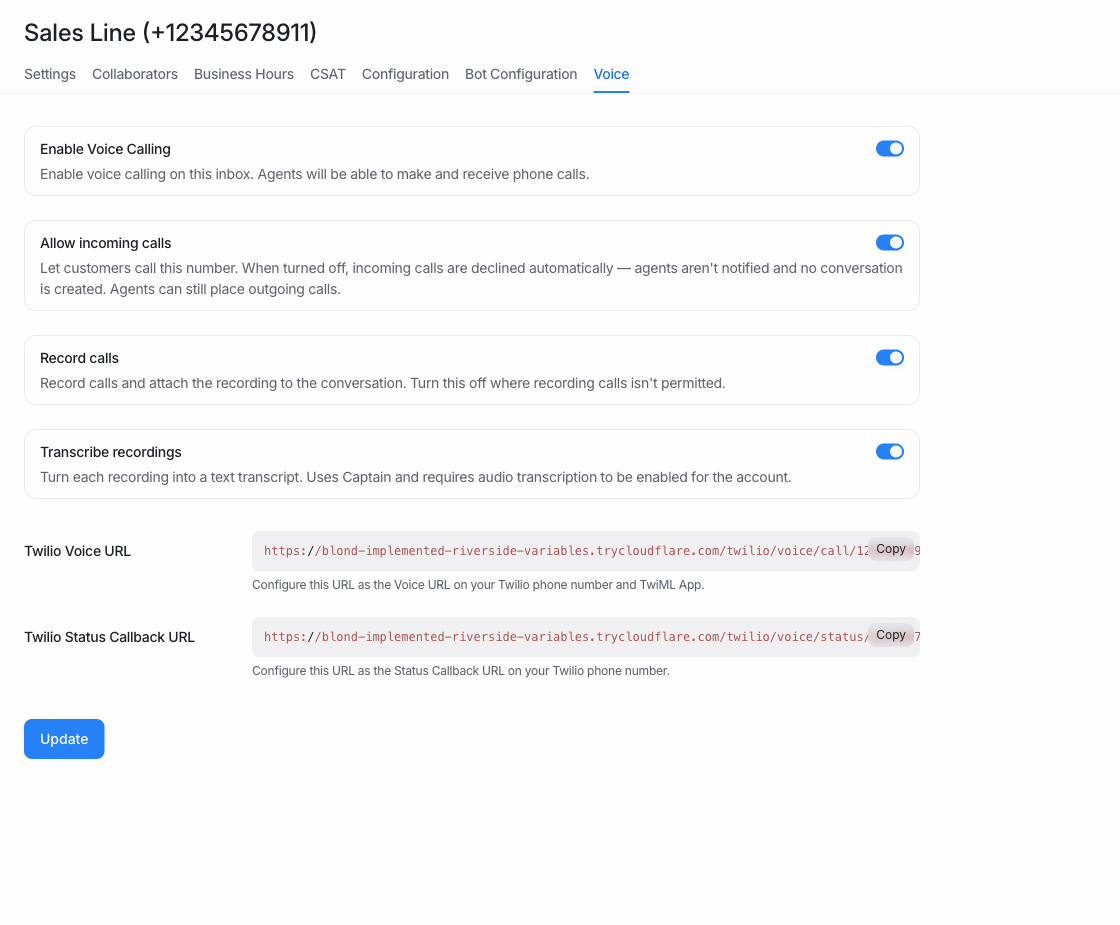
**WhatsApp Cloud inbox → Calls**
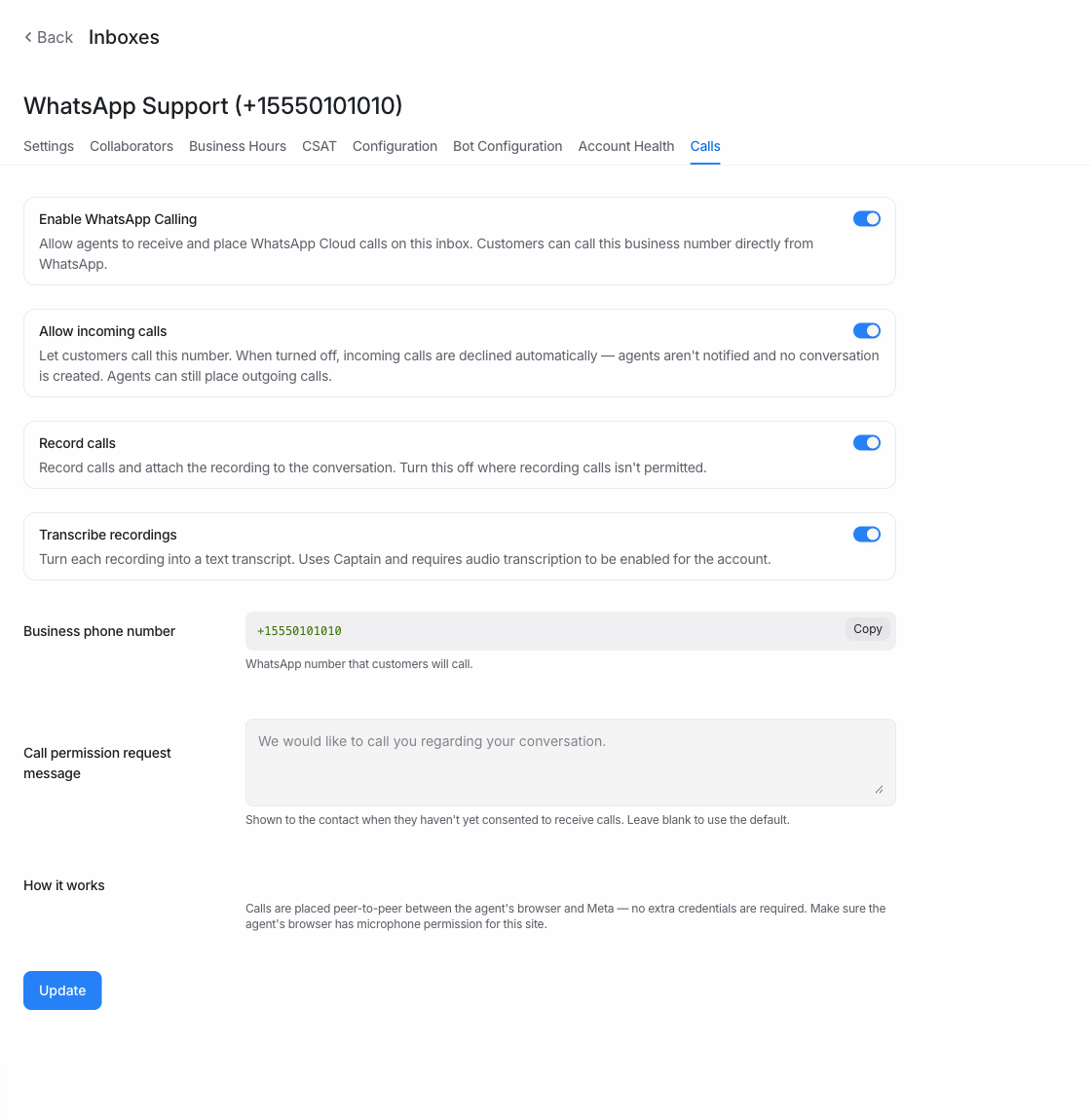
## How to test
1. Open a Twilio voice inbox → Settings → **Voice**, or a WhatsApp Cloud
inbox with calling enabled → **Calls**. Two new toggles appear below
"Allow incoming calls": Record calls and Transcribe recordings.
2. Turn **Record calls** off. The Transcribe toggle disappears and the
setting saves immediately.
- Twilio: place or receive a call — no recording appears on the call
bubble or the Calls page afterwards.
- WhatsApp: accept or place a call — the browser never starts recording,
and no recording is attached when the call ends.
3. Turn **Record calls** back on and turn **Transcribe recordings** off.
Complete a call: the recording is attached but no transcript is
generated (including when Captain reads the conversation). An ordinary
voice note on the same inbox still transcribes.
4. Turn both back on (the defaults) — recording and transcription behave
exactly as before this change.
5. As an agent (non-admin), the toggles are read-only: the API rejects
changes with 401.
## What changed
**One decision point per setting.** Recording is decided once, when the
`Call` row is created: `before_create` snapshots the inbox's flag into
`meta`, and every consumer — Twilio's per-leg conference TwiML, the ring
broadcast, `/initiate`, `GET /whatsapp_calls/:id` — reads
`call.recording_enabled?`. Because Twilio asks for TwiML separately for
each leg and the agent's browser reads a payload of its own, a live
lookup could hand the same call two different answers; the snapshot
means it can't, and flipping the toggle mid-call never changes a call
already under way.
Transcription is deliberately *not* snapshotted: it is read when a
transcript is actually produced. `Messages::AudioTranscriptionService`
is re-entrant (Captain calls it every time it reads a conversation), so
a snapshot would permanently block transcribing a recording an admin
later decides they want transcribed.
- `Concerns::CallRecordingSettings` mixed into
`Enterprise::Channel::TwilioSms` and `Enterprise::Channel::Whatsapp`:
`recording_enabled?` / `transcription_enabled?` read from
`provider_config` and default on (only an explicit `false` disables).
Kept in the EE overlay since calling is Enterprise-only; exposed on the
inbox payload.
- New admin-only endpoint `POST
/api/v1/accounts/:id/inboxes/:id/set_call_recording`, mirroring
`set_inbound_calls` — including the `validate: false` save so WhatsApp's
remote credential re-check can't reject a toggle. It posts both flags
together, so neither can clobber the other.
- Twilio: `<Conference record>` switches between `record-from-start` and
`do-not-record`. With `do-not-record` Twilio produces no recording at
all, so no status callback fires and there is nothing to download,
attach, or discard.
- WhatsApp: the agent's browser is what records, so the decision rides
the same three payloads `sdp_offer`/`ice_servers` already ride — the
`voice_call.incoming` ring broadcast, the `/initiate` response, and `GET
/whatsapp_calls/:id` (the fallback the accept path already uses when the
ring broadcast was missed). When recording is off the `MediaRecorder` is
never created, so no audio is captured and nothing is uploaded.
- Transcription is gated in `Voice::CallTranscriptionService` (Twilio's
automatic path) and in `Messages::AudioTranscriptionService` (the
WhatsApp recording attachment path, which Captain also calls directly).
The second is scoped to `voice_call` messages, so ordinary voice notes
are unaffected.
- Shared `CallRecordingSettings.vue` used by both settings pages,
following the existing inbound-calls toggle: optimistic update, rollback
on failure.
- `WhatsappCallsController#upload_recording` refuses audio for a call
whose snapshot says no. The browser gate ships in JS, so a tab loaded
before the setting changed would otherwise still be able to store a
recording — the client gate avoids *capturing* audio, this one enforces
the policy.
## Verified against a running instance
Beyond the specs, this was exercised end to end on a local server:
- Both toggles render on the Twilio **Voice** and WhatsApp **Calls**
pages, default to on for an inbox whose `provider_config` is `{}`, and
survive a reload. Turning Record calls off hides the Transcribe toggle.
- Toggling writes both flags together (`{"recording_enabled" => true,
"transcription_enabled" => false}`) — neither clobbers the other.
- The real Twilio webhook returns `record="do-not-record"` with
recording off and `record="record-from-start"` with it on. **Snapshot
confirmed:** a call created while recording was off keeps
`do-not-record` even after the inbox is switched back on, while a call
created afterwards gets `record-from-start`.
- `Messages::AudioTranscriptionService` returns the disabled error for a
`voice_call` message when transcription is off, and does *not* block an
ordinary voice note on the same inbox, nor a `voice_call` message when
transcription is on.
- Endpoint authorization: agent → 401, admin → 200, non-voice inbox →
422 `Inbox does not support calling`.
- `upload_recording` → 422 `Call recording is disabled for this inbox`
for a call snapshotted off, 200 `uploaded` for one snapshotted on.
LINE webhook jobs currently stop silently when signature verification
fails, making it difficult to distinguish an invalid signature from
failures later in message processing.
This change adds a warning when a LINE webhook signature is rejected.
Existing webhook validation and message-processing behavior remain
unchanged.
---------
Co-authored-by: Muhsin <12408980+muhsin-k@users.noreply.github.com>
Co-authored-by: Claude Sonnet 5 <noreply@anthropic.com>
On installations that override `FRONTEND_URL` through installation
config, SAML login broke: the SP entity ID was built from the overridden
value while the assertion consumer service URL was built from the raw
env var, so the two pointed at different hosts and the IdP posted its
assertion to the wrong place.
The SAML setup proc now reads `FRONTEND_URL` via `GlobalConfigService`,
matching how `AccountSamlSettings#set_sp_entity_id` builds the SP entity
ID.
## How to reproduce
1. Set `FRONTEND_URL` in the environment, then override it with a
different value in Super Admin installation config.
2. Configure SAML for an account and compare the generated SP entity ID
with the ACS URL sent to the IdP. Before this change they use different
hosts.
## Note
`sp_entity_id` is only generated on create, so accounts that configured
SAML under an older `FRONTEND_URL` keep a stale value and still need a
re-save. `OmniAuth.config.full_host` in
`config/initializers/omniauth.rb` also reads the raw env var, but that
affects OSS Google OAuth too and is left alone here.
Improves the Google OAuth signup error shown when someone uses a
personal email address. The message now explains that a work email is
required and stays visible for six seconds.
WhatsApp username is already captured from BSUID-aware webhook payloads,
but agents could not see or preserve it consistently while editing
contacts. This change exposes the stored WhatsApp username in the
contact social links UI and keeps it intact when contact details are
saved.
The conversation contact panel also shows the username as read-only
identity metadata because that compact panel does not expose the
social-links editor. Routing and outbound addressing remain unchanged;
username remains display metadata in this PR.
### Related
Related:
https://linear.app/chatwoot/issue/CW-7804/add-bsuid-and-whatsapp-username-search-and-contact-identity-ui
### Things to know
- WhatsApp username is shown and stored under
`social_profiles.whatsapp`.
- Existing `social_whatsapp_user_name` values are preserved by both
contact edit forms.
- This does not add BSUID or WhatsApp username search yet.
### How to test
1. Open a WhatsApp contact that has
`additional_attributes.social_profiles.whatsapp` or
`additional_attributes.social_whatsapp_user_name`.
2. Confirm the conversation contact panel shows the WhatsApp username
and allows copying it.
3. Open the contact details page and confirm WhatsApp appears under Edit
social links.
4. Update another contact field and save.
5. Reload the contact and confirm the WhatsApp username is still
present.
Co-authored-by: Muhsin <12408980+muhsin-k@users.noreply.github.com>
Dashboard apps now receive custom attribute definitions and the resolved
Chatwoot theme in their context. The context stays synchronized as
attributes and theme change, and refresh requests are routed to the
requesting iframe.
Automation rules containing consecutive label conditions, or an assignee
condition followed by a label condition, can now execute regardless of
condition order.
### What caused the failure
The automation condition filter builds a SQL expression by concatenating
the fragment generated for each condition. Label conditions recently
began using the shared `tag_filter_query` helper, whose fragments do not
include surrounding whitespace.
When a label condition followed an assignee condition or another label
condition, the concatenated SQL contained tokens such as `andEXISTS` or
`andNOT EXISTS`. PostgreSQL rejected the query with a syntax error. The
condition service rescued that error and returned `false`, so the
automation silently appeared not to match. Some condition orders
happened to produce valid SQL, which made reordering look like a
workaround.
This change pads label fragments at the automation filter boundary so
adjacent SQL tokens remain separated for every condition order.
### Closes
- [Support conversation
93445](https://app.chatwoot.com/app/accounts/1/conversations/93445)
- [Support conversation
93437](https://app.chatwoot.com/app/accounts/1/conversations/93437)
### How to reproduce
Create a message-created automation combining assignee presence and
label conditions, then trigger it with the label condition in different
positions. The automation should execute for every logically equivalent
ordering.
When using WhatsApp Coexistence, a message sent from the native WhatsApp
app can create a duplicate contact and a separate conversation for a
customer who already exists in Chatwoot. This happens for Brazilian
numbers when WhatsApp delivers the number without the mobile 9th digit
while the existing contact is stored with the normalized number.
Chatwoot previously deduplicated incoming WhatsApp identifiers mostly at
the `contact_inbox.source_id` level. When no matching `contact_inbox`
existed, contact creation fell back to an exact `phone_number` lookup
using the raw provider number, so an existing normalized contact could
be missed. This change makes contact lookup try safe phone-number
candidates so the same customer resolves to the existing contact and
conversation history stays intact.
### Closes
-
https://linear.app/chatwoot/issue/CW-6724/duplicate-contacts-created-in-brazil-9th-digit-issue-when-using
- Closes https://github.com/chatwoot/chatwoot/issues/13986
### How to reproduce
1. Enable WhatsApp Coexistence on a self-hosted instance.
2. Ensure a contact exists with a Brazilian number including the mobile
9th digit, for example `+5511912345678`.
3. From the native WhatsApp Business app, send a message to that
customer so Chatwoot receives an echo event with the number without the
9th digit, for example `+551112345678`.
4. Before this change, Chatwoot creates a duplicate contact and a
separate conversation.
5. After this change, Chatwoot reuses the existing contact and the
message lands in the existing conversation context.
### Things to know
- Exact phone-number matches still win before generated candidates, so
existing contacts stored in the provider-delivered format are preserved.
- Brazil candidate matching is limited to legacy mobile ranges so
landlines are not rewritten into mobile-looking numbers.
- The same contact candidate logic is applied to WhatsApp Cloud,
WhatsApp Coexistence echo events, Twilio WhatsApp, and Enterprise
WhatsApp calls.
### What changed
- Added safe contact phone-number candidate lookup to
`ContactInboxWithContactBuilder`.
- Centralized candidate generation through
`Whatsapp::PhoneNumberNormalizationService#phone_number_candidates`.
- Added Brazil-specific contact candidate rules and regression coverage
for raw, normalized, landline, profile-name, Twilio, and Enterprise call
paths.
---------
Co-authored-by: Muhsin <12408980+muhsin-k@users.noreply.github.com>
Co-authored-by: Claude Opus 4.8 (1M context) <noreply@anthropic.com>
Co-authored-by: Tanmay Deep Sharma <tanmaydeepsharma21@gmail.com>
Co-authored-by: Tanmay Deep Sharma <32020192+tds-1@users.noreply.github.com>
## Description
Message deletions were not recorded anywhere. This adds an enterprise
audit log entry when a message is deleted, capturing who deleted it, the
conversation and inbox context, and the original content before it is
replaced with the deleted placeholder.
The audit write lives in an enterprise controller module that prepends
the core messages controller `destroy` action, keeping the core change
to a single line. The deletion and the audit entry are written in the
same transaction, so a deletion that cannot be audited is not committed.
This does not change who is allowed to delete a message.
Part of https://linear.app/chatwoot/issue/CW-7852
## Type of change
- [x] New feature (non-breaking change which adds functionality)
## How Has This Been Tested?
Added a request spec asserting the soft-delete still works and that an
audit log entry is created with the deleting user, request IP,
conversation/inbox context, and original content; plus a frontend helper
spec for the new entry. Existing message controller specs pass.
## Checklist:
- [x] My code follows the style guidelines of this project
- [x] I have performed a self-review of my code
- [x] My changes generate no new warnings
- [x] I have added tests that prove my feature works
- [x] New and existing unit tests pass locally with my changes
WhatsApp Embedded Signup inboxes can now be reconfigured without
requiring the deprecated `whatsapp_reconfigure` account feature. This
keeps the existing reconfigure action available for admins while
preserving the separate Cloud gate for creating new Embedded Signup
inboxes.
The old `whatsapp_reconfigure` flag remains in the feature list as a
deprecated entry so existing `feature_flags_ext_1` bit positions stay
stable.
### Things to know
- New WhatsApp Embedded Signup inbox creation on Chatwoot Cloud still
requires `whatsapp_embedded_signup_inbox_creation`.
- The deprecated `whatsapp_reconfigure` feature should not be used for
runtime behavior.
- The Reconfigure UI copy remains unchanged.
### How to test
1. Open an existing WhatsApp Cloud inbox that was connected through
Embedded Signup.
2. Go to Settings -> Inboxes -> the inbox -> Configuration.
3. Confirm the WhatsApp Embedded Signup section shows the Reconfigure
action even when `whatsapp_reconfigure` is disabled for the account.
4. Click Reconfigure as an admin and complete the Meta flow for the same
phone number.
5. Confirm the existing inbox is updated successfully.
6. On Chatwoot Cloud, try creating a new WhatsApp Embedded Signup inbox
from an account without `whatsapp_embedded_signup_inbox_creation`;
confirm creation is still blocked.
### What Changed
- Removed `whatsapp_reconfigure` from frontend feature constants.
- Removed the backend reconfigure authorization dependency on
`whatsapp_reconfigure`.
- Marked `whatsapp_reconfigure` as deprecated in `config/features.yml`.
- Added request and component coverage for ungated reconfigure and
still-gated Cloud inbox creation.
Co-authored-by: Muhsin <12408980+muhsin-k@users.noreply.github.com>
# Pull Request Template
## Description
This PR fixes the "Initiated at" field in the conversation sidebar
showing the visitor's local time for website conversations and UTC for
email conversations. It now shows the time in the agent's timezone and
dashboard language, with the timezone label included to avoid ambiguity.
For example: `Nov 27, 2025, 9:05 PM (GMT+5:30)` or `27/11/2025، 9:05 م
(غرينتش+5:30)`.
## How to reproduce
1. Start a conversation from the live-chat widget with the visitor's
timezone different from the agent's, or use an email conversation.
2. Open the conversation in the dashboard and check Conversation
Information → Initiated at.
3. Before: the visitor's local time or UTC. After: the agent's local
time with the timezone label.
## What changed
* `ConversationInfo.vue` now parses and formats the stored timestamp
instead of displaying it as-is.
* `useExactTimestamp` now supports an opt-in `showTimeZone` flag. The
existing default formatting is reused, with the localized timezone label
appended in parentheses.
* Specs cover UTC, DST abbreviations (PST/PDT), whole and fractional
offsets, date-line rollover, localized and RTL timezone labels, and the
default format.
Fixes
https://linear.app/chatwoot/issue/CW-7983/initiated-at-in-conversation-information-is-not-shown-in-the-agents
## Type of change
- [x] Bug fix (non-breaking change which fixes an issue)
## How Has This Been Tested?
### Screenshots
**Before**
<img width="357" height="125" alt="image"
src="https://github.com/user-attachments/assets/5861d67d-d802-4938-8c35-7e7874fb2e84"
/>
<img width="357" height="125" alt="image"
src="https://github.com/user-attachments/assets/2039da42-d152-4043-b5c3-847e2b9fdb1e"
/>
**After**
<img width="357" height="125" alt="image"
src="https://github.com/user-attachments/assets/13c538ba-a2b2-4982-940a-fbe5514c262f"
/>
<img width="357" height="125" alt="image"
src="https://github.com/user-attachments/assets/dbcc145e-10a0-4683-8e8d-03e39ba4ef41"
/>
## Checklist:
- [x] My code follows the style guidelines of this project
- [x] I have performed a self-review of my code
- [x] I have commented on my code, particularly in hard-to-understand
areas
- [ ] I have made corresponding changes to the documentation
- [x] My changes generate no new warnings
- [x] I have added tests that prove my fix is effective or that my
feature works
- [x] New and existing unit tests pass locally with my changes
- [ ] Any dependent changes have been merged and published in downstream
modules
2026-09-02 13:50:45 +05:30
2694 changed files with 108377 additions and 17688 deletions
- **Database foreign keys**: Prefer Rails associations and callbacks over database foreign-key constraints. Add a database foreign key only when there is a clear need and after checking deletion behavior and production migration/locking risks. Existing foreign keys alone are not a reason to add new ones.
- **Migrations**: Create migrations with `bundle exec rails g migration <Name>` so the version is a real timestamp. Never hand-write or round the version (e.g. `20260925000000`); rounded versions collide across branches and break `db:migrate`.
- Prefer the smallest production-ready change that solves the current problem.
- Build for the expected production path first. Do not add speculative guards, fallbacks, retries, or edge-case handling unless the caller can actually hit that case or production has proven it necessary.
- Enforce eligibility and exclusivity rules at the earliest shared entry point. Do not repeat backup guards across downstream jobs, callbacks, services, or writes unless a proven independent path bypasses that point.
- Validate request parameters at the controller or request boundary, reusing existing errors so invalid input returns `422 Unprocessable Entity` instead of reaching models or Sentry.
- Accept only the documented type, shape, and value. Do not add compatibility coercions for malformed client values; fix official clients instead.
- When an impossible or misconfigured state would indicate a setup/deployment bug, let it fail loudly instead of silently skipping behavior.
- For locked/internal configs that must exist in production, prefer direct reads (`find`, `find_by!`, required hash keys) over silent fallbacks.
- Do not add validation or response checks unless the code uses the result or the check changes behavior meaningfully.
Some files were not shown because too many files have changed in this diff
Show More
Reference in New Issue
Block a user
Blocking a user prevents them from interacting with repositories, such as opening or commenting on pull requests or issues. Learn more about blocking a user.


